29
Programming
Whenstarngup,the“Comfortmodefrom6a.m.to11p.m.”programis
applied to all the days of the week. To change the programming, turn the
knob to PROG. The 1
st
meslotashesonando.
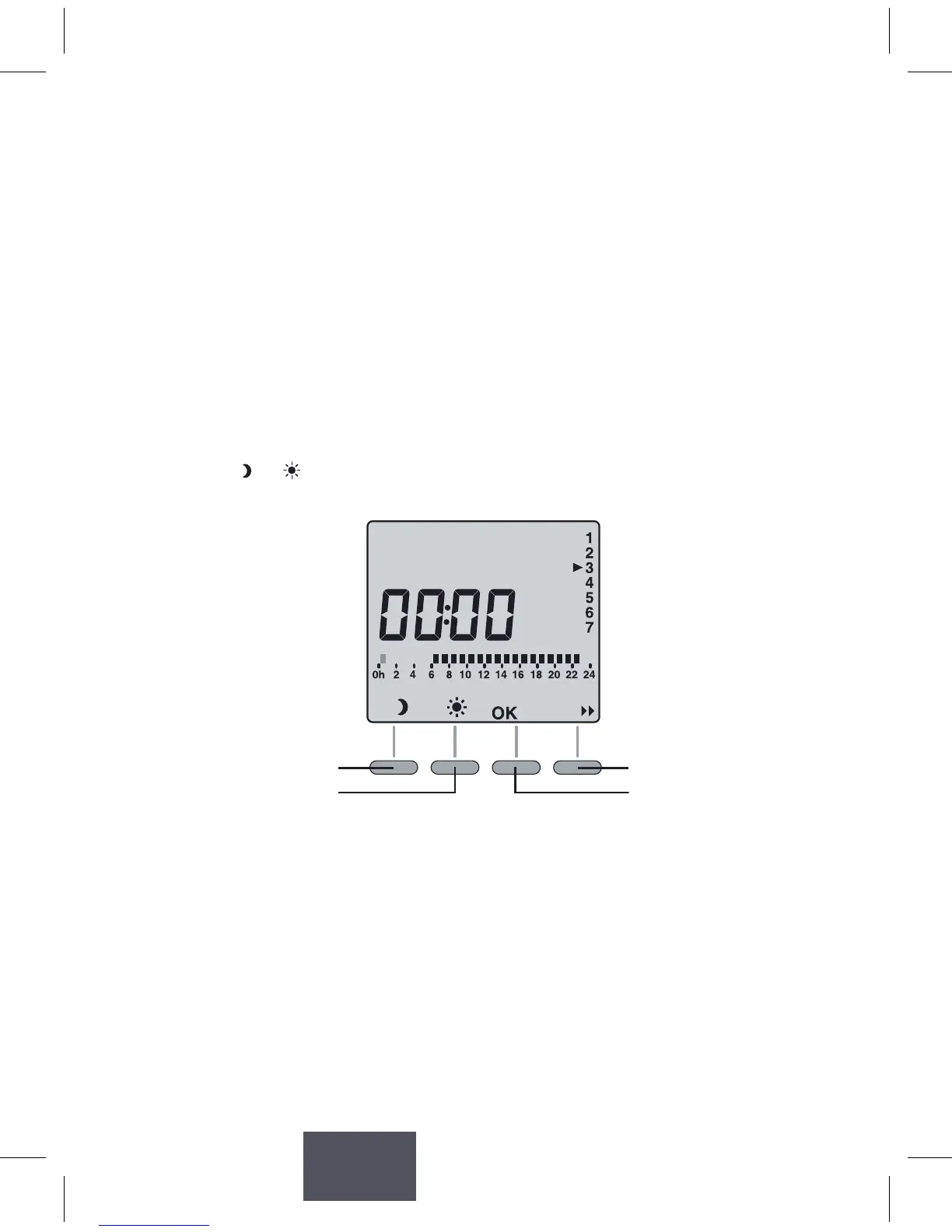
1. Create your program
Programming starts on day 1 at midnight.
Press the
or buonstocreatedierentEconomyorComfort
periods.
Economy mode
for 1 hour
Comfort for 1 hour
Go to the next
program change
Conrm and go to
the next day
2. Conrm and copy the program
Press and hold the OKbuonfor3secondstoconrmtheprogramyou
created and copy it to the next day.



 To Next Page