22 23
CLEANING AND MAINTENANCE
MAKE SURE: You switch off the device and pull out the plug before
cleaning and maintenance.
1. That the fan is disconnected from power before emptying the water out.
2. Use a soft, damp cloth and carefully clean the surfaces on the outside of the prod-
uct.
3. Do not let water or other liquids to come inside the product as this can cause fires
or other electrical dangers.
4. We also recommend regularly cleaning the appliance by carefully running a vacuum
cleaner nozzle over the protective grilles to remove any dust and dirt that may have
accumulated inside of or on the unit.
CAUTION: Do not use strong cleaning agents, chemical cleaning agents, or solvents as
these can damage the finish of the plastic components.
5. Place fan in its original packaging, or cover the fan to protect it
against dust.
6. Keep it in a cool, dry place.
7. When cleaning the water tank: empty the water out, remove any dirt or dust and
wipe dry.
REMOTE CONTROL
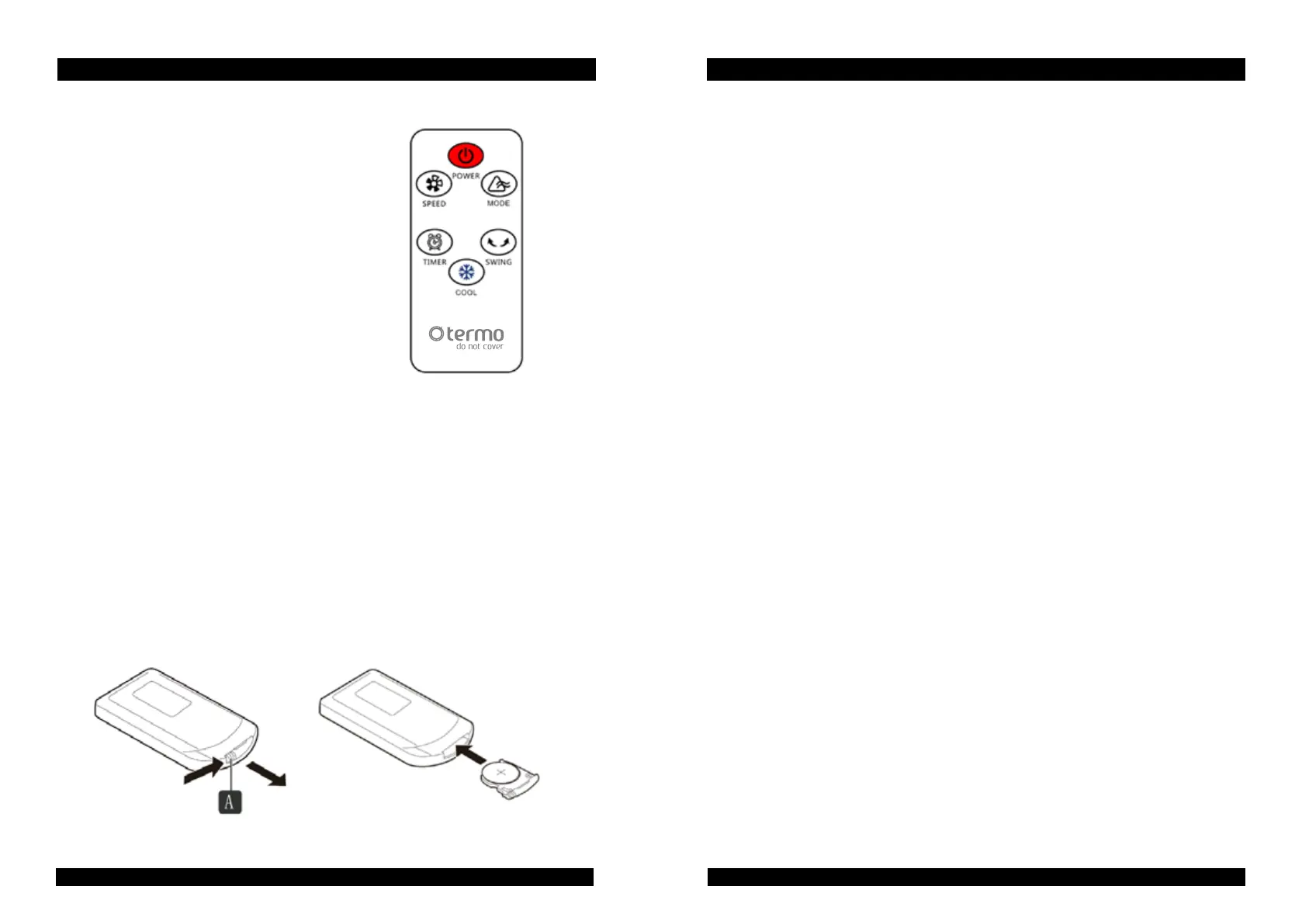
Your air cooler is supplied with a remote control.
REPLACING THE BATTERIES
The remote control is powered by a Lithium Button Cell Battery (CR2025). Should the
remote become unresponsive, replace the battery following the instructions below:
1. Turn over the remote and press tab A to the right.
2. Slide out the battery tray B
3. Replace the battery with the same type, ensuring the positive side is facing upwards.
GB INSTRUCTION MANUAL GB INSTRUCTION MANUAL


 To Next Page