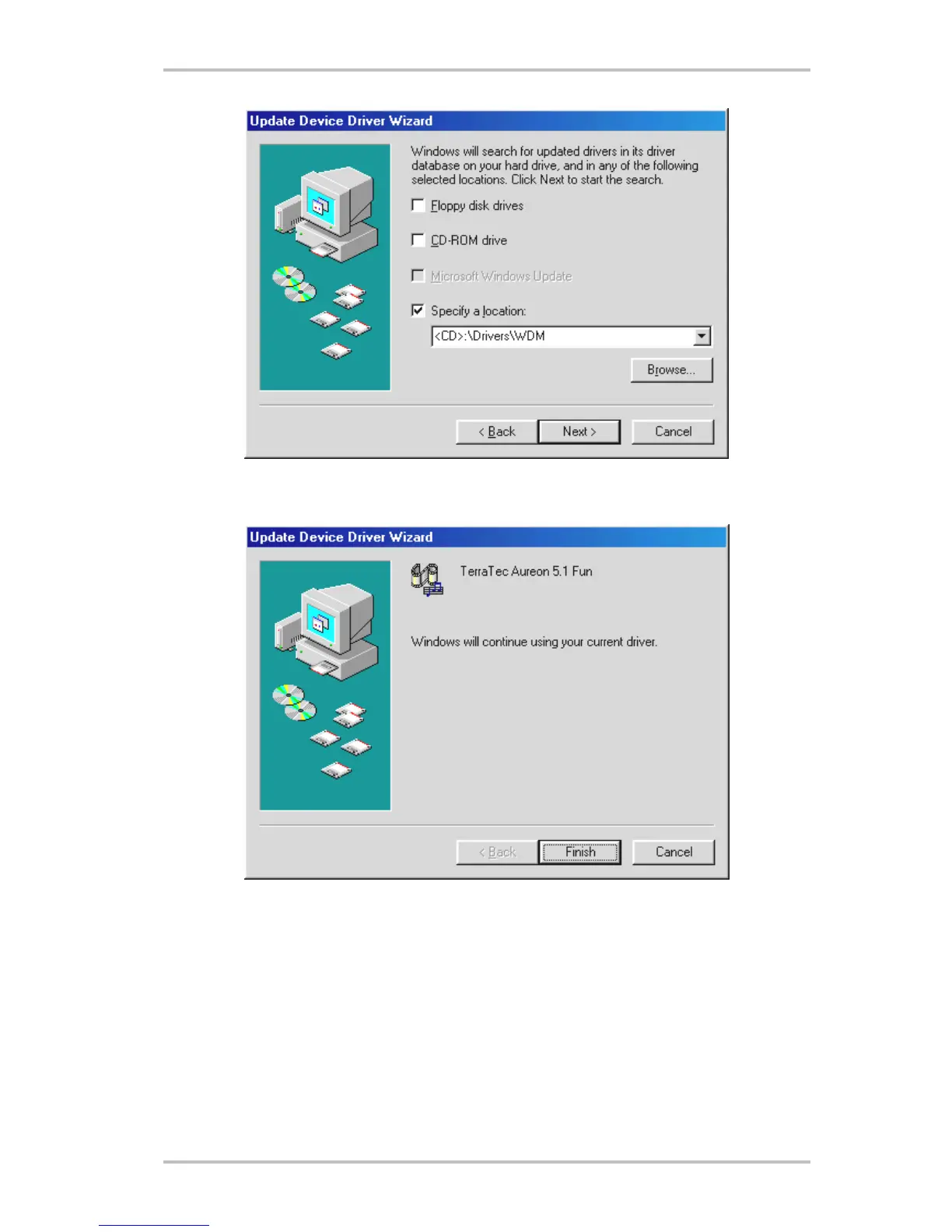
Enter the path
<CD>:\Drivers\WDM\ and click “OK”. Alternatively, you can also select the path to
the best driver of your Aureon 5.1 Fun using the mouse by clicking “Browse...”.
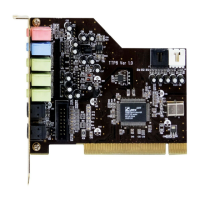
At the conclusion, click “Finish”.
Windows now performs the driver installation and acknowledges the process with several
windows that can be viewed. Nothing else should be required at this time. If contrary to all
expectations a request should appear for you to perform some action and you are not sure
about it, then pressing the Enter key is generally a safe action.
If Windows requests a second driver file, please refer to the aforementioned directory on the
Aureon 5.1 Fun CD-ROM. It is also possible (e.g. if this is the first sound card installation in
your system) that some additional Windows extensions have to be installed. Please have your
Windows CD ready for this purpose.
12 SoundSystem Aureon 5.1 fun (English)


 To Next Page