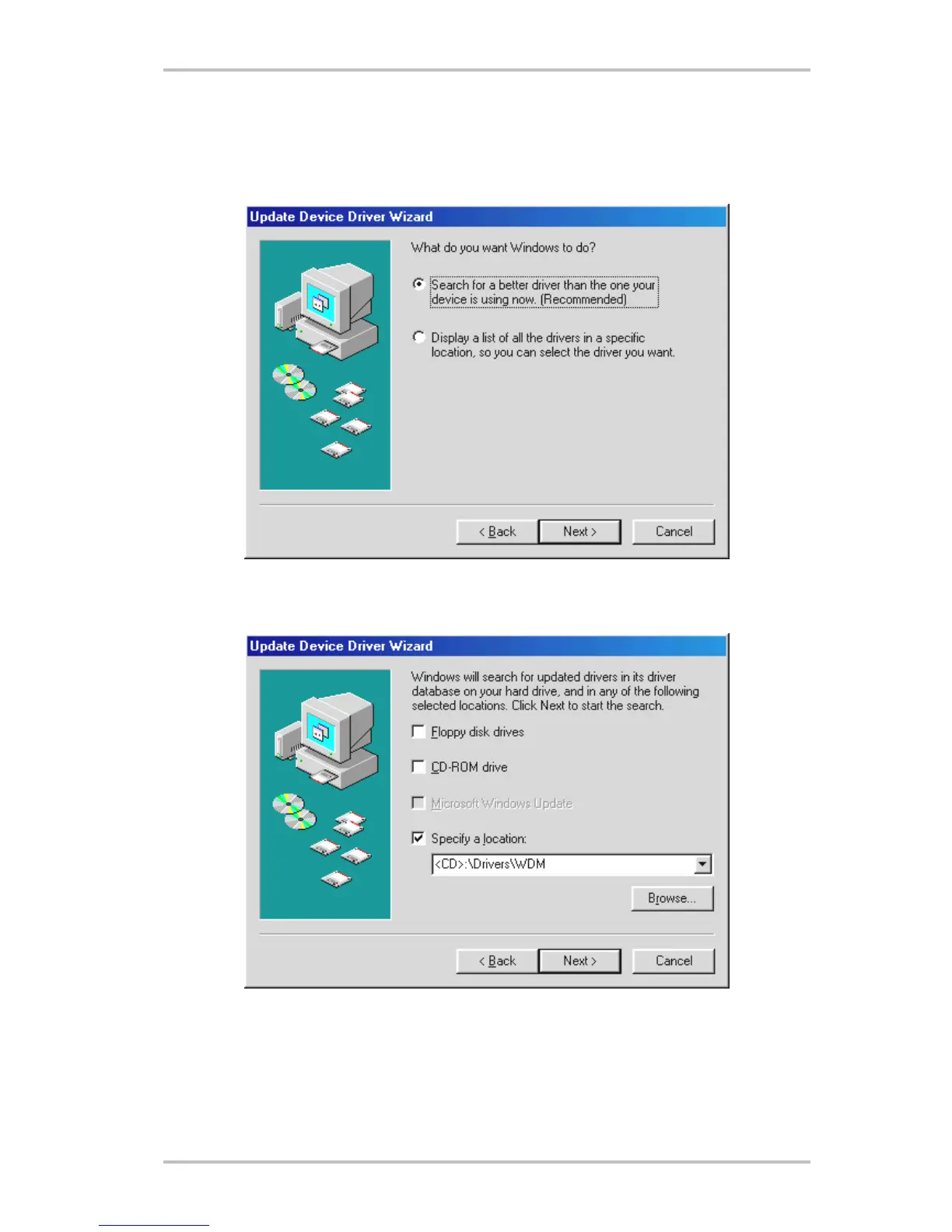
Installation under Windows ME.
After the computer restarts and Windows ME detects the new hardware using the Add New
Hardware Wizard, the following window displays.
Select “Specify the location of the driver (Advanced)” and click “Next”.
Activate the checkbox “Specify a location:”, enter the path <CD>:\Drivers\WDM\ and click “Next”.
Alternatively, you can change to the respective directory by clicking on “Browse...”.
14 SoundSystem Aureon 5.1 fun (English)



 To Next Page