4.3 Timer Operation Steps
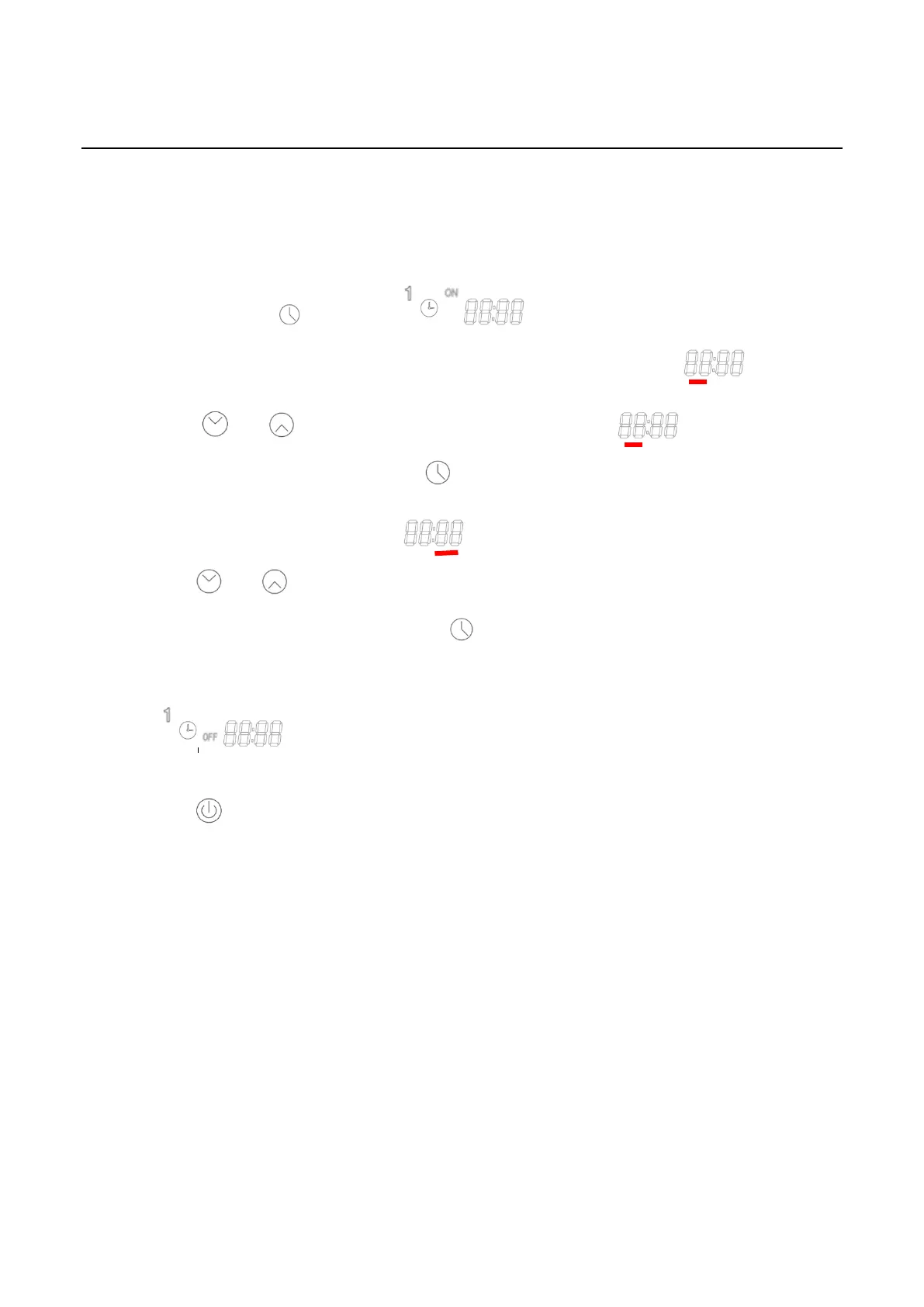
The Phase 1 timer on/off setting:
Step1: Press and hold for 3S until icon will be lighted, it means to enter
the 1
st
phase timer setting function. The “hour” byte will be flashed .
Step2: Press or to set “hour” byte when “hour” flashed . The setting will be
saved in the controller after press when “hour” setting is finished
Step3: The “minute” byte will flashing after “hour” setting is finished, at this time,
press or to set the “minute” byte. The “1
st
phase ON timer setting will be
saved in the controller after press , then the 1
st
phase OFF timer setting is
followed automatic.
Step4: “ ”icon will be lighted after Step 3 finished, the 1
st
phase OFF timer
setting method is same as Step1 to Step2. After the hour and minute are set, please
press to save 1
st
phase ON/OFF timer and return to main menu When “minute”
byte is flashed.



 To Next Page