B). Cable Length Measurment
The tester measures the length of both twisted-pair and coaxial
cables. If the tester is not calibrated to the cable under test, then
factory default cable characteristisc are used to compute the length.
If a more accurate length measurement is desired, refer to
“CALIBRATING CABLE LENGTH” described on this manual.
Before a length measurement is made, the tester perfom “Test
Cables” described on this manual to prevent any cable failures from
corrupting the length measurement.
Cable length measure procedure.
1. Select cable type under test.
2. Connect the cable and test to the appropriate connector on the
tester.
3. Press LENGTH key.
4. Use ▼or ▲key to scroll selection multiple displays.
The information that is displayed depends on the type of cable
selected. For twisted pair cable, each pair has corresponding length
measurement.
A 5% difference in length botween pairs, is uncommon.
For 100m UTP
The length of coaxial cable terminated in a resistance cannot be
determined by the tester.
For 100m coaxial cable
10
C). WIRE MAP CHECKING
Use the tester wiremap function and remote identifier unit (ID), to
determine the wiring status of both the near end and far end of the
cable.
Wire Map measure procedure.
1. Select cable type under test.
2. Connect the cable under test to the appropriate connector on the
tester.
3. Press WIRE MAP key.
Near End → Good cable with
Far End → remote unit
Wire Map Failure Using remote unit (ID).
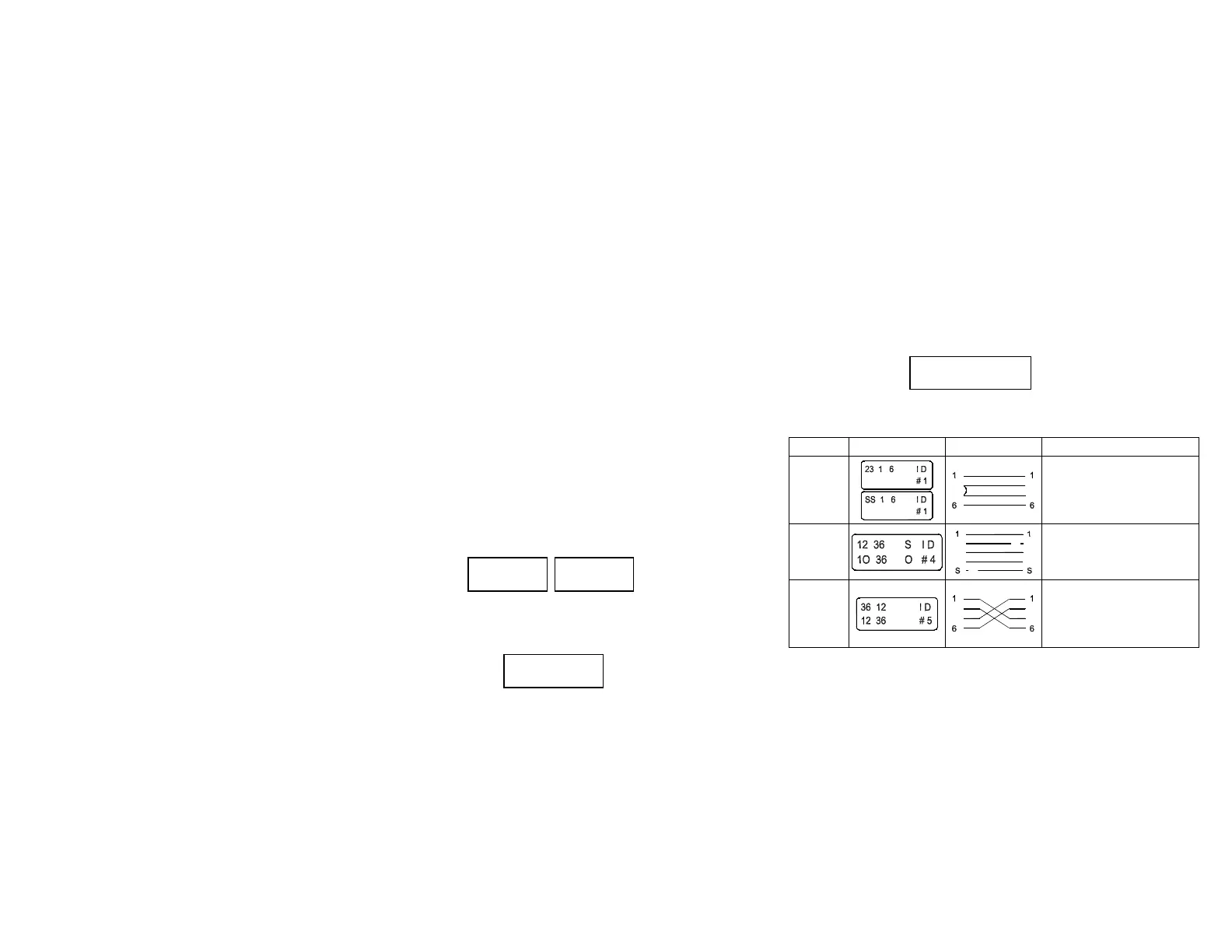
FAILURE DISPLAY WIRING DESCRIPTION
Short
(near end)
2
3
2
3
Alternately display an “s”
with actual wire number of
each wire shorted.
Open
Alternately display “o” with
the number of each open
wire.
Miswire
33
2 2
Displays the wiring detected
by the test tool and flash the
wire numbers involved in the
anomaly.
11
12 100m 45 99.5m
36 100m 78 100m
COAX 100m
12 36 45 78 ID
12 36 45 78 #8



 To Next Page