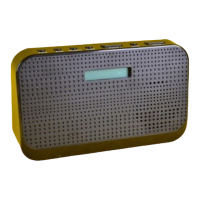
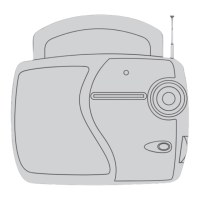
Need help?
Do you have a question about the Tesco DAB109FD and is the answer not in the manual?
Explains DAB technology, its benefits over FM, and radio reception capabilities.
Instructions for carefully unpacking the unit and retaining packaging.
Guidance on placing the radio on a dry, stable surface away from heat and damp.
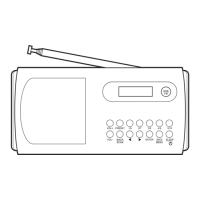
Identifies and labels all controls and connectors on the front panel of the radio.
Identifies and labels all controls and connectors on the back panel of the radio.
Describes the information displayed during DAB radio playback, including station name and scrolling text.
Describes the information displayed during FM radio playback, including station name and stereo/mono indication.
Step-by-step guide on how to insert AA batteries into the radio.
Instructions for connecting the radio to the AC power source and mains supply.
How to turn the radio on and off using the standby button.
How to turn the radio on and off using the standby button while on battery power.
Guidelines for safely disposing of used batteries according to recycling regulations.
Instructions for extending and adjusting the aerial for optimal reception.
Information on how the radio's clock is automatically set via DAB broadcast.
Process of scanning for available DAB stations when the radio is first used.
How to control the audio volume using the volume dial.
Guide to navigating and selecting stations from the alphanumeric DAB list.
Instructions for tuning to FM stations, including auto and manual tuning modes.
How to store and recall favourite DAB and FM stations using presets.
How to set, activate, and manage the radio's alarm and snooze features.
Instructions for switching off or snoozing the alarm when it activates.
How to program the radio to switch itself off after a set period.
Instructions for performing local or full scans to refresh available DAB stations.
Guide to manually tuning DAB stations by multiplex channel.
How to cycle through information displayed during DAB playback (DLS, Programme Type, etc.).
How to cycle through information displayed during FM playback (Radiotext, Frequency, etc.).
Information about the headphone output socket and speaker cut-off function.
How to perform a factory reset to restore default settings and erase presets.
How to display the radio's software version for service assistance.
Instructions for cleaning and maintaining the radio unit.
Technical details including voltage, power consumption, frequency ranges, and weight.
Information about the appliance's 12-month warranty and contact details.
 General
| Type | DAB/FM Radio |
|---|---|
| DAB+ | Yes |
| FM | Yes |
| Presets | 20 (10 DAB, 10 FM) |
| Display | LCD |
| Alarm Function | Yes |


 To Next Page