Need help?
Do you have a question about the Tesco DR1704 and is the answer not in the manual?
Covers risks of electric shock, not opening the unit, and proper electrical connections.
Guidelines on water, cleaning, ventilation, heat, lightning, fire hazards, and batteries.
Addresses RF interference and consequences of unauthorized modifications.
Recommendations for hearing protection and qualified servicing personnel.
Instructions for unpacking the unit, retaining packaging, and returning damaged items.
Lists the items included in the carton: DAB radio, AC adapter, Operating Manual.
Guidance on where to place the unit for optimal and safe operation.
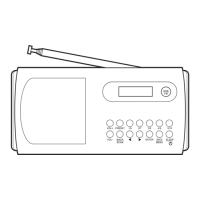
Identifies and explains the buttons and controls on the front of the radio.
Identifies and explains the ports and features on the back of the radio.
Instructions for extending and adjusting the telescopic aerial for DAB/FM reception.
Steps for connecting the AC adapter and checking voltage compatibility.
Explains automatic clock setting via DAB signal and manual setting option.
Guide to installing 4 x C batteries, noting polarity and recommended types.
Advice on responsible disposal of used batteries, avoiding short circuits and water.
How to perform a manual scan to refresh the list of available DAB stations.
Lists and explains various display options like DLS, Signal Strength, Programme Type, etc.
Explains Full Scan, Manual Tuning, Prune, and System settings (Sleep, Time, Language, Factory Reset, SW Version).
How to switch the radio to FM mode using the MODE button.
Instructions for using the SELECT button to find the next available FM station.
How to use the SCROLL control to manually step through FM frequencies.
Explains how to set mono reception for weak FM signals to reduce background noise.
Lists and describes information display options for FM stations like RDS, Programme Type, Frequency.
Explains Scan Setting (Strong/All stations) and Audio Setting (Forced Mono/Stereo).
How to store up to 10 favourite stations for quick recall on both DAB and FM bands.
Instructions for accessing and playing stored preset stations.
How to set a timer to automatically switch the radio to standby after a set period.
Outlines the step-by-step process for configuring alarm time, duration, source, repeat, and volume.
Instructions on how to navigate and confirm settings changes within the alarm setup.
Confirms that alarm settings are saved automatically upon completion.
Options to switch off the alarm or activate the snooze function.
How to use the VOLUME control to activate snooze and select snooze duration.
Instructions for cleaning the unit, emphasizing unplugging and using a dry cloth.
Advice on adjusting the aerial and checking signal strength for DAB reception.
Suggests resetting the radio to renew the station list if stations are not found.
Recommends setting audio to 'Forced Mono' for weak FM signals.
Checks to ensure alarm times are set and the alarm is switched on.
Suggests adjusting the alarm volume setting.
Lists technical specifications like AC adapter input/output, battery power, and frequency range.
Outlines the 12-month warranty period and how to contact Tesco for service.


 To Next Page
 General