Need help?
Do you have a question about the Tesco DR1404P and is the answer not in the manual?
Describes electrical safety and usage guidelines for the appliance.
Instructions for safely unpacking the radio and checking contents.
Lists the items included in the product carton.
Guidance on placing the radio for optimal use and safety.
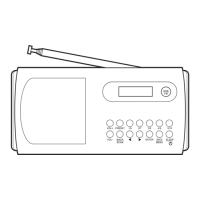
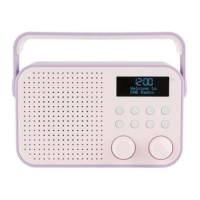
Identifies and describes the controls on the front of the radio.
Identifies and describes the connections on the back of the radio.
Illustrates and explains the components of the radio's display.
Instructions for positioning the telescopic aerial for optimal reception.
Guide on how to connect the radio to a power source.
Information on automatic clock setting and manual adjustment.
Guidelines for safely disposing of used batteries.
Explains the radio's automatic power-saving standby function.
Instructions on how to search and select DAB stations.
How to control the audio volume level.
Guide to manually re-scanning the DAB band for available stations.
Details how to change and what information is shown on the DAB display.
Instructions for changing to FM and tuning stations manually or automatically.
How to switch to mono for better reception in weak signal areas.
Explains how to change and what information is shown on the FM display.
Guide to saving and accessing favorite DAB and FM stations.
How to connect external audio devices via the AUX IN jack.
Instructions on setting the timer for automatic shutdown.
Details the step-by-step process for configuring alarm times and sources.
Explains how to confirm and save the configured alarm settings.
Describes how the alarm sounds and the snooze function.
Explains the different repeat settings for the alarm.
How to enter and navigate the DAB settings menu.
Details various advanced options within the DAB settings.
How to enter and navigate the FM settings menu.
Details specific options like Scan Setting and Audio Setting.
Advice on safe headphone usage to prevent hearing damage.
Instructions for cleaning the radio unit safely.
Solutions for poor reception, alarm problems, and sound issues.
Technical details and electrical ratings of the radio.
Details on the product's warranty coverage and claims.
Phone numbers for Tesco customer support.
 General
| Brand | Tesco |
|---|---|
| Model | DR1404P |
| Category | Radio |
| Type | Portable |
| Tuner Technology | Digital |
| Power Source | Battery |
| Battery Type | AA |
| Number of Batteries | 2 |
| Display | LCD |
| Supported Radio Bands | FM |
| Frequency Range | 87.5-108 MHz |

 To Next Page