Need help?
Do you have a question about the Tesco DR1502W and is the answer not in the manual?
Covers essential warnings for safe operation, including water, heat, ventilation, and servicing.
Details on avoiding electric shock and potential radio frequency interference.
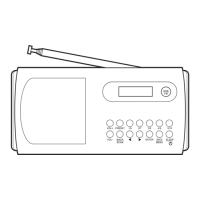
Identifies and explains the buttons and controls on the front of the radio.
Details the ports and connections available on the back of the radio.
How to turn the radio on, off, and put it into standby mode.
Details the automatic scan process when the radio is first powered on.
How to save and retrieve favourite DAB and FM stations using presets.
Step-by-step guide to setting alarm times, duration, source, and repeat settings.
Configuration for daily, weekly, or one-time alarm repeats and saving configurations.
Checking set alarms, switching them on/off, and using the snooze function.
Solutions for issues like poor signal quality and limited station availability.
 General
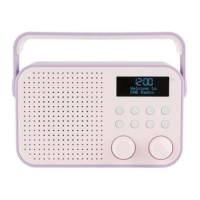
| Brand | Tesco |
|---|---|
| Model | DR1502W |
| Category | Radio |
| DAB+ | Yes |
| FM | Yes |
| Display | LCD |
| Battery Type | AA |
| Number of Batteries | 4 |
| Headphone Jack | Yes |
| Headphone Jack Size | 3.5mm |
| Type | Portable |
| Presets | 20 |
| Power Source | Battery/Mains |
| Frequency Range | DAB: 174-240 MHz, FM: 87.5-108 MHz |
| Speaker Output | 1W |


 To Next Page