10
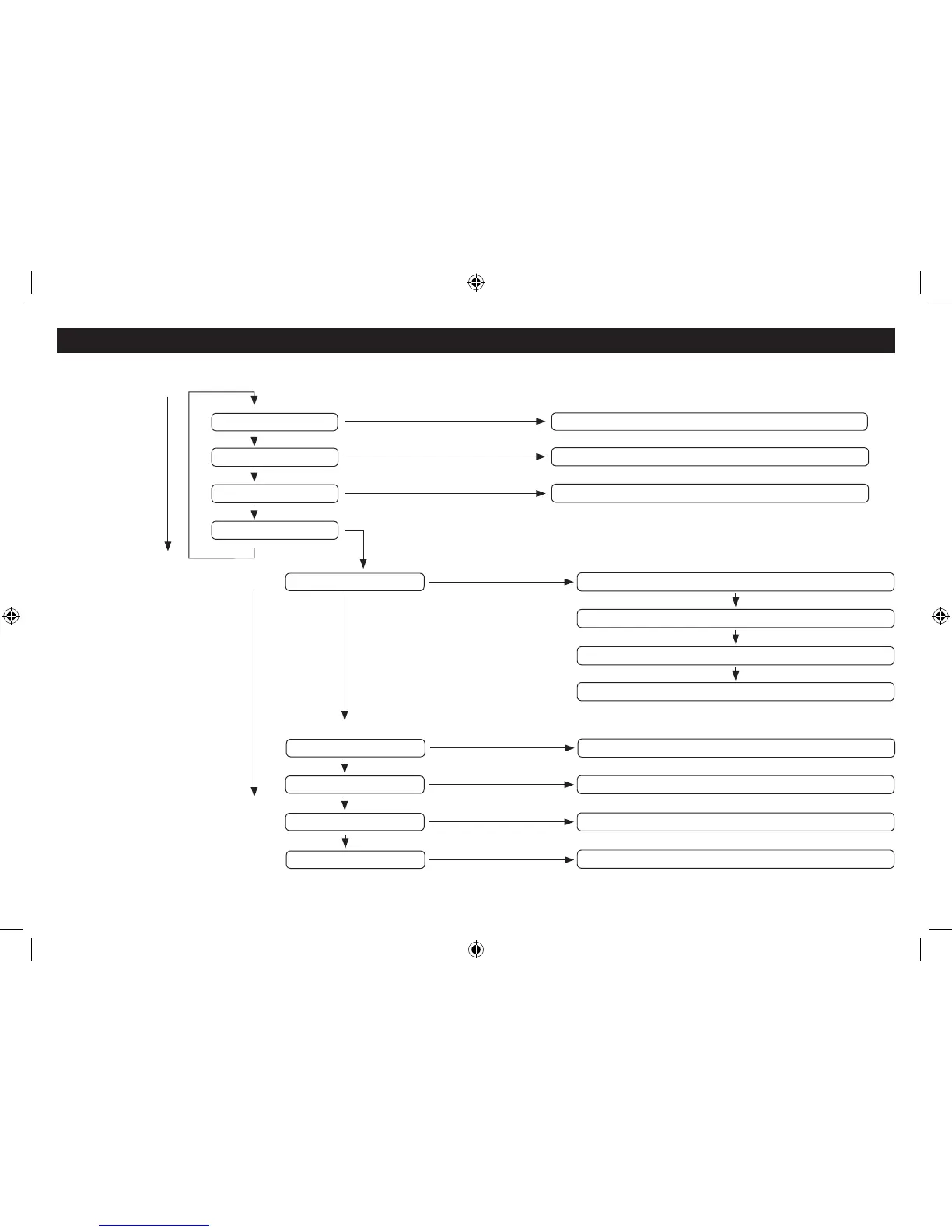
DAB MENU OPTIONS
Turn the SCROLL
control clockwise to
select the next option
Scan all DAB bands
Manually tune to a station multiplex
Prune unused stations from the list
Full scan
Manual tune
Prune
System
Press the SELECT button
Press the SELECT button
Press the SELECT button
Press the SELECT button
Set the clock manually
Change the display backlight levels when on or in Standby
Return all settings to factory default
Time
Backlight
Factory reset
Turn the SCROLL
control clockwise to
select the next option
Press the SELECT button
Press the SELECT button
Press the SELECT button
SW version
Press the SELECT button
Display the software version
Auto update - Choose clock update options
Set 12 or 24 hour clock display
Set the date display format
Set the sleep timer
Sleep
Press the SELECT button



 To Next Page