11
PORTABLE OPERATION
If you want to use the player without external power you
will need to charge the battery. The battery will charge
whenever a power source is available.
The amount of time taken to charge the battery depends
on the amount of residual charge remaining but it could
take several hours.
When the battery is charging the light at the front of the
player will glow red. When the battery is fully charged the
light will change to green. You may now disconnect the
mains adaptor.
DURING BATTERY OPERATION:
If there is no display when the player is turned on:
This is not a fault condition but due to a at battery.
Switch the player o, connect the charger as described •
above and charge the battery for six hours.
When the battery is running out:
The player will display a “Low Battery” warning. •
After a short period the player will shut down. •
You must charge the battery as soon as possible.•
To conserve power:
Always switch the player o when it is not connected •
to the adaptor or you will drain the battery.
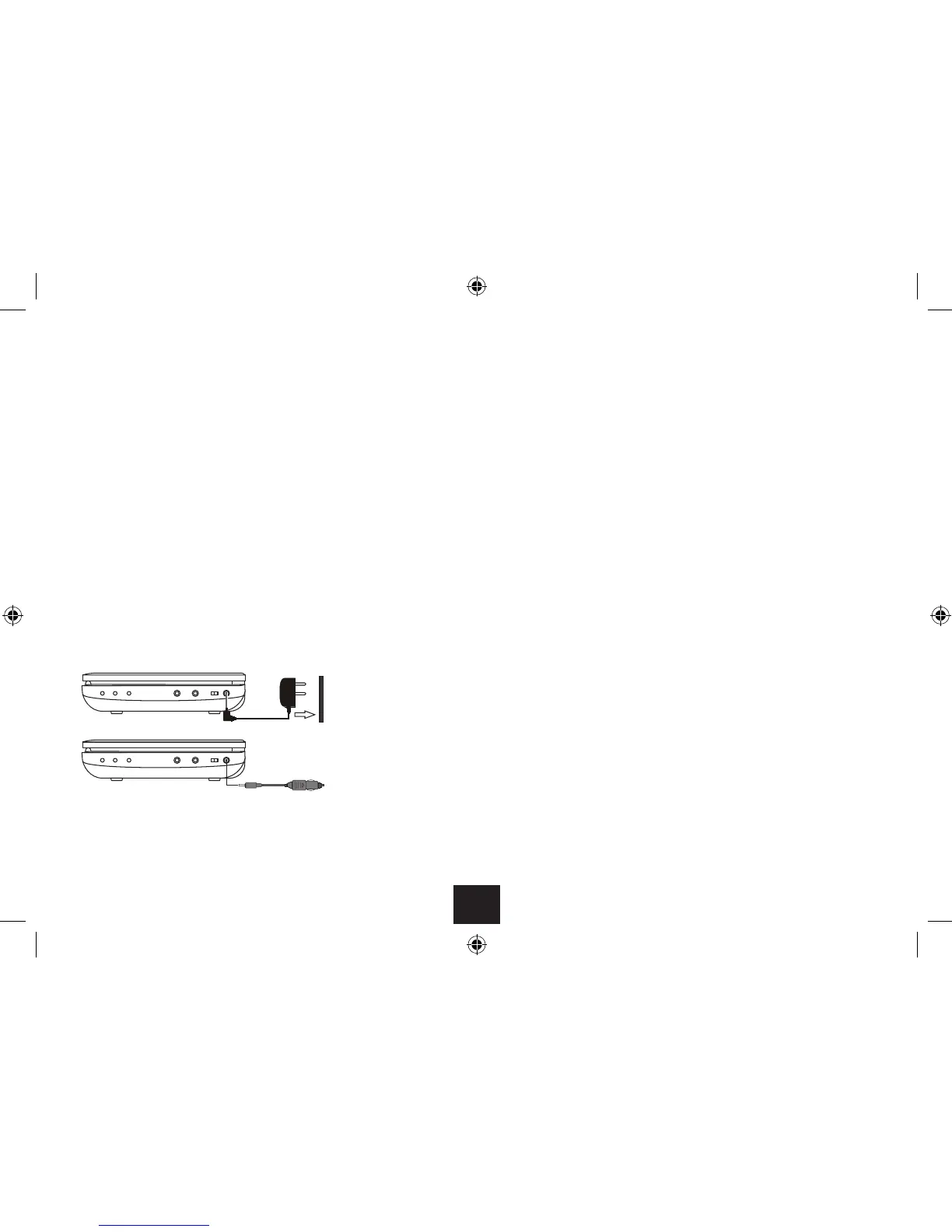
POWER CONNECTION
Your DVD player may be powered by the internal
rechargeable battery for portable operation, from the AC
mains via an AC adaptor or from the 12V DC outlet in a
car via the DC adaptor. The internal battery can also be
charged from either the AC or DC adaptor.
CAUTION: Use only the AC and DC adaptors supplied with
the unit.
CONNECTING THE AC OR DC ADAPTOR
Connect the DC plug of the supplied adaptor (mains or
vehicle) into the DC-In jack on the side of the player.
Plug the Adaptor into the mains point (or vehicle
accessory point) and switch on the power. The player is
now ready for use.
POWER CONTROL
Switching on the player:
Slide the power switch to the ‘ON’ position.•
The player will switch on and the screen will light. If a
disc is loaded, it will start to play automatically.
Switching o the player:
Slide the power switch to the ‘OFF’ position.•
The player will switch o.
Auto Standby:
The player includes a power saving Auto Standby feature.
If Auto Standby is enabled, the player will automatically
set to Standby after the period you have set.
To re-start the player after auto-standby has set, •
slide the power switch to the ‘OFF’, then to the ‘ON’
position.
NOTE: Auto Standby settings can be found in the setup
menu on page 23.
AC mains connection
Vehicle 12VDC connection



 To Next Page