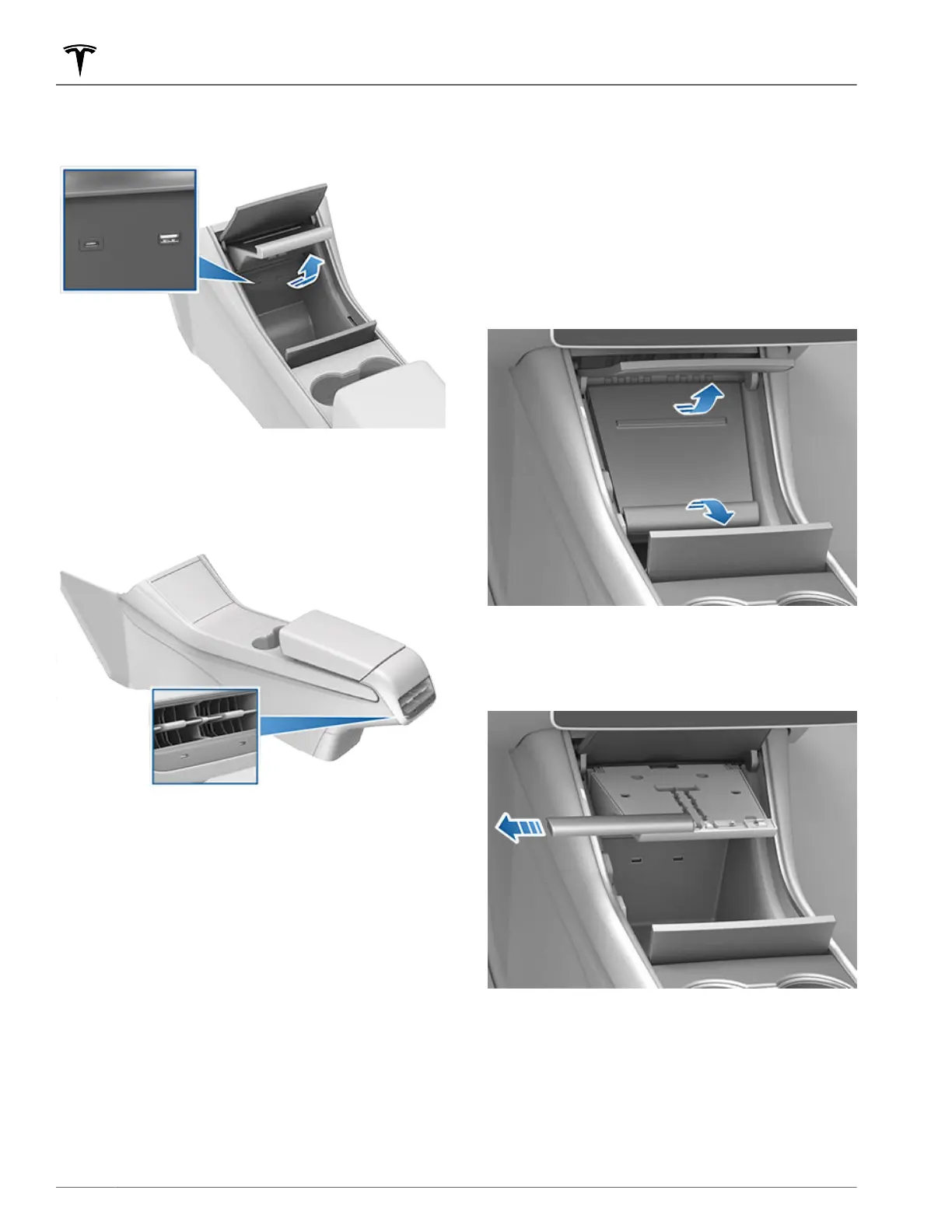
Open the center console door below the touchscreen
and lift the phone dock upward to access the front USB
ports.
Two additional USB ports are located in the rear of the
center console (on vehicles manufactured since
approximately June 2020, these ports are USB-C).
These ports charge USB-connected devices but do not
communicate with the vehicle.
NOTE: Power is available whenever the vehicle is
considered "awake". The vehicle may be awake for
many reasons. For example, when using features such
as Summon, or when features such as Cabin Overheat
Protection, Keep Climate On, Dog Mode,
Sentry Mode,
etc. are enabled. The vehicle is also awake whenever
the 12V battery is being charged or is in use, during HV
charging, when the vehicle is communicating with the
mobile app, etc. Leaving an accessory plugged in does
not deplete the 12V battery.
NOTE: Use USB 3.0 compliant cables to connect a
device to a USB port. Using non-compliant cables can
result in slower charging, potential connection
problems or degraded performance.
NOTE: Do not connect multiple devices using a USB
hub. This can prevent connected devices from charging
or from being recognized by Media Player
, Sentry
Mode, Dashcam, etc.
Installing Phone Charging Cable
To make it easy to connect your phone while keeping
the console free of clutter, you can install a phone
charging cable in
Model 3.
NOTE: The phone dock supports two phones side-by-
side.
To install a phone charging cable:
1.
Open both center console doors in front of the cup
holders.
2.
Remove the rubber mat from the phone dock.
3.
Lift the phone dock to access the USB ports.
4.
Release the cover from the base of the phone dock
by sliding it to the left.
5.
Plug the USB connector on the phone charging
cable into a USB port.
6. Insert the phone end of the charging cable through
the bottom of the phone dock and route the cable
through the securing tabs towards the bottom of the
phone dock.
Interior Storage and Electronics
22 MODEL 3 OWNER'S MANUAL















 To Next Page