Customizing Model S
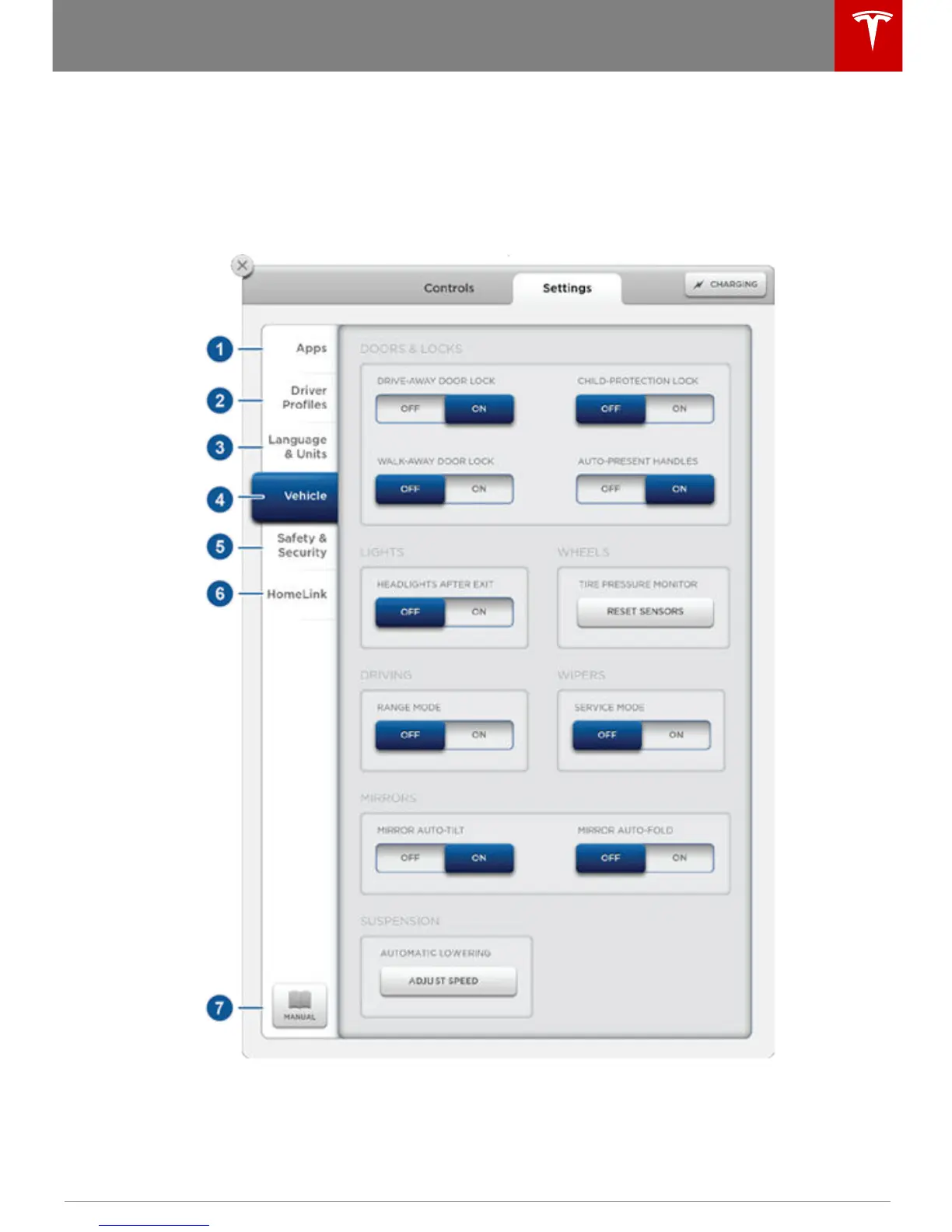
Touch the Settings tab on the Controls window to adjust Model S to suit your preferences.
Note: The following illustration is provided for demonstration purposes only. Depending on
vehicle options, firmware version, and market region, the options available on the Settings screen
may be different. For example, in many regions, the “Language & Units” tab is called “Units &
Format.”
Using the Touchscreen
Using the Touchscreen 67



 To Next Page
 Loading...










