9 Tips and assistance
25
9 Tips and assistance
9.1 Questions and answers
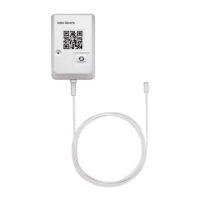
• Can the online data logger be connected to the PC using any USB
cable?
We recommend that you use the USB cable supplied with the online data
logger to guarantee stable data transmission. Longer USB cables are
suitable for the power supply only.
• Can the online data logger also be used in networks with WPA2
Enterprise encryption?
testo 160 data loggers can be used in networks with the following WPA2
Enterprise encryption methods.
WPA2 Enterprise: EAP-TLS, EAP-TTLS-TLS, EAP-TTLS-MSCHAPv2, EAP-
TTLS-PSK, EAP-PEAP0-TLS, EAP-PEAP0-MSCHAPv2, EAP-PEAP0-PSK,
EAP-PEAP1-TLS, EAP-PEAP1-MSCHAPv2, EAP-PEAP1-PSK, WPA
Personal, WPA2 (AES), WPA (TKIP), WEP
To integrate the loggers into the WPA2 Enterprise network, proceed as
follows:
1. Open the PDF file stored on the logger and generate a corresponding
XML file by selecting the programming options step by step.
2. Copy your company-specific WPA2 Enterprise certificates and the
generated .XML file to the logger's mass storage via USB using drag & drop.
3. Please note that the configuration of the online data logger will only be
fully transferred once the USB connector has been removed.
• The XML configuration file is not being applied by the online data
logger, what can I do?
Depending on the operating system, there may be difficulties with the data
transfer if the configuration file name has been changed. Leave the default
file name.
• The humidity sensor has been stored at a high temperature (> 30 °C)
and in very high humidity (> 80% RH) for a long period of time, what
can I do?
The sensor requires a long period of time to regenerate itself again. This
process can be accelerated by storing the sensor in a well-ventilated
location at a high temperature (> 30 °C) and in low humidity (< 20% RH) for
at least 12 hours.
• The online data logger's wireless connection to the access point was
interrupted, what can I do?
1. Press the control key on the online data logger to start searching for a
WLAN connection manually.


 To Next Page