5 Display and control elements
28
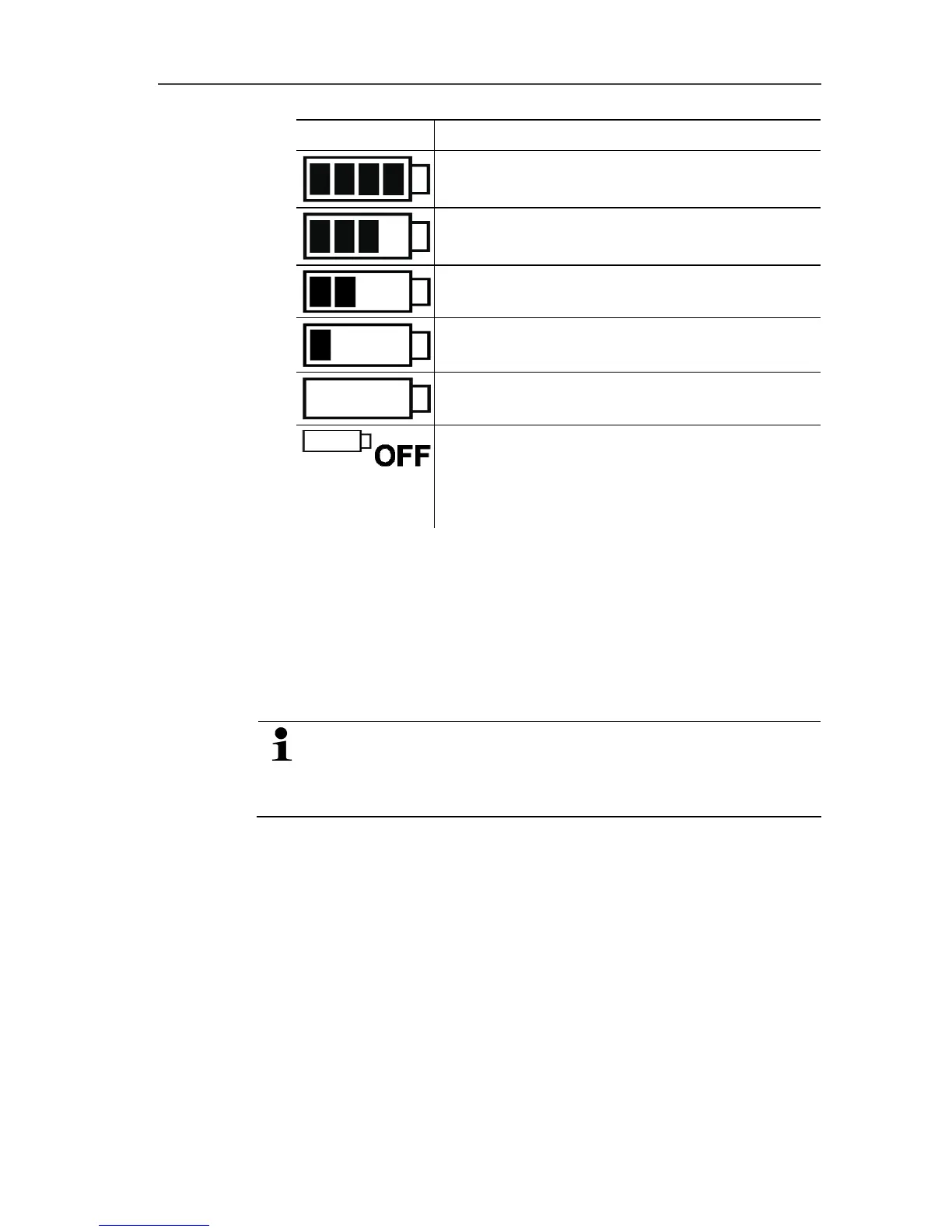
Icon Capacity
75-100%
50-75%
25-50%
10-25%
<10%
Battery empty (measurement program was
stopped).
> Read out data and change battery (see
Changing the batteries page 30).
10 Lower alarm value:
• Flashes: programmed alarm value is shown
• Lights up: programmed alarm value was undershot
11 Upper alarm value
• Flashes: programmed alarm value is shown
• Lights up: programmed alarm value was exceeded
The display speed of liquid crystal displays slows down at
temperatures below 0 °C (approx. 2 seconds at -10 °C,
approx. 6 seconds at -20 °C) for technical reasons. This
does not influence the measuring accuracy.
Pos: 23 /TD/Produk tbeschreibung/ Übersicht/testo 174-ne u/Tastenfunktio nen @ 5\mod_1263214477211 _79.doc @ 54473 @ 2 @ 1
5.2. Key functions
✓ Operating status Wait and start criterion Button start
programmed.
> Press and hold GO button approx. 3 seconds to start the
measurement program.
- The measurement program starts and Rec appears in the
display.
✓ Operating status Wait:



 To Next Page