6 Using the product
14
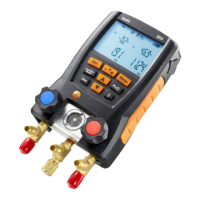
Connecting the refrigerant hoses
Before each measurement check whether the refrigerant
hoses are in flawless condition.
✓ The valve actuators are closed.
1. Connect the refrigerant hoses for low-pressure side (blue) and
high-pressure side (red) to the measuring instrument.
2. Connect the refrigerant hoses to the system.
WARNING
The measuring instrument dropping down or any other comparable
mechanical load can cause breakage of the pipe pieces in the
refrigerant hoses. The valve actuators may also suffer damage,
which in turn could result in further damage inside the measuring
instrument, which may not be detectable from outside.
> For your own safety you should return the measuring
instrument to the Testo Service for technical inspection.
> You should therefore always replace the refrigerant hoses with
new ones after the measuring instrument has dropped down or
after any comparable mechanical loading.
Setting the refrigerant
1. Press [R, ►, ■].
- This opens the refrigerant menu and the currently selected
refrigerant flashes.
2. Setting the refrigerant:
Key functions
Representation Explanation
[▲] or [▼]
Changing the refrigerant
[R, ►, ■] Confirm the setting and exit the refrigerant
menu.
Available refrigerants
Representation Explanation
R... Refrigerant number of refrigerant acc. to
ISO 817
---
no refrigerant selected.


 To Next Page