8 Using the product
42
Press [ESC]: 1 x Unitsmenu, 2 x main menu view, 3 x measurement
menu view.
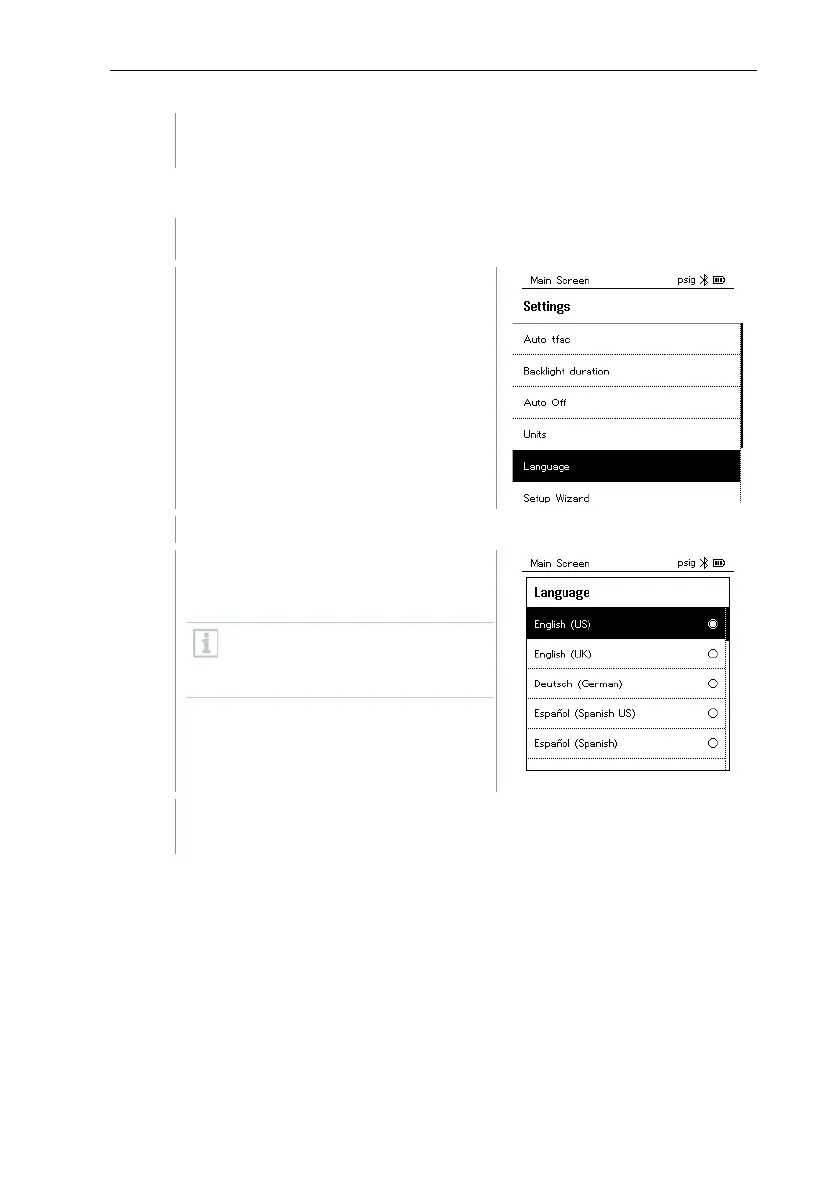
8.4.6 Language
The Settings menu is activated.
Press [▲] / [▼] to select
[Language] and press [Menu/Enter]
to confirm.
Menu properties are displayed.
Select language: Press [▲] / [▼]
and [Menu/Enter] to confirm.
Selecting the language activates
the appropriate presetting of the
units of measurement.
Press [ESC]: 1 x Units menu, 2 x main menu view, 3 x measurement
menu view.



 To Next Page