9
7. Operation
7.1 Switching on/off
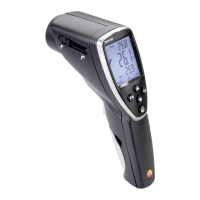
Switch on instrument: Press measurement button.
- All display segments light up briefly. The instrument changes to
the infrared mode (
lights up). The display light remains for
10 seconds every time a button is activated.
Switch off instrument: Keep pressed until display darkens.
The instrument switches off after 1min if no buttons are activated.
7.2 Measuring
Observe information on infrared measurement (chapter 11).
The min./max. values are reset by pressing the measurement
button.
- The instrument is switched on.
Infrared measurement
1 Start measurement: Hold down measurement button.
2 Locate object to be measured using laser point: Laser
marks the upper and lower end of the measurement spot
(at distance to measurment object from 1,0m; see chapter
11.2 measurement spot, distance).
- The current reading is shown (2 measurements per second)
3 End measurement: Release button.
- HOLD lights up. The last measured value and min./max. value
are saved until the next measurement.
Switch between min., max. and recorded value: Press .
Restart measurement: Press measurement button.
Setting the emissivity
- Instrument is in the infrared measurement mode.
If no button is pressed for 3 s in the emissivity mode, the
instrument switches to the infrared measurement mode.
1 Press
for 3 s.
2 Set emissivity: Press or .
- The instrument switches to the infrared measurement mode.
deenfresitptsvnl????



 To Next Page