5 First steps
16
Perform basic settings
> Remove the protective film from the display.
- The start screen appears on the display.
- The Landeseinstellungen (Country settings) dialogue is
opened.
Instrument language (Language) and temperature unit (Unit) can
be set.
1. Move Joystick up/down to select the desired option.
- The selected option has an orange border.
2. Confirm the selection with [OK].
- The selected setting is highlighted orange ( ). The arrows ( )
show that the setting can be changed.
3. Move Joystick up/down to change the setting.
4. Confirm the entry with [OK].
5. Confirm the settings with Übernehmen (Apply).
6. Press [ ] to switch off the thermal imager.
Initial charging of rechargeable battery
The thermal imager is delivered with a partially charged battery.
Completely charge the battery before use.
> Connect the country-specific adapter required for the existing
mains to the mains unit.
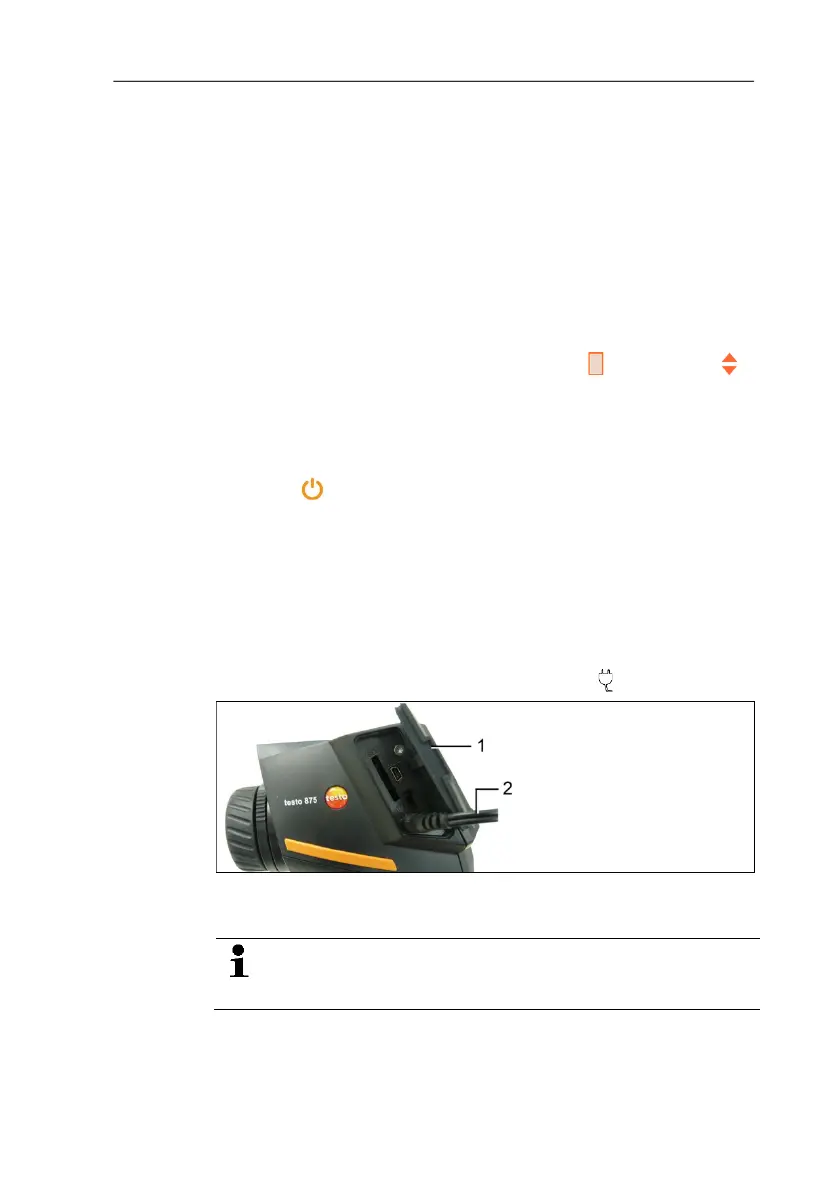
1. Open the cover on the left side of the thermal imager (1).
2. Connect the mains unit to the mains socket ( ) (2).
3. Connect the mains plug to a mains socket.
- The thermal imager starts automatically.
When charging the rechargeable battery, the imager can
remain switched on or be switched off. This has no effect
on the length of the charging process.
- The charging of the rechargeable battery begins.



 To Next Page