5 First steps
18
Radio probes may only be used in countries in which
they are permitted (see separate instructions for use of
radio probe).
> Switch off instrument before inserting the radio module.
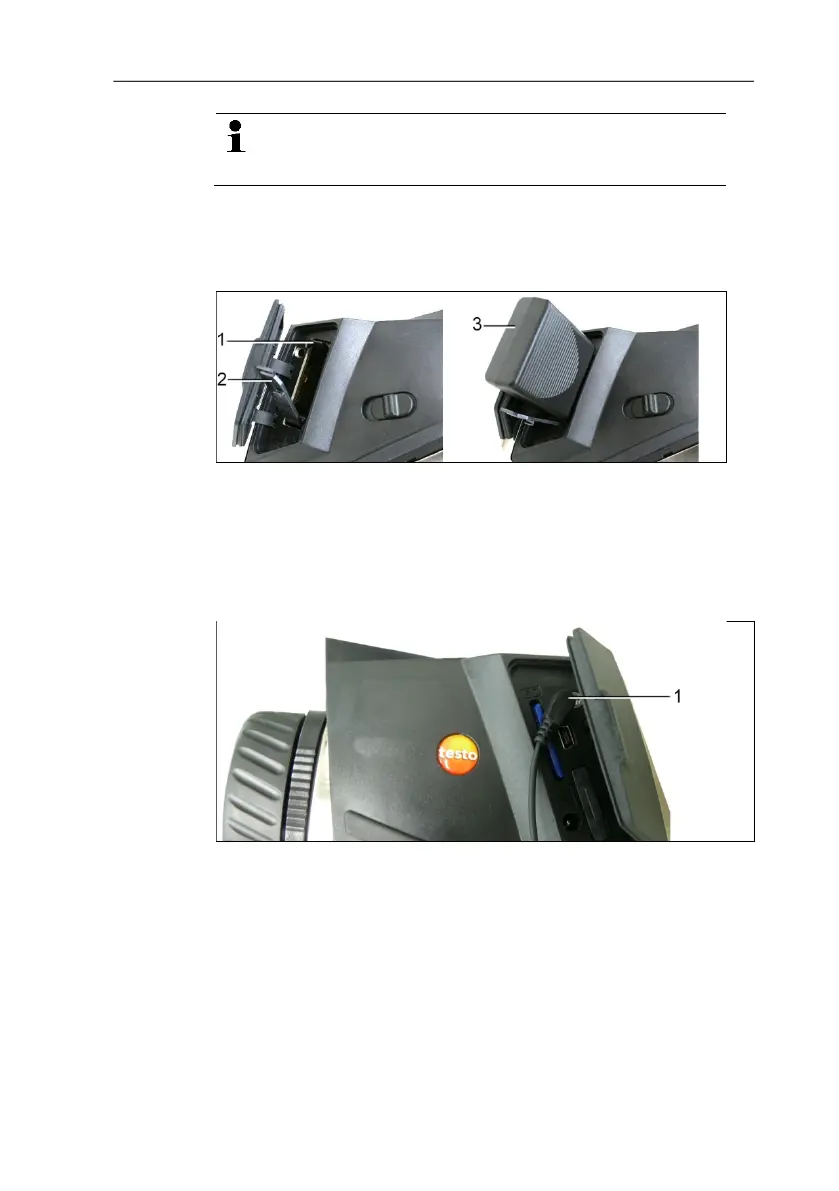
1. Open the cover on the right side of the thermal imager.
2. Release the lock (1) and open the retaining clip (2).
3. Insert radio module into the module slot (3).
> To remove the radio module: push radio module down slightly
and remove.
Attaching headset (testo 875-2i only)
1. Open the cover on the left side of the thermal imager.
2. Insert stereo jack of the headset into the headset slot (1).
Mount/remove infrared protection glass
Installation:
1. Attach the protection glass (with black fitting) fastened to the
red mounting ring to the lens and turn the mounting ring
clockwise to the stop.
2. Remove the red mounting ring from the protection glass.



 To Next Page