7
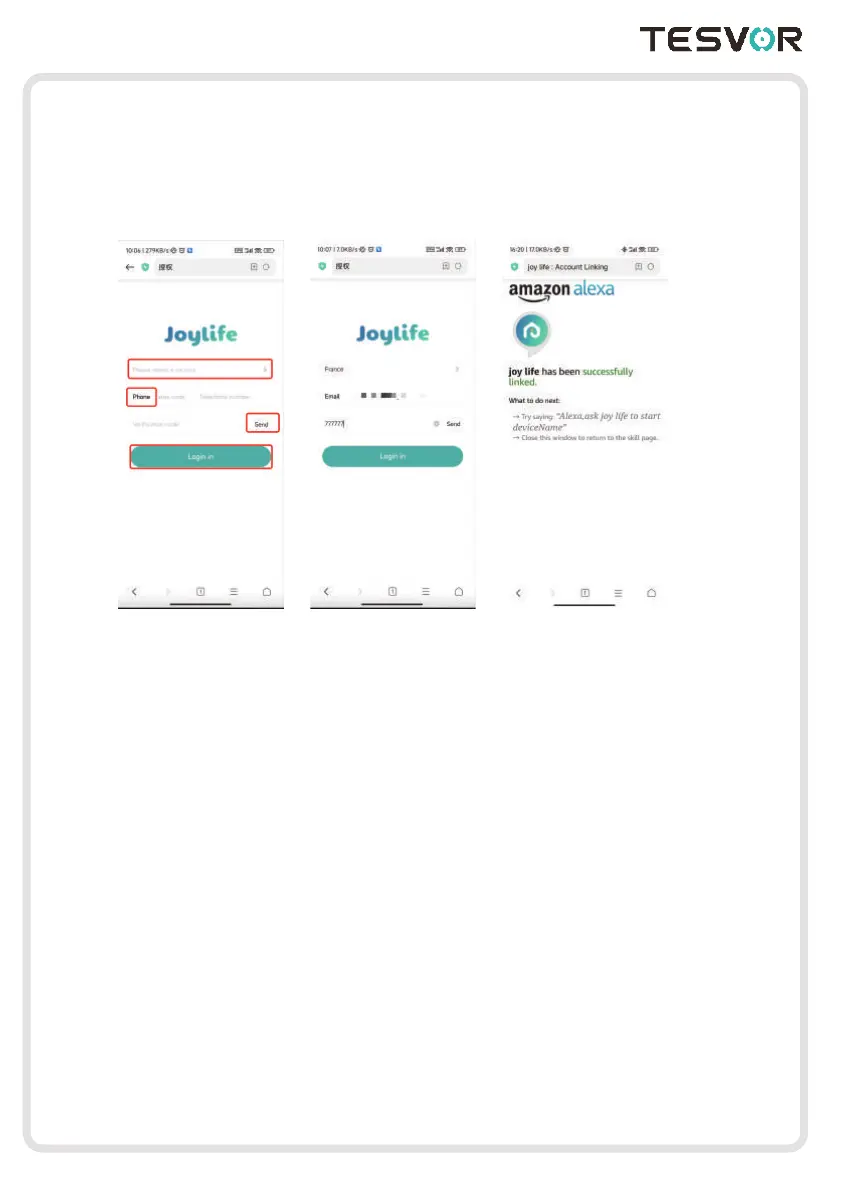
3.On the logging page, click“Please select a country”, then choose your Country and
District, enter your Area Code and Phone Number, click “Send”, next your will receive
a Verification Code and log in. Finally it will show “Successfully linked” . Now, you can
easily control your robot vacuum on Google Home App by Amazon Alexa.
Here are several voice demands to control your robot vacuum for reference:
Device Location:Alexa, ask Joy Life to locate Tom
Start Cleaning:Alexa, ask Joy Life to start Tom
Start Charging:Alexa, ask Joy Life to stop Tom
Stop Cleaning:Alexa, ask Joy Life to charge Tom
(Note: Tom is the name of your device, which you can change it)



 To Next Page