EasyManua.ls Logo

Tesvor X500 - Scheduled Cleaning

Tesvor X500
16 pages
Print Icon
To Next Page IconTo Next Page
To Previous Page IconTo Previous Page
Loading...
1. Welcome 2. Safety Instructions
3.
Product Components
.A
Forward.I+
N.
the
s141ndby
mode,
p,ress
this
bu1ton
to
cionUm.ie
mlMns
forwards.
and
release
It
to
re111rn
to
ll'M!
S111ndby
mode.
/14
lhe
Preset
mode
or
1he
nme
S~np
mode.
press
thl5
buttDn
to
lncrea5e
the
number.
...
Be.ck.wards/·
N.
the standbv
mod~
press
ltlis button
to
continue
moving
backwards,
and
releil5e
It
to
re{um
to
'"est.Ind by
mode.
N. the Preset
mode
or the nme Settfnp
mode,
press
this button
to
deaease
the
number.
~
LeftArrow
N. the
standby
mode,
press
this
button
to
conllnue
tumtna
left,,
and
release
It
to
M!tum
to
the
standby
mode.
N..
the Preset
mode
or the nme SettlfliS
mode,
press
this button
to
swltth
from
minute
ID
hour.
~
Right
Arrow
N.
the
st;indby
mode,
pre'$$
till$
bultDn
to
cion1inue
~unl"I
r\aflt,
and
retease
ltto
retum
to
the
5tandby
mode.
N.
the
Pn!Se't
mode
or
the
lime
Settings mode,
press
this
butmn
to
swib:h from
hour
to
minute
.,.
II
Confinn button
During
oper.rtlon,
pre$$
this
button
to
stop the
robot,
and
It
Is
st111-1clng
at the
pause.
N.
the
Preset
or
Oock
Setllnss
mode,
pre'$$
ltlls
bl.!Uon
to
save
1he
seUlngs..
••
Sueilon
SeUlnp
button
N. any
cleanlng
mode,
p1'9S51hls
bultDn
to
acllust
the
suction~
(9
Clock
S.Hlnga
button
Pr&M
this
button
to errterthe
Oock
Setting
mode
and
press the
OK
button
to
e111t.
~
PNeet button
N.
the
standby
mode,
press
thl5
butmn
to
entl!t'
the
presettfng
mode,
and
the
d151>lay1lashes
Icon~.
N.
the
~set
mode,
press
this
buttrln
ID
save
the
data
and
exit
the
preset
mode,
and
the dlsplil'( will
atways
dlsplay
the
lconlt'!I.
#.the
~set
mode,
press
the
preset
button
for
3S
to
i:anCl!I
the
preset
function,
and
the
dlsplil'(ed
lcion
lf!l
wlll
dlsippear.
~
Edge Cleaning
button
P~
this
button
to enterthe
£dp
aeanlng
mode.
'91B81l
<9
11181
Dlsplay
preset1fme
Display
dock llme
4.lnstruc:tions
for
Use
5.Product
Maintenance
6.Common
Faults
==O=
~
~
Gil
~
*
O~the
power
switch
ls turned oft
all
pre-seUtrws wll be
cancelled.
*Once
the
preseW~
Is
In
dect,
the robotwlll start
wolldng
lit
the
appointed
time
every-.
r ~
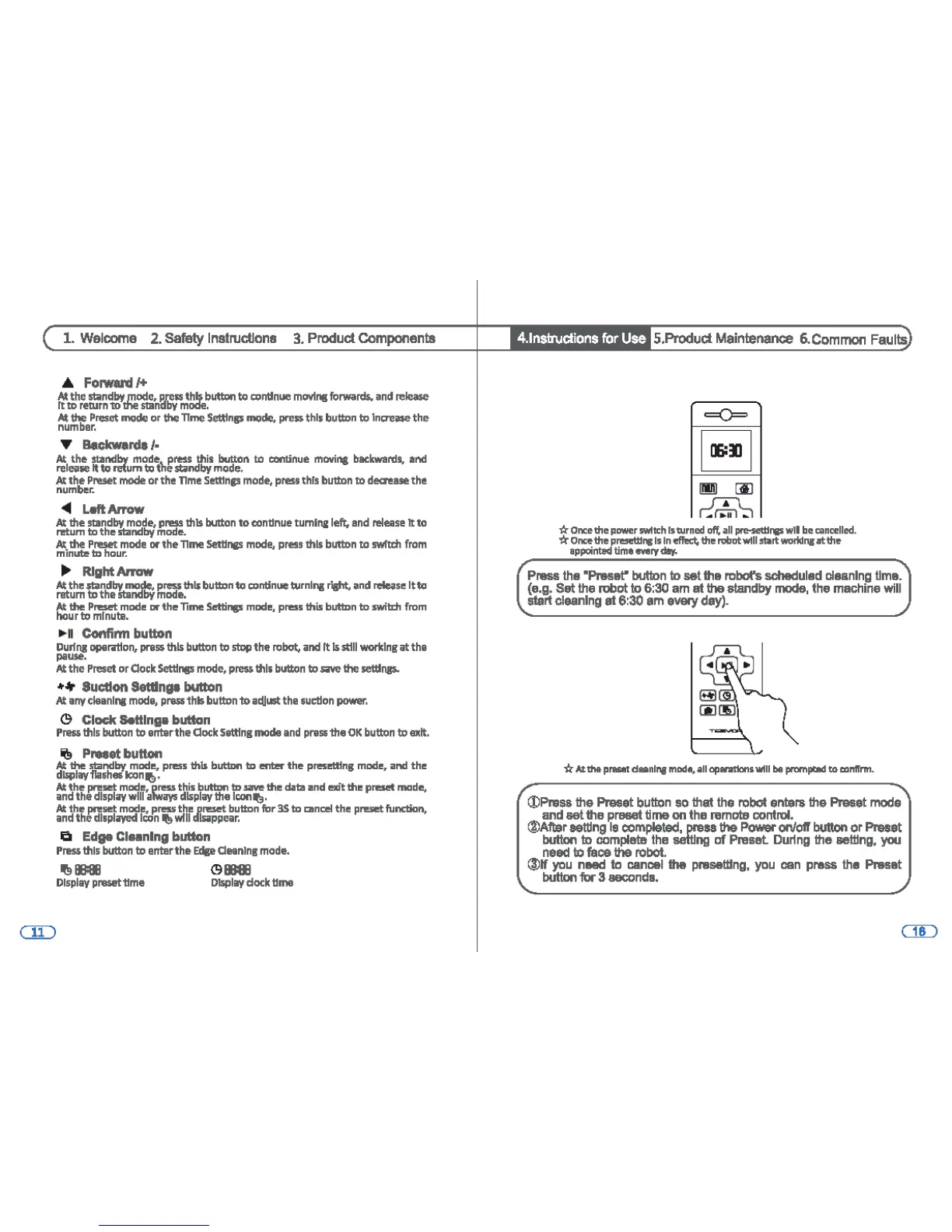
Press
the
"Preset"
button
to
set the robot's
scheduled
cleaning
time.
(e.g.
Set
the
robot to 6:30
am
at the standby mode, the
machine
will
start cleaning at 6:30
am
every
day).
~
-ti:
At
Ille
p..-t
daanl"'11
mode,
Qlf
01u1n11lont
wtll
be
prnmpci!ld
to
aintrnn.
©Press the Preset
button
so
that
the
robot
enters the Preset
mode
and set the preset time on the
remote
control.
®Aftar
setting
le
completed,
press
the
Power
on/otr
button
or Preset
button
to
complelB
the
setting
of
Preset Duling the
setting,
you
need
to
faoe
the
robot.
(J)H
you
need
to
cancel
the presellfng,
you
can
pras1>
the
Preset
button
for
3
seconds.

Other manuals for Tesvor X500