EasyManua.ls Logo

Tesvor X500 - Instructions for Use; Remote Control Instructions

Tesvor X500
16 pages
Print Icon
To Next Page IconTo Next Page
To Previous Page IconTo Previous Page
Loading...
1. Welcome
2.
Safety Instructions 3. Product Components
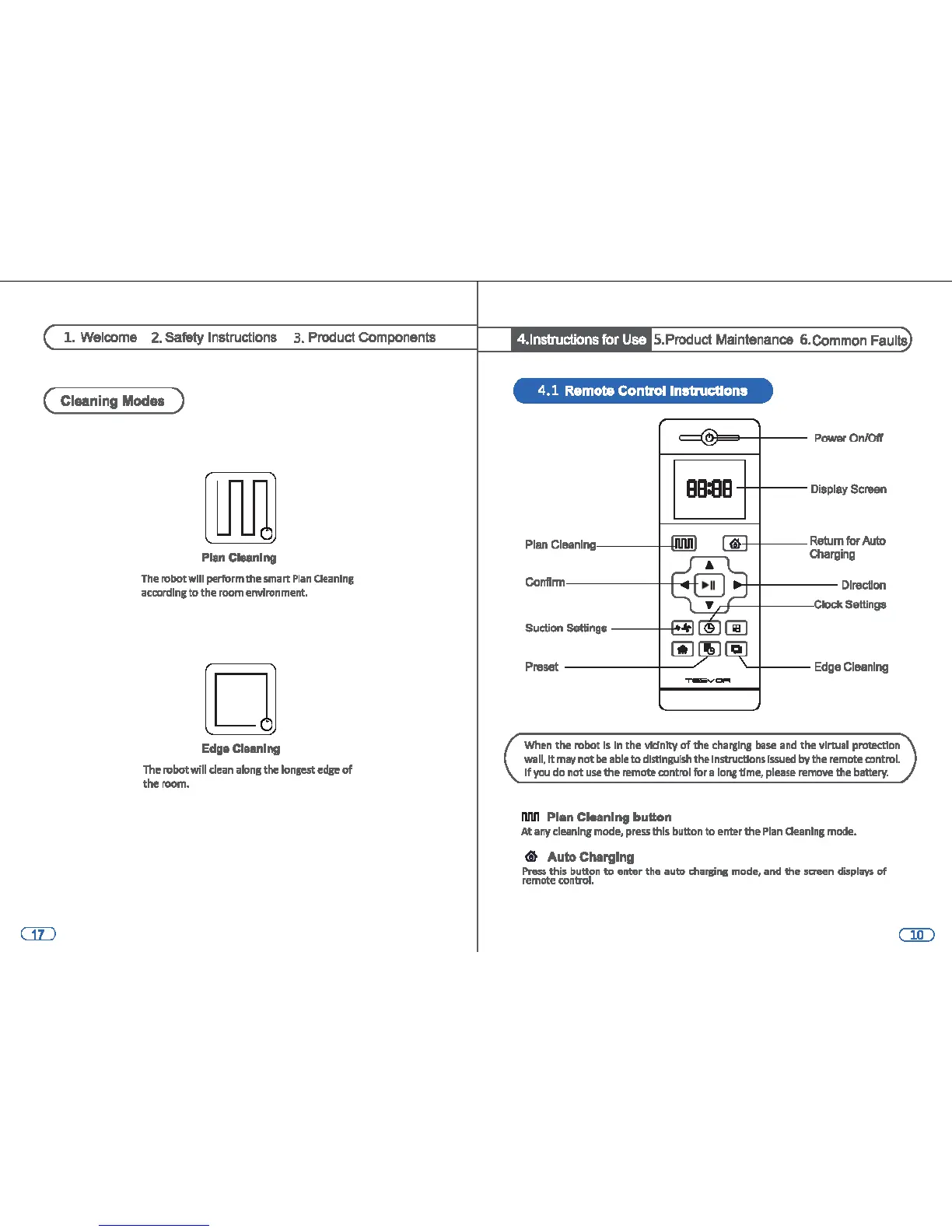
( Cleaning Modes )
lJU1
Plan Cleanlng
The
robotwlll perform the smart
Plan
Oeanlng
according
to
the
room
environment.
D
Eda• Cleaning
Th~
nibot will dean
alons
the
lonse,rt
edge
of
the
room.
4.lnstructions for Use S.Product Maintenance 6.Common Faults
4.1 Remote Control
lnltnlcttons
ee:ee
~I--
Display Screen
·+----
Return
for
Auto
Charging
M-+----
Direction
L.:
!,cf----t----<;
:IOCIC
Settings
Preset
-------t--
YI----
Edge
Cleaning
When
the robot
Is
In
the llkfnlty
of
me
charglns
base
and
the
111rwal
pl'OU!Ctlon
wall,
It
may
not
be
able
to
distinguish
the
lnstructSons
Issued
by the
remote
control.
If
you
do not
use
the remote control for a
lon,g
time,
please
remDVe
the
battery.
llM Plan Cleaning button
At
any
cleaning
mode,
press
this button
to
enter the
Plan
Oeanlng
mode.
<il
Auto
Charging
Pnls$ this button
to
enter the auto
dlars:ir1111
mode,
and
the saeen
displ;iys
of
remote
control.

Other manuals for Tesvor X500