EasyManua.ls Logo

Teufel Kombo 11 - User Manual

Teufel Kombo 11
40 pages
Print Icon
To Next Page IconTo Next Page
Loading...
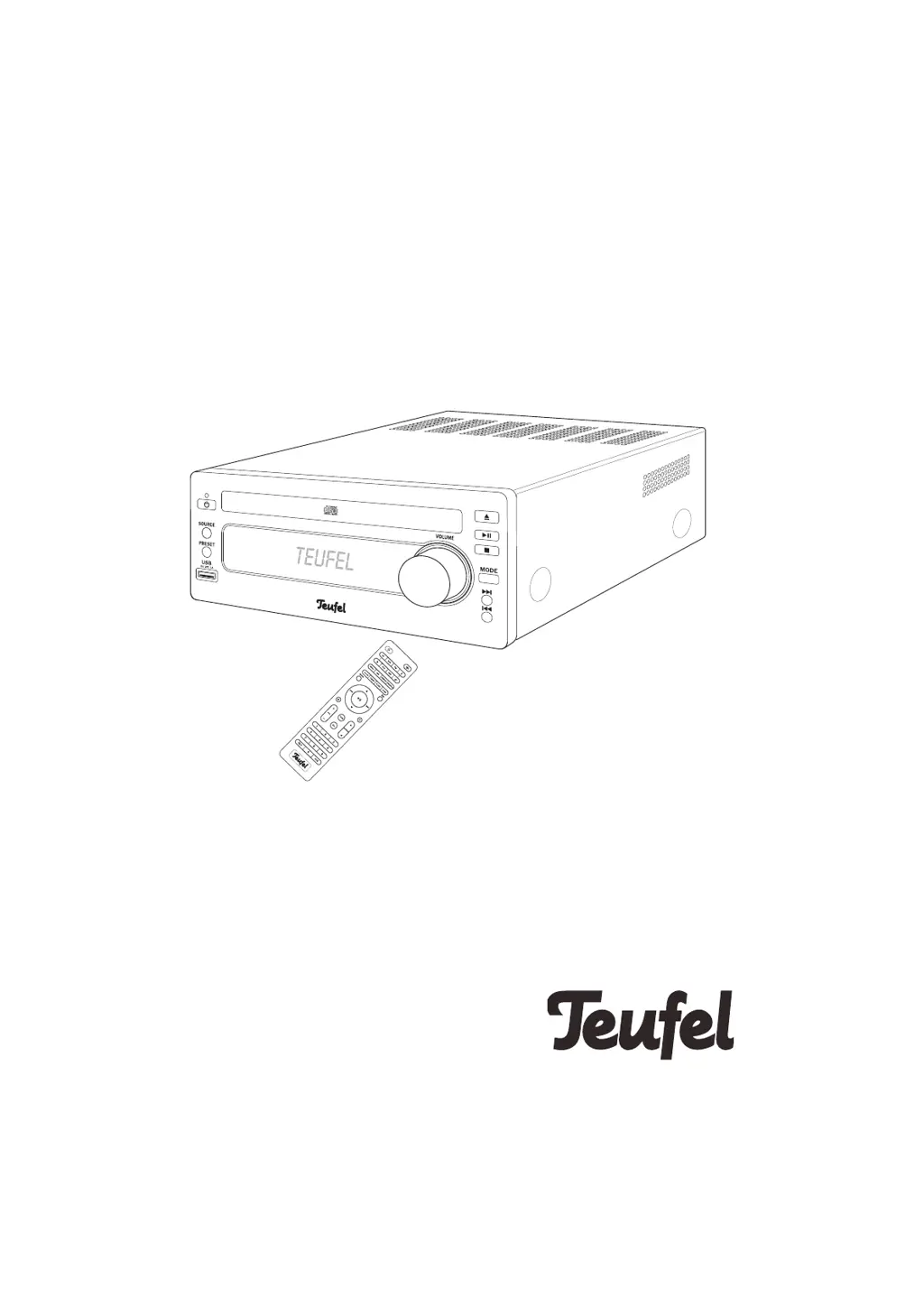
Kombo 11
CD receiver with FM, DAB/DAB+,
USB playback and Bluetooth
®
Technical Description And User
Manual

Other manuals for Teufel Kombo 11

Questions and Answers

  • J
    Jennifer BurgessJul 27, 2025
    What to do if there is no sound with Bluetooth on my Teufel Car Receiver?
    • D
      Donald StoneJul 28, 2025
      If you're not getting any sound via Bluetooth, there might be a few reasons. First, ensure that a Bluetooth connection has been established. Second, check that “Teufel KB 11 CR 19” is selected as the Bluetooth output device on your external player. Lastly, interference from other radio systems like cordless phones or Wi-Fi could be the issue. Try repositioning your Teufel Kombo 11 or the external player, or test in a different room.
  • C
    christopher45Aug 6, 2025
    Why does my Teufel Car Receiver subwoofer hum?
    • T
      Terrence Holder DVMAug 6, 2025
      A humming subwoofer can be due to line disturbance. Try using a mains filter and connecting both devices to it. Alternatively, the humming might be caused by a multiple socket strip. Try using a different strip or connecting the subwoofer directly to the wall socket. Inserting the mains plug in the socket the other way around may also help.
  • H
    holly86Aug 17, 2025
    What to do if my Teufel Car Receiver doesn’t emit any sound?
    • S
      Stephen MendezAug 17, 2025
      If your device isn't producing any sound, make sure the correct source is selected. Also, check that the volume isn't set to “0”; increase it if necessary. Finally, ensure the volume of any external player connected isn't set too low, and carefully increase it.

Summary

Safety Information

Proper Use Guidelines

Details on the intended use of the device and manufacturer's liability.

General Safety Notes

Essential safety notes for user protection and safe operation.

Controls and Connections

Front Panel Layout

Identification and function of controls on the front of the device.

Rear Panel Layout

Identification and function of connectors on the back of the device.

Remote Control Usage

Battery Replacement

Step-by-step guide for inserting and changing batteries in the remote.

Installation and Setup

Speaker Connection

Instructions for connecting the speakers to the device.

Audio Input Options

How to connect external audio sources via AUX IN.

Antenna Connection

Instructions for connecting the FM/DAB antenna.

Powering the Device

Device Operation

Radio Playback

Bluetooth Connectivity

Device Pairing Procedure

Step-by-step guide for pairing external players via Bluetooth®.

USB Device Playback

Connecting and Using USB Devices

Guide to connecting USB devices and playing audio files.

Safely Removing USB Devices

Procedure for safely disconnecting USB devices to prevent data damage.

Clock and Timer Features

Timer;Alarm Setup

Programming the device to switch on automatically at a set time.

Sleep Timer Function

Care and Cleaning Guide

Problem Solving

Teufel Kombo 11 Specifications

General IconGeneral
BrandTeufel
ModelKombo 11
CategoryStereo System
LanguageEnglish

Related product manuals