EasyManua.ls Logo

Teufel ROCKSTER - User Manual

Teufel ROCKSTER
36 pages
Print Icon
To Next Page IconTo Next Page
Loading...
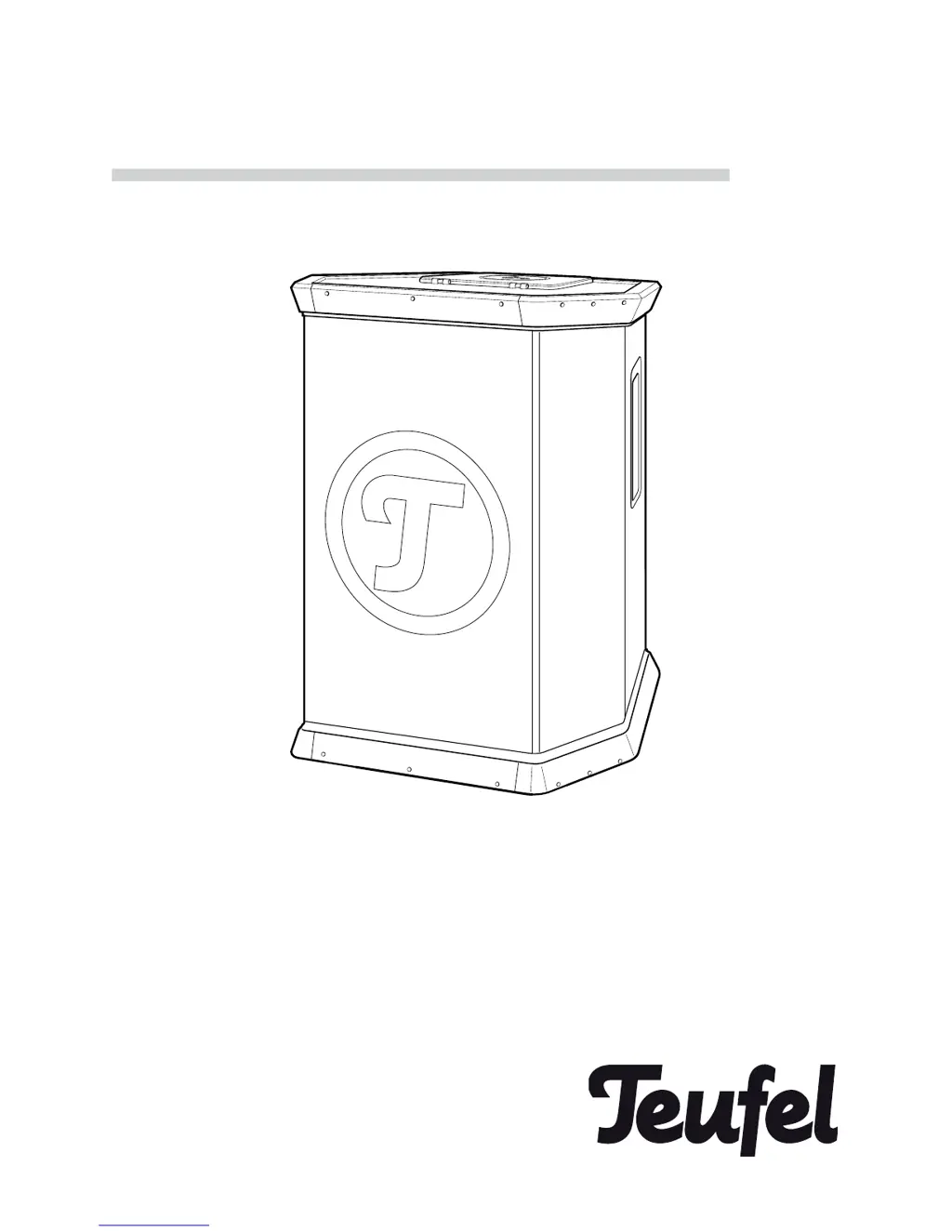
Technical Description and Instruction Manual
Event Sound System
with Dual-channel Mixer
ROCKSTER

Other manuals for Teufel ROCKSTER

Questions and Answers

Summary

Safety and Proper Use

Electrical and Environmental Safety

Electrical Installation and Usage Precautions

Covers electrical installation, voltage, handling of damaged units, and environmental risks.

Physical Safety and Hearing Protection

Stability, Child Safety, and Listening Risks

Warns about unit stability, child entrapment, and risks of high volume listening.

Battery and Device Safety Precautions

Safe Battery Handling and Device Care

Details safe battery handling, condensation risks, and fire prevention measures.

Environmental Exposure and Battery Care

Protecting the ROCKSTER and Battery

Advises on protecting the device from heat/sunlight and proper battery charging.

ROCKSTER Components and Connections

Mixing Console Controls and Operation

Connection and Control Terminal Details

Input Connection Ports

Describes instrument, line, and microphone inputs for mixer channels.

Output and Power Connections

Details master output, headphone jack, power connections, and control switches.

Installing the Rechargeable Battery

Optimal Setup and Placement

Connecting Audio Sources to ROCKSTER

ROCKSTER Input Ports Explained

Details various input ports like MASTER IN, LINE 1, LINE 2, INSTR., and MIC.

ROCKSTER Output and Power Connections

Output Ports: Master and Headphones

Describes MASTER OUT and Headphone connections.

Power Supply Options

Explains connecting to an external battery or main power supply.

Basic ROCKSTER Operation

Power Activation and Supply Modes

Covers activating/deactivating, toggling power supply modes, and switching on/standby.

Advanced ROCKSTER Operation

Adjusting ROCKSTER Volume Levels

Sound Control and Source Selection

Monitoring and Audio Effects

Bluetooth Connectivity Guide

Pairing and Using Bluetooth Devices

Guides on connecting devices via Bluetooth, pairing, and managing connections.

Rechargeable Battery Management

Internal Battery Charging and Status

Explains charging process, battery status LEDs, and operating time.

Troubleshooting Common Issues

No Sound or Power Problems

Addresses problems like the unit not powering on or not emitting sound.

Troubleshooting Advanced Problems

Summary

Safety and Proper Use

Electrical and Environmental Safety

Electrical Installation and Usage Precautions

Covers electrical installation, voltage, handling of damaged units, and environmental risks.

Physical Safety and Hearing Protection

Stability, Child Safety, and Listening Risks

Warns about unit stability, child entrapment, and risks of high volume listening.

Battery and Device Safety Precautions

Safe Battery Handling and Device Care

Details safe battery handling, condensation risks, and fire prevention measures.

Environmental Exposure and Battery Care

Protecting the ROCKSTER and Battery

Advises on protecting the device from heat/sunlight and proper battery charging.

ROCKSTER Components and Connections

Mixing Console Controls and Operation

Connection and Control Terminal Details

Input Connection Ports

Describes instrument, line, and microphone inputs for mixer channels.

Output and Power Connections

Details master output, headphone jack, power connections, and control switches.

Installing the Rechargeable Battery

Optimal Setup and Placement

Connecting Audio Sources to ROCKSTER

ROCKSTER Input Ports Explained

Details various input ports like MASTER IN, LINE 1, LINE 2, INSTR., and MIC.

ROCKSTER Output and Power Connections

Output Ports: Master and Headphones

Describes MASTER OUT and Headphone connections.

Power Supply Options

Explains connecting to an external battery or main power supply.

Basic ROCKSTER Operation

Power Activation and Supply Modes

Covers activating/deactivating, toggling power supply modes, and switching on/standby.

Advanced ROCKSTER Operation

Adjusting ROCKSTER Volume Levels

Sound Control and Source Selection

Monitoring and Audio Effects

Bluetooth Connectivity Guide

Pairing and Using Bluetooth Devices

Guides on connecting devices via Bluetooth, pairing, and managing connections.

Rechargeable Battery Management

Internal Battery Charging and Status

Explains charging process, battery status LEDs, and operating time.

Troubleshooting Common Issues

No Sound or Power Problems

Addresses problems like the unit not powering on or not emitting sound.

Troubleshooting Advanced Problems

Teufel ROCKSTER Specifications

General IconGeneral
AC input voltage230 V
DC input voltage12 V
Power source typeAC, Battery, DC
Power consumption (typical)500 W
XLR inYes
Headphone outputs1
Headphone connectivity3.5 mm
Connectivity technologyWired & Wireless
Speaker type2-way
Audio output channels1.0 channels
Sensitivity115 dB
Frequency range45 - 20000 Hz
Product colorBlack
Recommended usageDJ
Weight and Dimensions IconWeight and Dimensions
Depth451 mm
Width588 mm
Height768 mm
Weight31500 g

Related product manuals