EasyManua.ls Logo

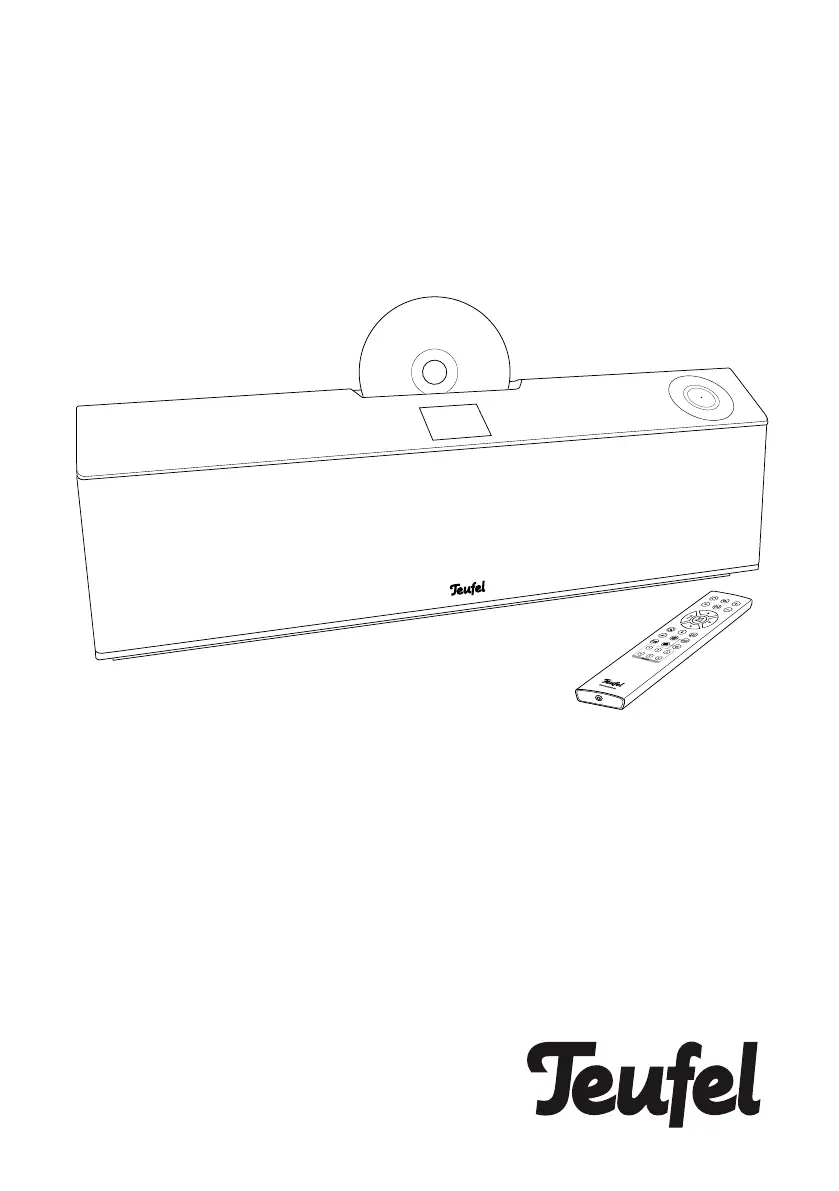
Teufel musicstation - User Manual

Teufel musicstation
56 pages
Print Icon
To Next Page IconTo Next Page
Loading...
MUSICSTATION
DAB+/FM radio with Bluetooth
®
,
CD player & APP control
Technical Description And User
Manual

Other manuals for Teufel musicstation

Questions and Answers

Summary

General Notes And Information

Notice

Provides information regarding potential changes to the document and reproduction restrictions.

Trademarks

Lists registered trademarks and their owners, including Bluetooth SIG.

Qualcomm aptX

Details Qualcomm aptX as a product of Qualcomm Technologies International, Ltd.

Original Packaging

Instructions regarding the importance of retaining original packaging for returns.

Complaints

Contact Information

Provides contact details for customer service, including address, telephone, fax, and online support.

For Your Safety

Proper Use Guidelines

Defines the intended use of the device and warns against improper usage.

Explanation of Terms

Defines signal terms like WARNING, CAUTION, and NOTICE used in the manual.

Overview

Unpacking Instructions

Step-by-step guide for carefully opening the box and removing the device.

Package Contents

Lists all items included in the package: MUSICSTATION, remote control, mains cord, antenna.

Checking Package Contents

Instructions to verify all items are delivered and undamaged, with contact info for issues.

Operational Controls and Connections

Top Side Controls

Details the functions of buttons and sensors located on the top panel of the device.

Back Side Connections

Identifies the POWER connector, Antenna jack, and other ports on the back.

Left Side Connections

Details the AUX IN, HEADPHONE, and USB ports located on the left side.

The Display Panel

Display Panel Symbols

Explains the various symbols that appear on the device's display panel.

Remote Control

Inserting;Changing the Batteries

Setup;Mounting

Location Tips

Guidance on selecting a stable, clean, and suitable location away from heat and sunlight.

Replacing the Protective Grate

Instructions on how to remove and replace the speaker grates for customization.

Setup

Wall Mounting Guide

Detailed instructions and precautions for securely mounting the device on a wall.

Protective Film Removal

Connection

Antenna Connection

How to connect the provided antenna for DAB+ and FM reception.

Analogue Source Input

Connecting external devices with analogue audio output via the AUX IN jack.

Headphone Connection

Connecting stereo headphones to the dedicated headphone jack.

Power Supply and Activation

Activating and Deactivating

Instructions on how to turn the device on, put it into standby, and its auto-standby feature.

Setup Wizard

The Teufel Remote App

Operation

Selecting an Audio Source

Guide on how to choose between different audio sources like Internet radio, USB, Bluetooth.

Source Submenu Overview

Adjusting Volume and Sound

Mute Function

How to mute and unmute the audio output of the device.

Tone Control

Instructions for adjusting bass and treble levels for personalized sound.

Stereo Widening (DYNAMORE)

How to activate and deactivate the DYNAMORE® stereo widening feature.

The Menu System

Source Menu Options

Standby Timer Settings

Configuring the device to automatically switch off after a set period.

Alarm Clock Functionality

Setting up and managing alarm times, sources, and volumes.

System Settings Menu

Tone Control Setup

Detailed options for adjusting bass and treble settings.

Audio Stream Quality

Selecting the quality for Internet transmissions, affecting data usage.

Network Configuration

Manual settings for Wi-Fi connection, network wizard, and WPS setup.

Internet Radio

Selecting Internet Stations

How to find and select radio stations and podcasts from the Internet.

Station Memory Management

Station Buttons Usage

Using dedicated buttons for quick access and saving favourite stations.

The Radio Portal

Radio Mode

DAB;DAB+ Reception

Instructions for tuning into digital radio stations using DAB/DAB+.

FM (USW) Radio

Setting FM Stations

How to tune into FM radio stations and use automatic scanning.

Scan Setting

Option to filter stations based on signal strength.

Stereo;Mono Setting

Switching between stereo and mono modes for FM reception.

Saving and Accessing Stations

Station Memory Function

How to save and recall favorite DAB and FM radio stations.

Using Station Buttons

Quickly saving and accessing stations using the 1-5 preset buttons.

USB;Network Playback

USB Device Connection

Connecting USB sticks and hard drives for audio file playback.

Network Media Playback

Connecting to local UPnP/DLNA media servers for streaming audio.

Playback Controls

Playlist Management

Creating, adding to, and deleting tracks from a personal playlist.

Bluetooth Mode

Pairing Bluetooth Devices

Step-by-step guide to wirelessly connect external players via Bluetooth.

Party Mode and Connection Management

Interruption of Connection

How Bluetooth connection is handled if the source device moves out of range.

Terminating Bluetooth Connection

Methods to disconnect from a paired Bluetooth device.

Bluetooth Device List

Managing saved Bluetooth devices and clearing the list.

CD Mode

CD Playback

Music Service Integration

Spotify Connect

Using smartphones or computers as remote controls for Spotify streaming.

Care and Cleaning

Troubleshooting Common Issues

Technical Data

Declaration of Conformity

Teufel musicstation Specifications

General IconGeneral
TypeStereo System
ManufacturerTeufel
ModelMusicstation
Speakers2-way bass reflex
ConnectivityBluetooth, USB, AUX
Streaming ServicesTIDAL, TuneIn
FeaturesAlarm clock
Frequency Response50 Hz - 20 kHz
InputsOptical input, USB, AUX

Related product manuals