EasyManua.ls Logo

Teufel ROCKSTER AIR 2 - User Manual

Teufel ROCKSTER AIR 2
34 pages
Print Icon
To Next Page IconTo Next Page
Loading...
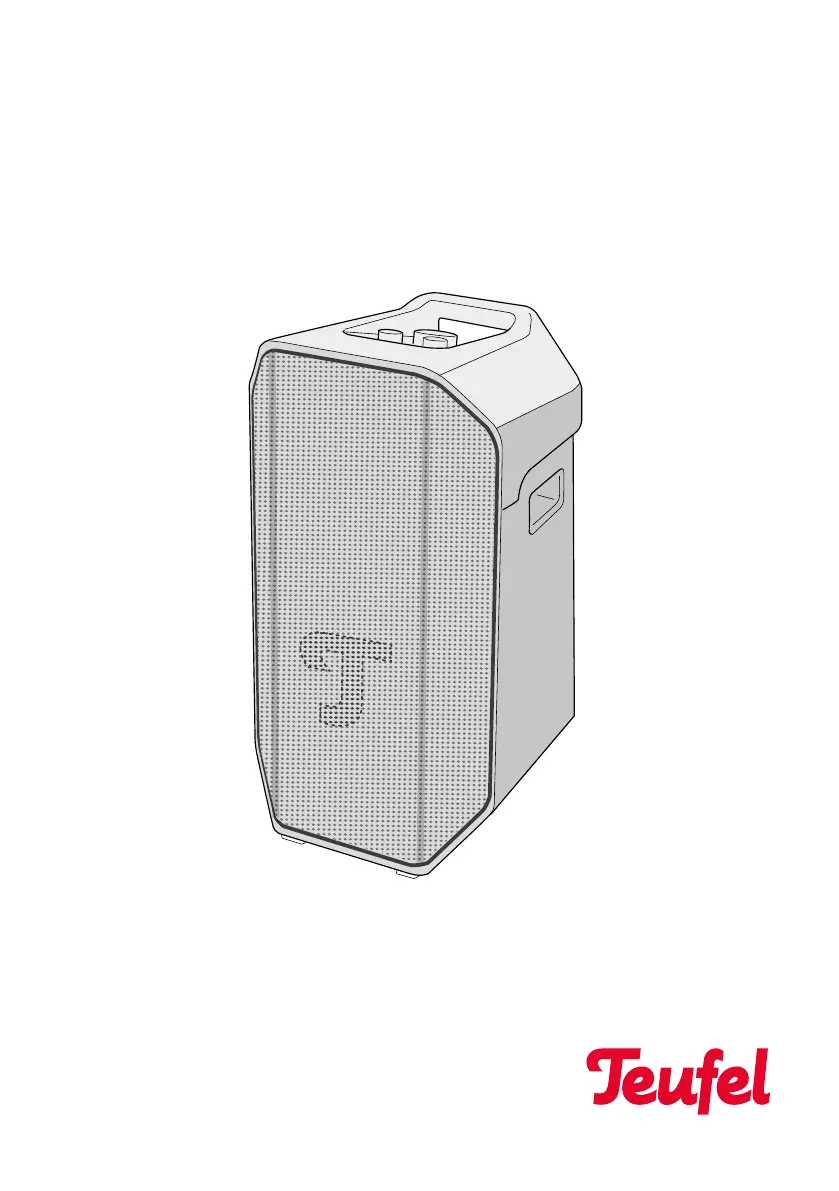
ROCKSTER
AIR 2
Bluetooth® speaker
Technical Description
and User Manual

Other manuals for Teufel ROCKSTER AIR 2

Questions and Answers

Summary

Basic Notes and Information

For Your Information

General information and disclaimers regarding the manual's content and reproduction.

User Manual Validity

Specifies the applicability of the manual to the ROCKSTER AIR 2 speaker.

Trademarks and Licensing

Details on trademarks used and their licensing status.

Data Protection and Advertising Declaration

Original Packaging and Returns

Complaint Procedure

Contact Information and Support

Safety

Intended Use

Defines the proper and intended use of the speaker for playback and amplification.

Explanation of Warning Signals

Explains the meaning and grading of safety warnings (Caution, Attention, Note).

Pre-Operation Checks

Instructions to read the manual and keep safety information before operating the speaker.

Scope of Supply

Included Components

Lists the items included in the product package: ROCKSTER AIR 2 and mains cable.

Supply Verification

Guidance on checking the scope of supply for completeness and damage.

Operating and Display Elements

Control Buttons and LEDs Overview

Identifies and describes the function of buttons, LEDs, and sensors on the speaker control panel.

Source Selection Indicators

Details the function of Source LEDs for indicating active input sources like AUX, INSTRUMENT, etc.

Basic Operations

Power On;Off Control

Instructions for switching the speaker on and off using the power button.

Bluetooth Pairing and Control

Details on pairing Bluetooth devices and controlling playback via the Bluetooth button.

Playback Control Functions

Explains how to pause, start, and skip tracks using the Play/Pause button.

Tone Adjustment Controls

Guidance on using Bass and Treble controllers to adjust audio levels.

Connections

Power and Battery Ports

Details on connecting the mains power, external batteries, and auto power settings.

Audio Input and Volume Control Ports

Describes AUX IN, INSTRUMENT IN, MIC LINE IN sockets and their respective volume controls.

Wireless and Linking Ports

Information on PARTY LINK, COMPANION IN/OUT sockets for multi-speaker setups.

Powerbank and Status Indicators

Explains the USB powerbank function and battery status/ECO mode indicators.

Start-up Procedure

Carrying and Setting Up the Speaker

Instructions on how to safely carry and position the speaker for optimal use.

Connecting to Power

Steps for connecting the speaker to a power source via the mains cable.

Operation: Switching On and Off

Switching the Speaker On

Procedure for powering on the speaker, including LED and sound indicators.

Switching the Speaker Off

Procedure for powering off the speaker, including LED and sound indicators.

Bluetooth Connectivity

Device Pairing Process

Step-by-step guide to connect external devices wirelessly via Bluetooth.

Disconnecting Bluetooth

Instructions on how to end a Bluetooth connection with the speaker.

Clearing Bluetooth History

Procedure to delete the list of previously paired Bluetooth devices.

Volume Adjustment

Muting Audio Output

Playback Control

Pausing and Resuming Playback

Instructions for pausing and resuming audio playback using the Play/Pause button.

Skipping Tracks

Method for playing the next track using the Play/Pause button in Bluetooth mode.

Adjusting Bass Level

Adjusting Treble Level

Playback Sources

Analog AUX Input

Steps for connecting and playing audio via the analog AUX input using a stereo cable.

Instrument Input (INSTRUMENT IN)

Microphone and Line Input (MIC LINE IN)

PARTY LINK Function

Bluetooth Linking and Configuration

Steps for setting up PARTY LINK wirelessly, including MASTER/COMPANION roles and Bluetooth pairing.

Cable Linking and Speaker Configuration

Instructions for linking speakers via cable, setting roles, and audio output modes (MONO/LEFT/RIGHT).

Battery Management

Charging the Battery

Procedure for charging the integrated rechargeable battery using the mains cable.

Displaying Charge Level

How to check the current battery charge status using the battery status LEDs.

Removing and Inserting the Battery

Step-by-step guide to safely remove and install the Teufel battery pack.

ECO Mode Operations

Activating and Deactivating ECO Mode

How to enable or disable ECO mode to reduce power consumption and extend battery life.

Signal Tone Control

Connecting External Batteries

Power Bank Functionality

Using the USB Powerbank

How to use the speaker's USB port to charge external devices like smartphones.

Powerbank Operation Modes

Details on power bank charging behavior during mains and battery operation.

Auto Power and Standby Modes

Configuring Auto Power ON;Standby

Steps to activate or deactivate the automatic power on and standby features.

Understanding Standby Mode Behavior

Explanation of standby mode timing based on Auto Power switch settings.

Cleaning and Care Instructions

Speaker Storage Guidelines

Troubleshooting Common Issues

Speaker Fails to Start

Solutions for the speaker not powering on, likely related to battery or button press.

No Sound Output

Troubleshooting steps for when no audio is produced by the speaker.

Quiet Audio Playback

Resolving issues with low volume, checking speaker and external player settings.

Speaker Unresponsive

Steps to fix a speaker that is not responding to commands or input.

Performing a Hardware Reset

Procedure for resetting the speaker to its factory default settings when it becomes unresponsive.

Technical Specifications

Teufel ROCKSTER AIR 2 Specifications

General IconGeneral
Product TypePortable Bluetooth Speaker
Amplifier ClassClass D
Bluetooth Version5.0
Charging Time4 hours
Inputs3.5 mm AUX, USB-C
FeaturesStereo pairing

Related product manuals