EasyManua.ls Logo

Teufel Cinebar Pro - User Manual

Teufel Cinebar Pro
36 pages
Print Icon
To Next Page IconTo Next Page
Loading...
Cinebar Pro
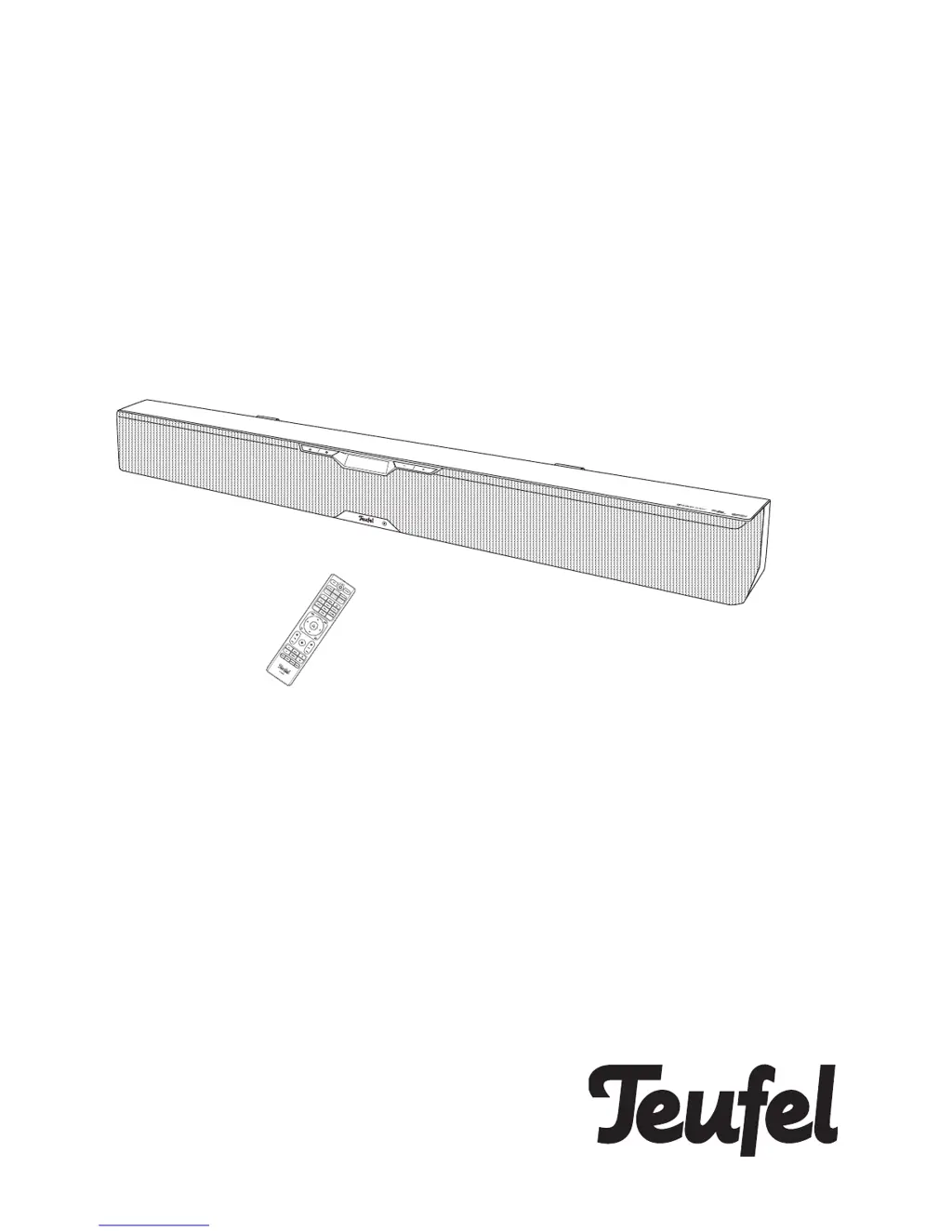
2.1 Soundbar with wireless technology
Technical Description And User
Manual

Questions and Answers

Summary

General Notes and Information

Notice and Trademarks

Information regarding document changes, liability, reproduction rights, and product trademarks.

Original Packaging and Returns

Instructions for retaining original packaging for product returns and exchanges.

Contact and Support Information

Details for customer service inquiries, suggestions, and complaints, including addresses and phone numbers.

Product Disposal Guidelines

Information on the environmentally friendly disposal of old electrical devices and batteries.

For Your Safety

Proper Use and Safety Warnings

Guidelines for correct product usage, potential risks, and general safety precautions to prevent injury and damage.

Explanation of Symbols

Defines warning symbols used in the manual, indicating electrical shock, indoor use, and insulation types.

Overview and Contents

Unpacking and Package Contents

Steps for unpacking the device and a list of included package contents for verification.

Checking Product Contents

Instructions to verify that all items are delivered and undamaged upon receipt.

Controls and Connections

Device Interfaces

Identification and explanation of rear panel connections for audio, power, and external devices.

Front Panel Controls

Overview of buttons and indicators located on the front side of the Cinebar Pro.

Remote Control Functions

Detailed explanation of all buttons on the remote control for operating the Cinebar Pro.

Operation

Power and Source Management

Instructions for turning the device on/off, standby mode, and selecting audio input sources.

Audio Settings and Modes

Guidance on adjusting volume, bass, treble, equalizer presets, and sound modes like DYNAMORE.

Menu and System Configuration

How to navigate menus for speaker setup, surround settings, language, and system configurations.

Connectivity and Playback

Information on wireless setup, Bluetooth pairing, Google Chromecast, Spotify Connect, and playback control.

Software Update

Installing New Software

Procedure for downloading and installing the latest software version via a USB stick.

Care and Cleaning

Cleaning Instructions

Recommended methods and precautions for cleaning the device to prevent damage.

Troubleshooting Guide

Common Problems and Solutions

A guide to identifying and resolving common issues encountered with the Cinebar Pro.

Technical Data and Compliance

Product Specifications

Key technical details including dimensions, weight, operating voltage, and radio frequency bands.

Declaration of Conformity

Statement of compliance with EU directives and availability of the full declaration text online.

Summary

General Notes and Information

Notice and Trademarks

Information regarding document changes, liability, reproduction rights, and product trademarks.

Original Packaging and Returns

Instructions for retaining original packaging for product returns and exchanges.

Contact and Support Information

Details for customer service inquiries, suggestions, and complaints, including addresses and phone numbers.

Product Disposal Guidelines

Information on the environmentally friendly disposal of old electrical devices and batteries.

For Your Safety

Proper Use and Safety Warnings

Guidelines for correct product usage, potential risks, and general safety precautions to prevent injury and damage.

Explanation of Symbols

Defines warning symbols used in the manual, indicating electrical shock, indoor use, and insulation types.

Overview and Contents

Unpacking and Package Contents

Steps for unpacking the device and a list of included package contents for verification.

Checking Product Contents

Instructions to verify that all items are delivered and undamaged upon receipt.

Controls and Connections

Device Interfaces

Identification and explanation of rear panel connections for audio, power, and external devices.

Front Panel Controls

Overview of buttons and indicators located on the front side of the Cinebar Pro.

Remote Control Functions

Detailed explanation of all buttons on the remote control for operating the Cinebar Pro.

Operation

Power and Source Management

Instructions for turning the device on/off, standby mode, and selecting audio input sources.

Audio Settings and Modes

Guidance on adjusting volume, bass, treble, equalizer presets, and sound modes like DYNAMORE.

Menu and System Configuration

How to navigate menus for speaker setup, surround settings, language, and system configurations.

Connectivity and Playback

Information on wireless setup, Bluetooth pairing, Google Chromecast, Spotify Connect, and playback control.

Software Update

Installing New Software

Procedure for downloading and installing the latest software version via a USB stick.

Care and Cleaning

Cleaning Instructions

Recommended methods and precautions for cleaning the device to prevent damage.

Troubleshooting Guide

Common Problems and Solutions

A guide to identifying and resolving common issues encountered with the Cinebar Pro.

Technical Data and Compliance

Product Specifications

Key technical details including dimensions, weight, operating voltage, and radio frequency bands.

Declaration of Conformity

Statement of compliance with EU directives and availability of the full declaration text online.

Teufel Cinebar Pro Specifications

General IconGeneral
Tweeter diameter25 mm
Mid-range driver diameter100 mm
Number of tweeter drivers2
Soundbar speaker RMS power200 W
Number of mid-range drivers6
Bass reflexYes
Subwoofer typeActive subwoofer
Subwoofer locationSeparate
Subwoofer sensitivity115 dB
Subwoofer frequency range37 - 200 Hz
FM radio-
Product colorBlack
TV stand usageNo
HDMI in4
Bluetooth version4.0
HDMI ports quantity5
Connectivity technologyWired & Wireless
Digital audio coaxial in1
Apple docking compatibilityNot supported
Number of amplifier channels2 channels
AC input voltage230 V
Power consumption (standby)1 W
Audio decodersDTS, Dolby Digital
RMS rated power- W
Audio output channels- channels
Cables includedAC
Weight and Dimensions IconWeight and Dimensions
Depth140 mm
Width1200 mm
Height135 mm
Soundbar weight11200 g
Subwoofer depth380 mm
Subwoofer width351 mm
Subwoofer height483 mm
Subwoofer weight15600 g

Related product manuals