EasyManua.ls Logo

Teufel Cinebar LUX - User Manual

Teufel Cinebar LUX
38 pages
Print Icon
To Next Page IconTo Next Page
Loading...
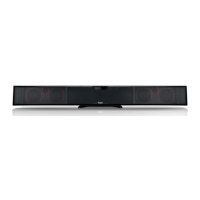
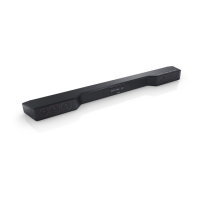
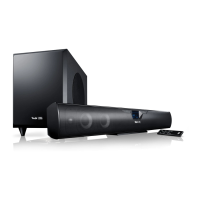
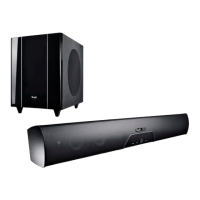
Cinebar LUX
2.1 Soundbar with wireless technology
Technical Description And User
Manual
Raumfeld

Other manuals for Teufel Cinebar LUX

Question and Answer IconNeed help?

Do you have a question about the Teufel Cinebar LUX and is the answer not in the manual?

Summary

For Your Safety

Proper Use Guidelines

Instructions for correct usage and manufacturer liability for improper use.

Safety Notes

General Safety Precautions

General safety precautions and warnings for user protection.

Device Controls

Rear Panel Ports and Buttons

Identifies and describes ports and buttons on the back of the device.

Front Panel Controls

Identifies and describes buttons and indicators on the front of the device.

Remote Control Operation

Detailed description of each button on the remote control and its function.

Setup and Installation

Wall Mounting Guide

Details on required materials and initial steps for wall mounting.

Connecting Audio Sources

Connection Diagram Overview

Visual overview of connecting various audio sources and accessories.

Operation Basics

Powering On;Off and Source Selection

How to activate, deactivate, and switch between audio sources.

Sound Adjustment

Volume, Mute, and Sound Settings

Controlling volume, muting sound, and adjusting sound profiles.

Menu Navigation

Menu Configuration

Subwoofer and LipSync Settings

System Settings

Setting up Raumfeld

Raumfeld App Setup Guide

Guide to downloading and using the Teufel Raumfeld App for initial setup.

Bluetooth Mode

Pairing and Connecting via Bluetooth

Steps to wirelessly connect external devices via Bluetooth.

Bluetooth Playback and Connection Management

Software Update

Care and Cleaning

Troubleshooting

Sound and Connectivity Issues

Solutions for no sound, Bluetooth, and TV playback problems.

Raumfeld and Reset Issues

Troubleshooting Raumfeld setup, app connection, and device reset procedures.

Wireless Subwoofer Issues

Solutions for wireless subwoofer and rear speaker malfunctions.

Technical Data

Summary

For Your Safety

Proper Use Guidelines

Instructions for correct usage and manufacturer liability for improper use.

Safety Notes

General Safety Precautions

General safety precautions and warnings for user protection.

Device Controls

Rear Panel Ports and Buttons

Identifies and describes ports and buttons on the back of the device.

Front Panel Controls

Identifies and describes buttons and indicators on the front of the device.

Remote Control Operation

Detailed description of each button on the remote control and its function.

Setup and Installation

Wall Mounting Guide

Details on required materials and initial steps for wall mounting.

Connecting Audio Sources

Connection Diagram Overview

Visual overview of connecting various audio sources and accessories.

Operation Basics

Powering On;Off and Source Selection

How to activate, deactivate, and switch between audio sources.

Sound Adjustment

Volume, Mute, and Sound Settings

Controlling volume, muting sound, and adjusting sound profiles.

Menu Navigation

Menu Configuration

Subwoofer and LipSync Settings

System Settings

Setting up Raumfeld

Raumfeld App Setup Guide

Guide to downloading and using the Teufel Raumfeld App for initial setup.

Bluetooth Mode

Pairing and Connecting via Bluetooth

Steps to wirelessly connect external devices via Bluetooth.

Bluetooth Playback and Connection Management

Software Update

Care and Cleaning

Troubleshooting

Sound and Connectivity Issues

Solutions for no sound, Bluetooth, and TV playback problems.

Raumfeld and Reset Issues

Troubleshooting Raumfeld setup, app connection, and device reset procedures.

Wireless Subwoofer Issues

Solutions for wireless subwoofer and rear speaker malfunctions.

Technical Data

Teufel Cinebar LUX Specifications

General IconGeneral
TypeSoundbar
Wireless SubwooferYes
Configuration2.1
ConnectivityBluetooth, HDMI, Optical, AUX
Frequency Response38Hz - 20kHz

Related product manuals