Need help?
Do you have a question about the Teufel One M and is the answer not in the manual?
Emphasizes reading safety notes and enclosed documents for safe operation of the device.
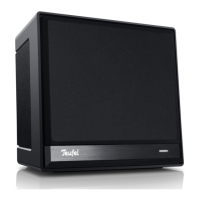
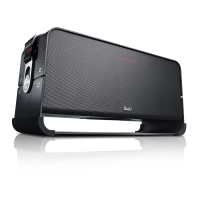
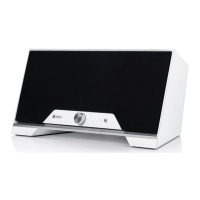
Describes controls and indicators located on the front of the Teufel One M speaker.
Details the various ports and buttons located on the back of the Teufel One M speaker.
Troubleshooting steps for when the control LED does not light up.
Steps to resolve issues encountered during the device setup process.
 General
| Number of drivers | - |
|---|---|
| Number of woofer drivers | 1 |
| Number of tweeter drivers | 4 |
| Number of mid-range drivers | 2 |
| Product color | Black |
| Cables included | AC |
| Control type | Buttons, Rotary, Wireless |
| Volume control | Rotary |
| Security algorithms | WPA2 |
| Audio formats supported | AAC, APE, ASF, FLAC, MP3, OGG, WAV, WMA |
| Internet radio services supported | Deezer, Napster, Spotify, Tidal, TuneIn |
| Mobile operating systems supported | Android, iOS |
| Network streaming services supported | YouTube |
| AC input voltage | 230 V |
| AC input frequency | 50 Hz |
| USB version | 2.0 |
| Wi-Fi standards | 802.11b, 802.11g, Wi-Fi 4 (802.11n), Wi-Fi 5 (802.11ac) |
| USB connector type | USB Type-A |
| Ethernet LAN data rates | 10, 100 Mbit/s |
| Apple docking compatibility | Not supported |
 Weight and Dimensions
| Depth | 190 mm |
|---|---|
| Width | 420 mm |
| Height | 205 mm |
| Weight | 5200 g |

 To Next Page