
 Need help?
Do you have a question about the Teufel STEREO M 2 and is the answer not in the manual?
General information regarding the user manual and its content.
Specifies the scope of applicability for this user manual.
Details on trademarks and licensing information for the product.
Instructions and importance of retaining original packaging.
Defines the proper and intended use of the loudspeakers.
Details on warning symbols and hazard levels used in the manual.
Instructions for safely unpacking the loudspeaker set.
Procedure for verifying all components are present.
Overview of the buttons and controls on the loudspeaker.
Guide on how to attach and remove the loudspeaker covers.
Recommendations for optimal placement of loudspeakers.
Steps for wirelessly connecting the primary and secondary loudspeakers.
Instructions for connecting loudspeakers using a cable.
Guidance on connecting audio sources to the loudspeakers.
Details for connecting external players via AUX or Optical.
Using the Teufel Home App for setup and operation.
Steps for connecting the loudspeaker to a WiFi network.
Instructions for connecting via a LAN cable.
Understanding the network connection status indicators.
Procedure for powering the loudspeakers on and off.
Explanation of the automatic standby function.
How to select AUX IN, WiFi, or Optical as the audio source.
Steps to set Bluetooth® as the audio input source.
Instructions for pausing and resuming audio playback.
How to play previous or next tracks in Bluetooth/WiFi modes.
Guide to adjusting the loudspeaker volume using the touch wheel.
Procedure for muting and unmuting the loudspeakers.
How to save and recall custom presets for audio sources.
Steps for pairing Bluetooth devices with the loudspeaker.
How to terminate a Bluetooth® connection.
Procedure for clearing the list of paired Bluetooth devices.
Information on using the integrated TuneIn radio service.
Using Spotify Connect for remote music control.
Details on using AirPlay 2 for audio streaming.
Information on streaming audio via Chromecast built-in.
Proper methods for cleaning the loudspeaker surfaces.
How to update the loudspeaker firmware.
Solutions for issues where the speaker fails to power on.
Troubleshooting steps for when no audio is produced.
Resolving sound issues with AUX or Optical connections.
Identifying and fixing buzzing sounds from the loudspeaker.
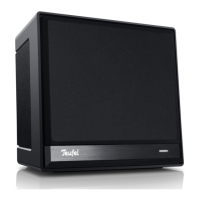
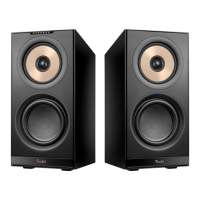
The Teufel STEREO M 2 is an active loudspeaker set consisting of two loudspeakers: one primary and one secondary. This system is designed for high-quality audio playback via various sources, including internet streaming, Bluetooth®, and wired connections.
The STEREO M 2 active loudspeaker set enables audio playback from a wide range of sources. Users can stream audio via WiFi, Bluetooth®, or connect external players using AUX IN or OPTICAL IN. The primary loudspeaker houses the main controls and connections, while the secondary loudspeaker works in conjunction with it to create a stereo sound experience. The system supports various internet services like TuneIn Radio, Spotify® Connect, AirPlay 2, and Chromecast built-in™, offering extensive streaming options.
The STEREO M 2 offers flexible setup and operation.


 To Next Page
 General