EasyManua.ls Logo

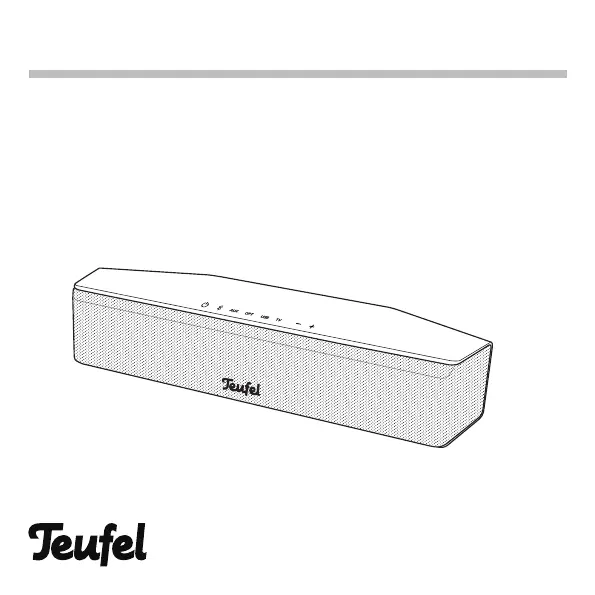
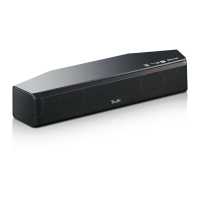
Teufel Cinebar One - User Manual

Teufel Cinebar One
40 pages
Print Icon
To Next Page IconTo Next Page
Loading...
User Manual
Cinebar One
Ultra-compact 2.0 soundbar with subwoofer connection and USB
sound card function

Questions and Answers

  • M
    Megan BlackAug 18, 2025
    What to do if my Teufel Speakers don't emit any sound?
    • M
      Maria JonesAug 18, 2025
      If your Teufel speakers aren't producing sound, there might be a few reasons: * The wrong source might be selected. Ensure you've selected the correct source. * The device could be muted. Try pressing the mute button or adjusting the volume. * The volume might be set to zero. Increase the volume on your Teufel speakers. * If you're using an external player, its volume might be too low. Carefully increase the volume on the external player.
  • W
    William CantuAug 21, 2025
    Why is there no sound during TV playback with my Teufel Speakers?
    • S
      Sheila LarsonAug 21, 2025
      If you're not getting any sound from your Teufel speakers during TV playback, here's what to check: * The ARC function on your TV may not be activated. Enable ARC in your TV's menu. * The HDMI jack you're using might not support ARC. Use the HDMI jack on your TV that supports the ARC function. * You might be using an HDMI cable that doesn't support ARC. Use a suitable HDMI cable.
  • A
    Alan CantrellAug 23, 2025
    How to fix no sound with Bluetooth on Teufel Speakers?
    • D
      Derrick SingletonAug 23, 2025
      If you're experiencing no sound with Bluetooth on your Teufel Speakers, consider the following: * There may be no Bluetooth connection. Establish a Bluetooth connection. * The Cinebar One may not be selected as the output device. On your external player, select “Teufel Cinebar One” as the Bluetooth output device. * The Bluetooth connection might be impaired by another radio system. Try setting up the Cinebar One and/or external player in another location or room.
  • A
    Anthony FoxAug 26, 2025
    What to do if the Teufel wireless subwoofer doesn’t work?
    • R
      Robert SmithAug 26, 2025
      If the wireless subwoofer for your Teufel speakers isn't working, try these steps: * Ensure the subwoofer is switched on and has power. Check the mains cord and the socket. * There might be no wireless connection. Establish a wireless connection.
  • D
    Darius RobertsAug 27, 2025
    Why does my Teufel subwoofer hum?
    • M
      Matthew HicksAug 28, 2025
      If your Teufel subwoofer is humming, here are a few potential causes and solutions: * The subwoofer might be connected to a different power circuit from the rest of the system. Connect the subwoofer and Cinebar One to the same power circuit. * The hum could be due to line disturbance. Try buying a mains filter and connecting both devices to it. * The humming might be caused by a multiple socket strip. Use a different multiple socket strip or connect the subwoofer directly to the wall socket. You might also try inserting the mains plug in the socket the other way around.
  • D
    dhaynesAug 30, 2025
    How to troubleshoot Teufel Speakers with no function?
    • B
      bishopanneAug 30, 2025
      If your Teufel Speakers have no function, it could be due to: * No power supply. Check the function of the socket with another device. * The small plug of the mains adapter has slipped out. Check the connection of the mains adapter.
  • K
    Kim BensonSep 1, 2025
    What causes noisy playback on Teufel Cinebar One?
    • D
      Daniel HernandezSep 1, 2025
      If the playback on your Teufel Cinebar One is noisy, ensure that the source is sending a clear signal to the Cinebar One.
  • G
    Gregory GilesSep 3, 2025
    What to do if my Teufel Cinebar One doesn't emit any sound?
    • C
      Christine MartinezSep 3, 2025
      If your Teufel Speaker System emits no sound, ensure that the correct source is selected and that the device isn't muted. Also, make sure the volume isn't set to '0'. If you're using an external player, carefully increase its volume as well.
  • C
    Christian ThomasSep 6, 2025
    Why is there no sound during TV playback on my Teufel Speaker System?
    • A
      Amy RobinsonSep 6, 2025
      If your Teufel Speaker System has no sound during TV playback, activate the ARC function in your TV's menu. Verify that you are using the HDMI jack on your TV that supports the ARC function, and ensure you're using a suitable HDMI cable that supports ARC.
  • M
    Morgan AdamsSep 8, 2025
    How to troubleshoot a Teufel Cinebar One Speaker System with no function?
    • A
      Angel BenderSep 8, 2025
      If your Teufel Speaker System has no function, verify the power supply by testing the socket with another device. Also, check the connection of the mains adapter, ensuring the small plug is securely connected.

Summary

Safety Guidelines

Proper Use

Speaker designed for music/speech playback. Use as per manual; other use is improper.

Electrical Safety Precautions

Precautions regarding touching live parts, mains adapter, and electrical safety.

Setup and Environmental Safety

Guidance on choosing a safe setup location to prevent injury and damage.

Child and Battery Safety

Warnings for children with plastic wrapping, battery swallowing, and leaking acid.

Battery Handling and Listening Volume

Warnings on improper battery use and risks of extended high-volume listening.

Explanation of Symbols

Electrical Safety Symbols

Symbol for electrical shock risk; do not open housing, disconnect mains before fuse change.

Product Overview

Connecting and Configuring Sources

Source Selection and Volume Adjustment

Methods for selecting sources and adjusting volume levels.

Wireless Subwoofer Operation

Bluetooth Mode

Bluetooth Options and Pairing

Information on Bluetooth options and detailed steps for pairing and connecting devices.

USB Sound Card Functionality

Troubleshooting Guide

No Function or Sound Issues

Solutions for problems where the device has no function or emits no sound.

Playback and Connection Problems

Troubleshooting for no sound during TV/Bluetooth playback and wireless subwoofer issues.

Noisy Playback Resolution

Ensuring a clear signal to the Cinebar One to resolve noisy playback.

Teufel Cinebar One Specifications

General IconGeneral
Audio decodersDolby Digital, Dolby Digital 5.1, Dolby Digital Plus
RMS rated power80 W
Audio output channels2.0 channels
Audio Return Channel (ARC)Yes
Product colorBlack
Consumer Electronics Control (CEC)-
Full-range driver diameter50 mm
Bluetooth version4.0
Connectivity technologyWired & Wireless
Digital audio coaxial in0
Bluetooth profilesAPT-X
AC input voltage230 V
Power consumption (standby)0.5 W
ClassD
Number of amplifier channels4 channels
Subwoofer includedNo
Cables includedAC
Weight and Dimensions IconWeight and Dimensions
Depth113 mm
Width350 mm
Height68 mm
Soundbar weight300 g

Related product manuals