4 • Teufel Streamer
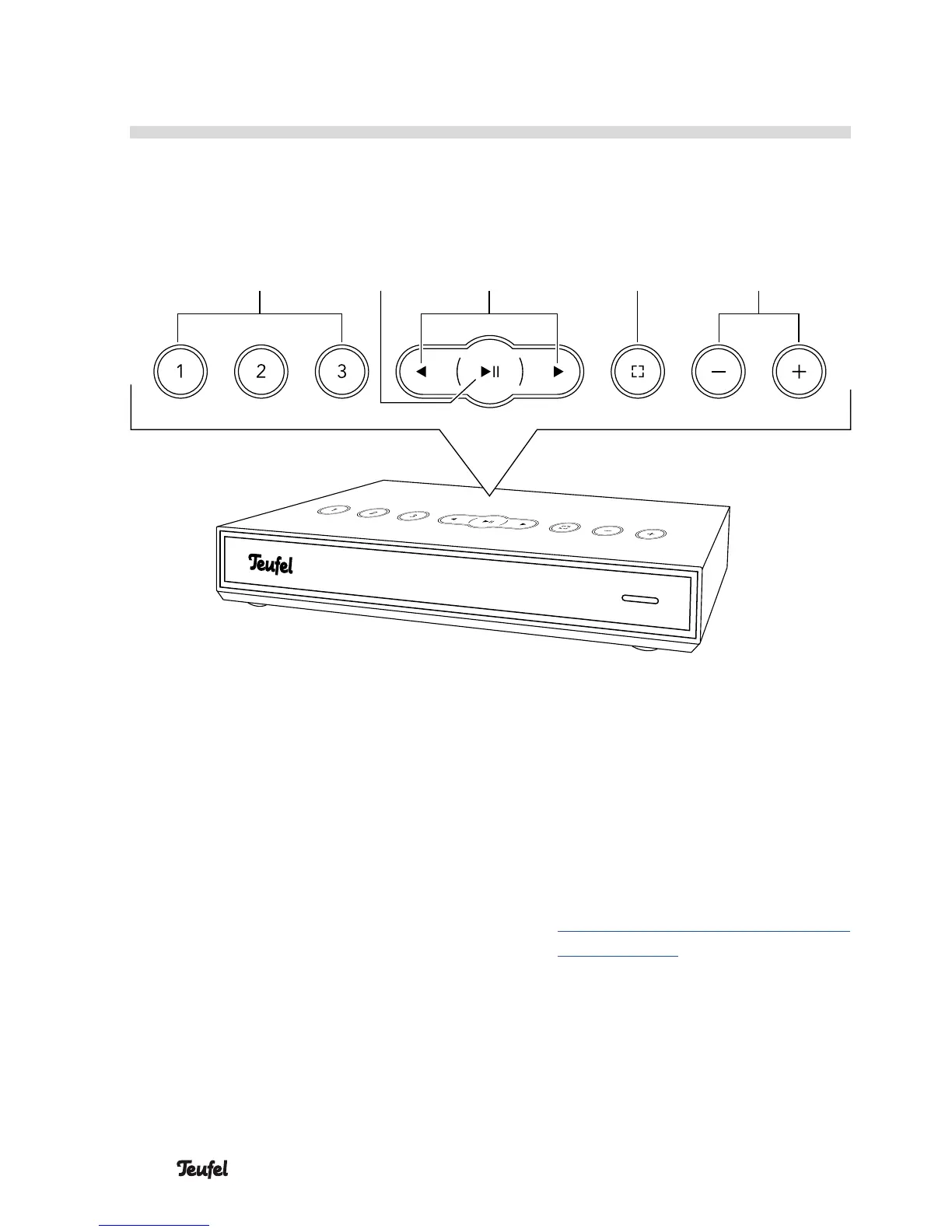
(5) Preset buttons
Push and hold: save current
playback.
Tap: play saved music.
(6) Pause/play
Tap: Pause/play.
Push and hold: Standby
(7) Skip track back/forward
Operational Controls and Connections
(7) (8) (9)
(5) (6)
Top side
(8)
Control button
Tap to switch to the inputs OPT
IN and LINE IN. If there is a
signal at the two inputs, OPT IN
will have priority.
Refer to the online documen-
tation for more possibilities to
assign the control button:
http://manual.teufelaudio.com/
controlbutton.
(9) Increase/decrease the volume


 To Next Page