Helpline No. UK/Northern Ireland 01270 508538 Rep.Ireland 1800 995 036
Web Support www.quesh.co.uk
Model No: 44163
23
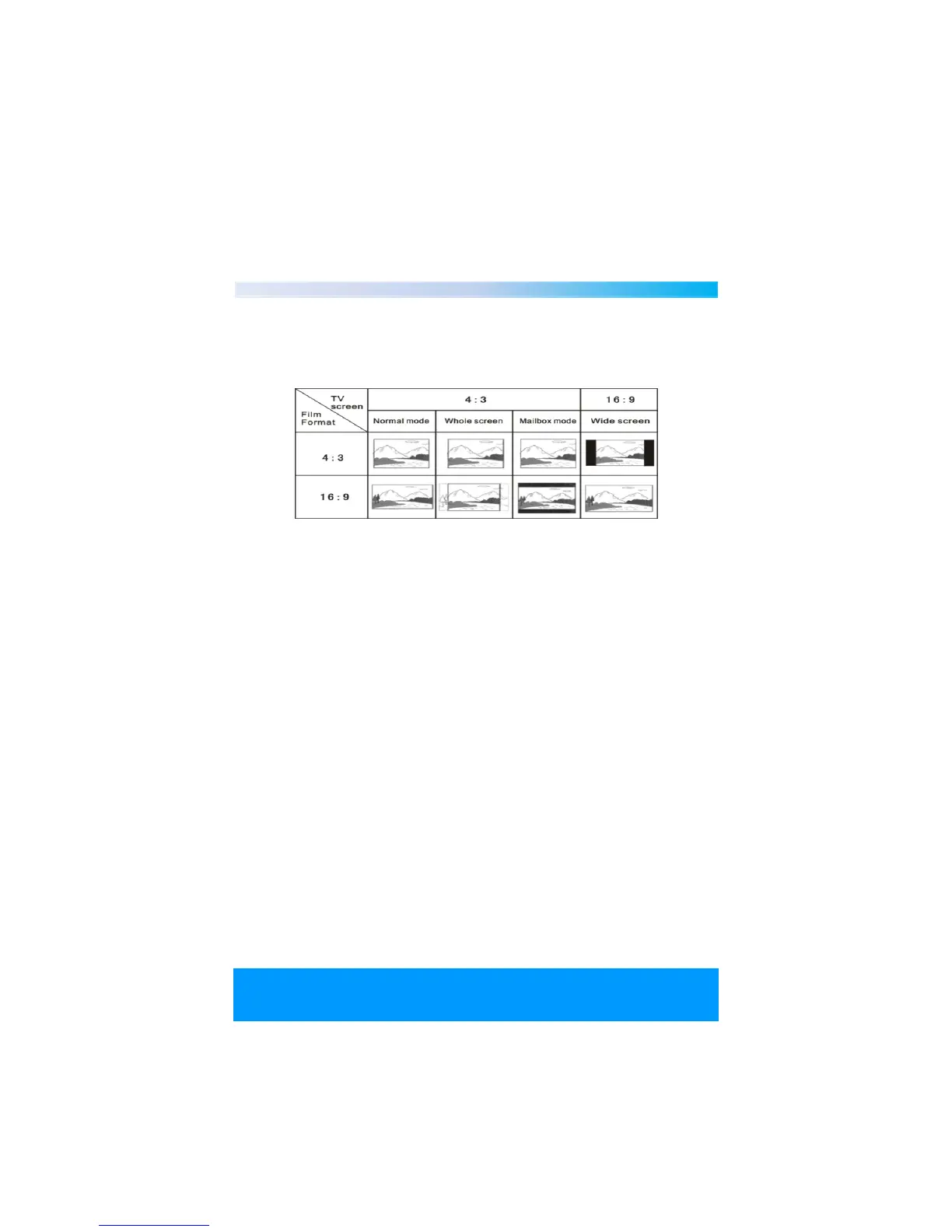
TV Type
Depending on the type of television you have, you may want to adjust
the screen setting.
4:3PS,4:3LB,16:9
4:3 PS
The use of a non widescreen TV. When playing wide screen pictures,
the extreme left and right sides of pictures will be cut off.
4:3 LB
The use of a non widescreen TV. When playing the width screen
pictures, the screen will appear with black bars at the top and bottom
of the screen.
16:9
Connect to a widescreen TV.
Note :
1. No matter what kind of TV is used, if you choose a 4:3 display the
picture will appear with 4:3 rate.
2. If the screen uses a 4:3 to display, and the DVD is in 16:9 display
format, the pictures will be very narrow.


 To Next Page