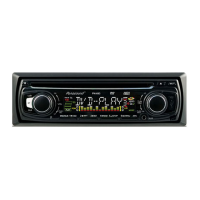
Basic Operation
Helpline No. UK/Northern Ireland 01270 508538 Rep.Ireland 1800 995 036
Web Support www.quesh.co.uk
Model No: 47743
13
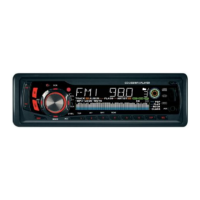
4.LCD DISPLAY
5,6.TUNE, SEEK and TRACK BUTTONS
Press the >>| or |<< button briefly to manually tune up or down for the
desired radio station frequency.
Press and hold >>| or |<< to auto tune up or down.
7.BAND BUTTON
During radio mode, press the BND button briefly to select the radio
broadcasting band you would like.
8.MODE BUTTON
Press the mode button to change between, tuner, disc (when disc is
loaded), SD Card (when SD Card is inserted, USB (when USB device is
inserted), BT READY mode (when the Bluetooth is not connected, it
shows as NO CON) and AUX mode.
9.MUTE BUTTON
This button turns mute on or off.
Press the mute button to suppress the loudspeaker temporarily, and
press again to resume listening. You can also exit mute by using MODE,
SEL buttons or the VOL dial on the fascia panel.
10.AP BUTTON (Auto-Storage/Preset Scan)
If you press and hold the button for more than one second it will scan and
store 6 stations into your presets. You can do this in each band.
11. PRESET STATION MEMORY
You can go to any preset station by pressing one of the buttons marked
1-6. To store the station that you are currently listening to press and hold
the desired preset location (1-6) until you see the number that you are
holding displayed on screen.
12.AF (ALTERNATIVE FREQUENCIES) BUTTON
You can turn the AF mode on or off by briefly pressing the AF button.
AF Displayed: AF Switching mode is on.
AF Not Displayed: AF Switching mode is off.
AF Flashing: AF switching mode is, but no RDS information is being
received.


 To Next Page