Need help?
Do you have a question about the TEXA TXB EVOLUTION and is the answer not in the manual?
Provides definitions for technical terms used within the manual to ensure clarity and understanding.
Outlines essential safety rules for the operator, covering general precautions and specific hazards like asphyxiation, impact, and electrical risks.
Offers critical advice for safe device usage, maintenance, and adherence to manufacturer guidelines.
Defines key terms like 'Operator' and 'Tool/device' specific to the NAVIGATOR TX series.
Establishes fundamental guidelines for users, emphasizing basic mechanical knowledge and careful reading of documentation.
Addresses specific safety concerns for operators, particularly regarding airbag deployment zones and safe tool positioning.
Details safety measures for the tool itself, covering environmental conditions, physical handling, electrical safety, and electromagnetic compatibility.
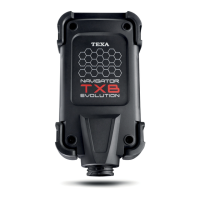
Provides a visual representation of the tool, identifying its key connectors and status indicators.
Lists detailed technical specifications of the NAVIGATOR TXB EVOLUTION, including model, processor, memory, and supported protocols.
Explains how to power the device, detailing connection methods through diagnostic socket or battery.
Describes the procedure for powering the tool via the vehicle's diagnostic socket.
Outlines the method for powering the tool directly from the vehicle's battery using a power supply cable.
Details the available communication methods between the tool and the display unit, including Bluetooth (recommended) and USB connections.
Details the meaning of LED status indicators (Green, Red, Blue) for tool communication and power status.
Guides users on connecting the tool to the vehicle's control unit for self-diagnosis tests, utilizing software and appropriate cables.
Explains the self-diagnosis functions available through the software, such as monitoring parameters, checking errors, and testing actuators.

 To Next Page
 General