9 DESCRIPTION
This chapter describes the general features of the tool.
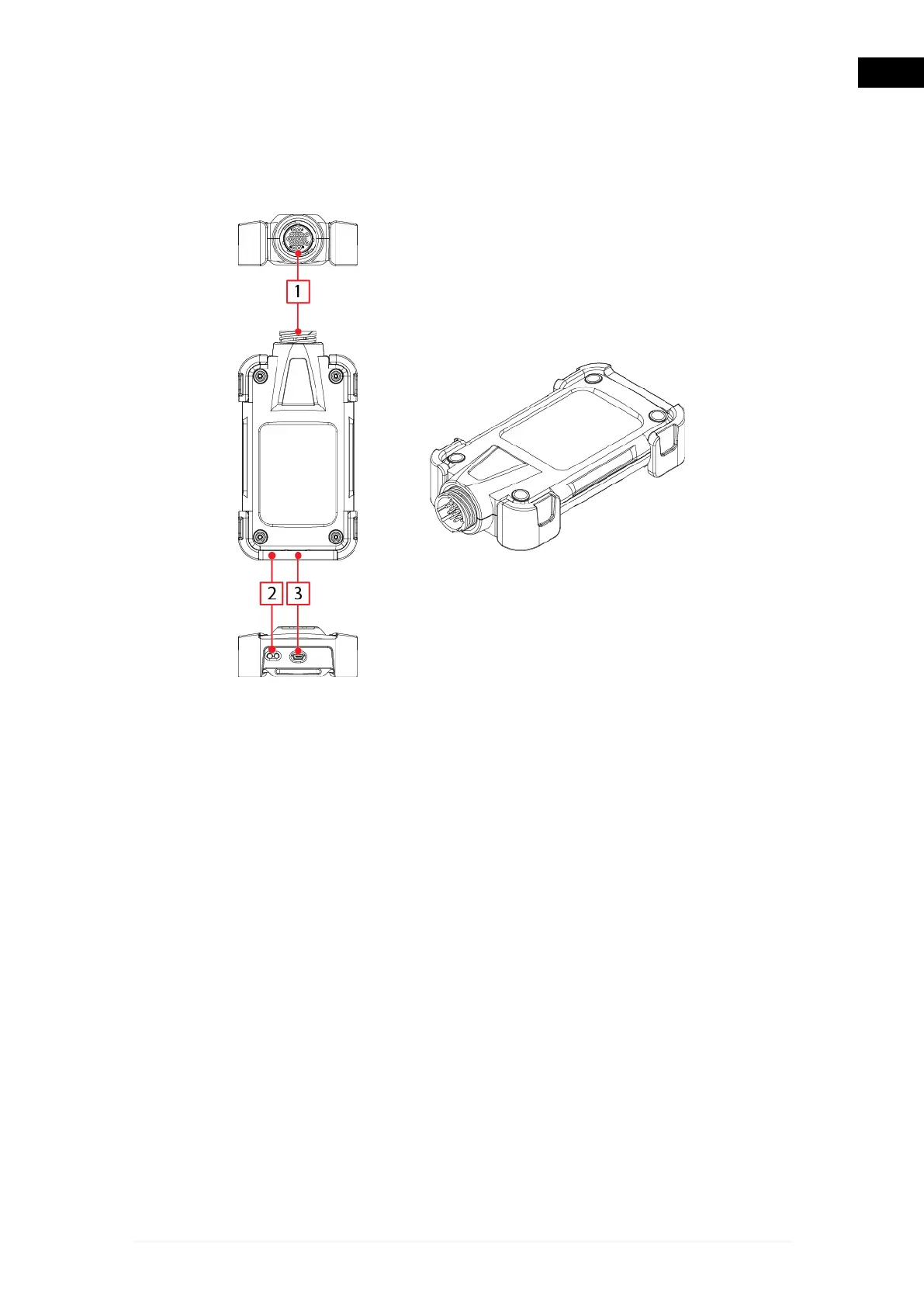
9.1 Image of the Tool
1.
Diagnostic connector.
2.
Status LED:
•
Green/red LED: green indicates there is power and the status of the
communication with the control unit, while red indicates if there is a USB
connection.
•
Blue LED: indicates the Bluetooth communication status.
3.
USB socket: the USB connector used for the connection to the display unit.
21
en


 To Next Page