Chapter 4: Linear Inequalities Name
Section 2: Using Algebra Date
Topics in Algebra 1 © 2001 Texas Instruments Student Worksheet 4-14
³
Try-It!
é
on Your TI
.
83 Plus or TI
.
73
Testing points and graphing solution sets:
If
X=3
, is
2X+4>7
true or false? Try it by hand first.
Show your work below.
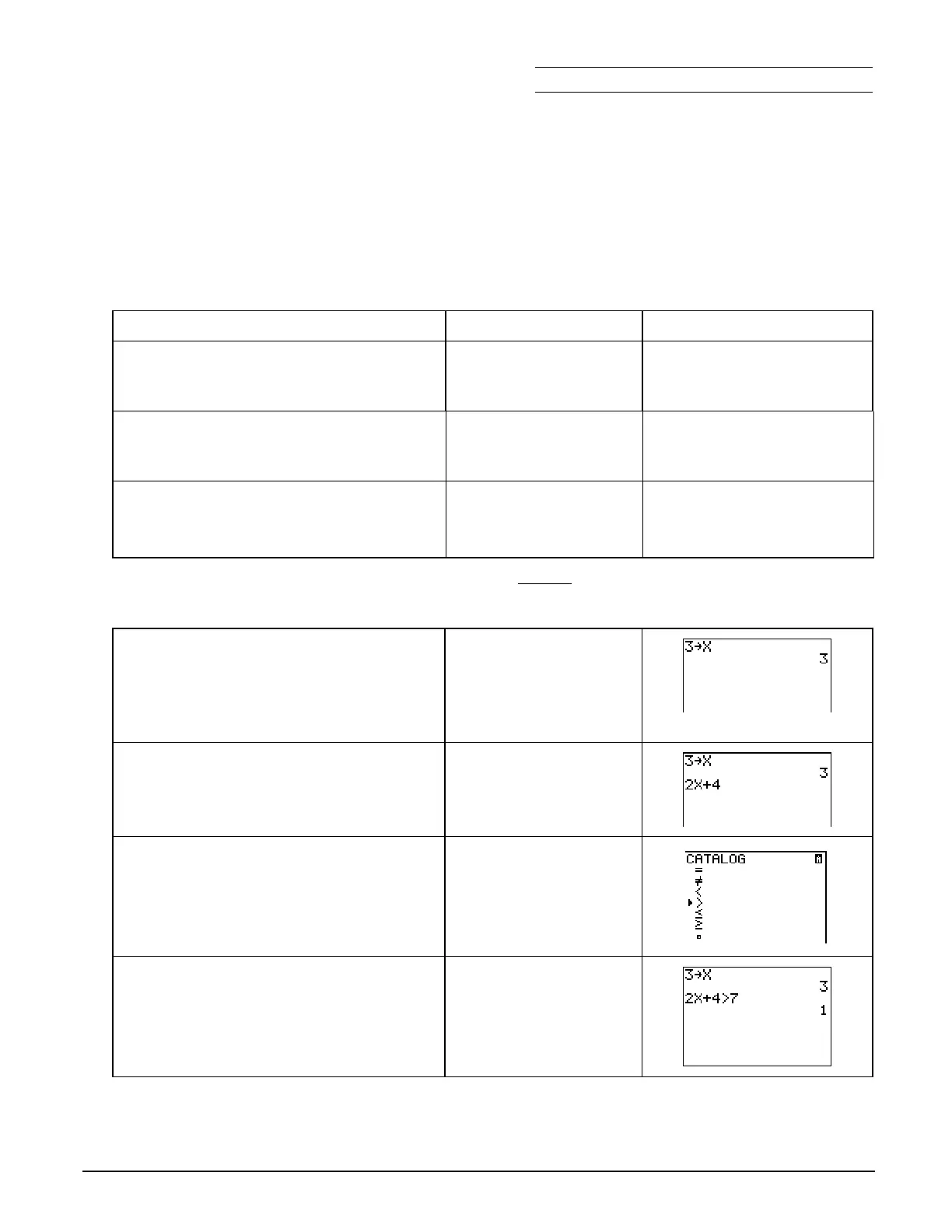
To Do This Press Display
(TI
.
83 Plus shown)
1. Exit the Topics in Algebra 1
application and clear the Home
screen.
y
l
á
EXIT
â
:
2. From the Home screen, the calculator
can tell you if a sentence is TRUE or
FALSE (
1
=TRUE and
0
=FALSE).
3. First, check what value is currently
stored in
X
.
Note
: On the TI
-
73, use
I
rather than „.
„
Í
4. What is the value of
X
stored in your calculator?
Check around the class. Most likely, there are many different values of
X
.
5. First, if you want to find out if
2X+4 > 7
is true or false
when
X=3
,
you must tell the calculator that
X=3
,
which is called storing a value in
X
.
Note
: On the TI
-
73, use
I
rather than „.
:
3
X
„
Í
6. Next, input the number sentence
2X+4>7.
This takes two steps.
Note
: On the TI
-
73, use
I
rather than „.
2
„
\
4
7. You can find the
>
(greater than) sign
in the catalog (
-
|
).
Shortcuts:
On the TI-83 Plus, press y :
3
.
On the TI-73, press
-
t
#
#
#
"
"
b
to select
>
and
#
b
to select
Done
.
-
|
$
until the cursor is
next to
>
Í
8. Now, complete the sentence and see
the result!
Remember,
1
=TRUE and
0
=FALSE. If
you substitute
X=3
, you get
10>7
which is TRUE.
7
Í



 To Next Page
 Loading...













