Chapter 5: Linear Systems Name
Section 2: Using Algebra Date
Topics in Algebra 1 © 2001, 2002 Texas Instruments Student Worksheet 5-21
To Do This Press Display
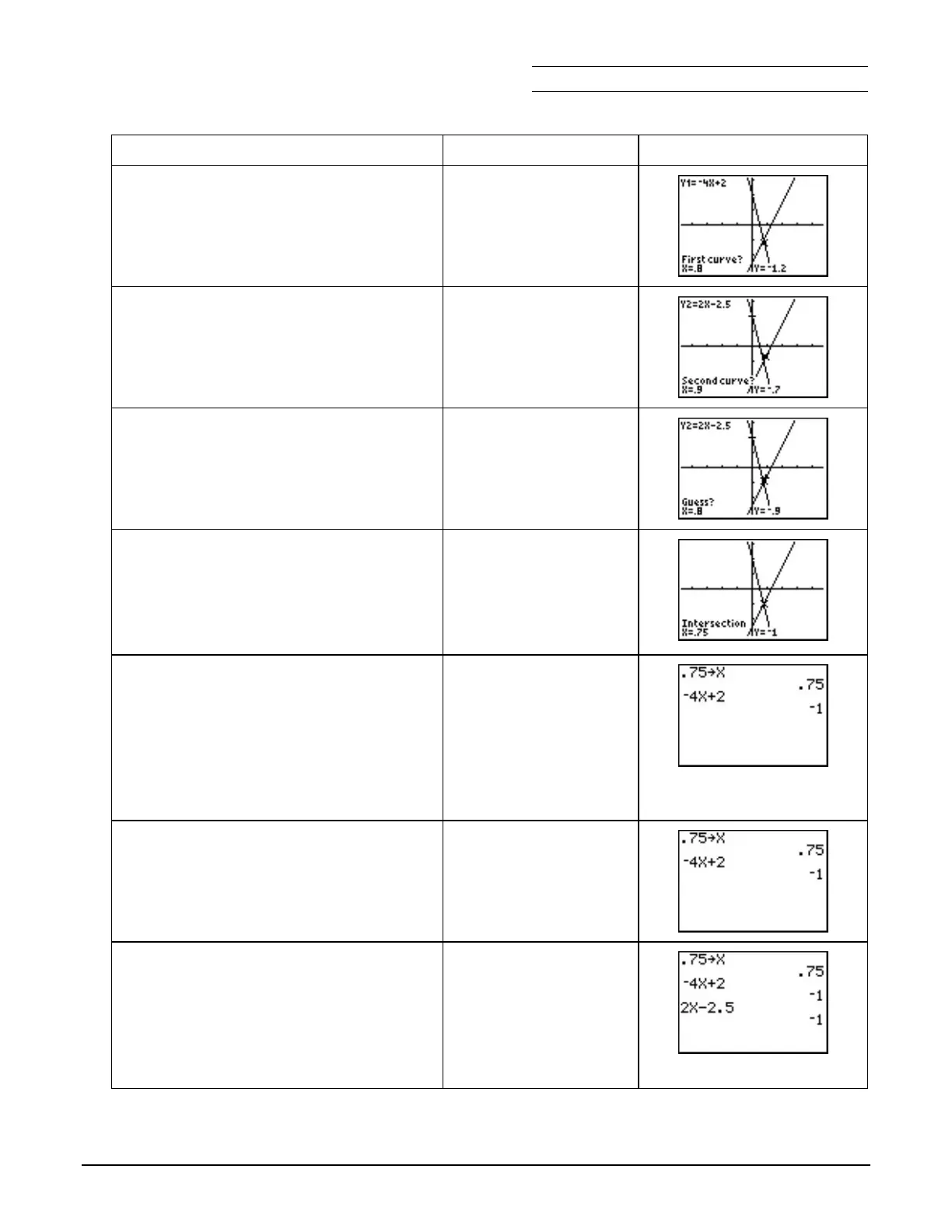
6. You have to select a First Curve in
order for the calculator to calculate
the numerical solution. Notice the
cursor is on the line Y1 =
L
4X + 2.
Í
7. You have to select a Second Curve in
order for the calculator to calculate
the solution. Notice the cursor is on
the line Y2 = 2X
N
2.5.
Í
8. The calculator now needs a close
guess at the solution. Move the
cursor closer to the intersection.
~
or
|
9. The calculator uses a program to
calculate the numerical solution. The
numerical solution given is at
(0.75, L1). Check to see if this
solution is the exact solution or an
approximate value.
b
10. Check the solution on the home
screen. The value 0.75 is stored in the
X variable in the calculator. X is fixed
at 0.75 after you follow these steps.
Important Reminder: The calculator always has a
value stored in each variable. You must store the
value you want in order to understand how the
calculator interprets a variable expression.
- 5 ‘
Ë 75
¿ „ Í
11. Enter L4X + 2 to find the Y1 value at
X = 0.75. Notice that the output is L1.
Ì
4 „ Ã 2 Í
12. Enter 2X N 2.5 to find the Y2 value at
X = 0.75. Notice that the output is L1
and Y1 = Y2 at X = 0.75.
The solution is (0.75, L1). Press
* to see if this agrees with
the graph of the lines!
2 „ ¹ 2 Ë 5
Í


 To Next Page
 Loading...














