10 Chapter 0 – Introduction to TI Calculators
Clearing Lists without Leaving the STAT Editor
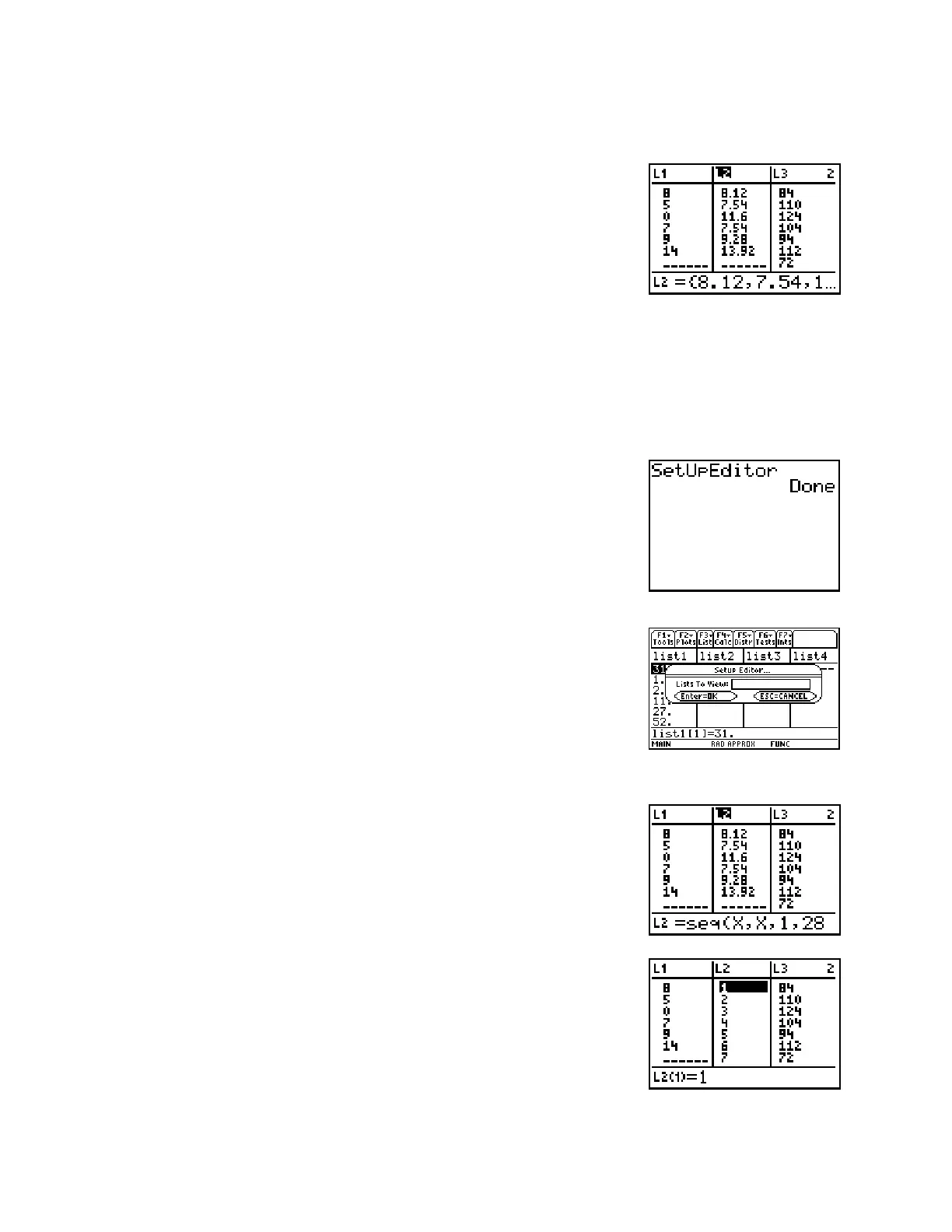
Suppose you wish to clear a list, say L2, while you are still in the
STAT Editor. You should use the cursor to highlight the name of the
list at the top. With the name highlighted, press ‘ and you will
see this. Press Í and the contents of the list will be cleared.
Make sure not to press { or the list will be deleted entirely and you
will have to use SetUpEditor as described below to retrieve it.
Deleting a List from the STAT Editor:
If you wish to delete a list from your STAT Editor, simply highlight the list name and press {.
The name and the data are gone from the Editor but not from the memory. To recover a list
inadvertently deleted, use SetUpEditor as described below.
SetUpEditor
Setting up the editor will remove unwanted lists from view. It also
will recover lists which have inadvertently been deleted
On an 83 or 84, if you want the STAT Editor to be restored to its
original condition (with lists L1 to L6 only), press … · Í.
Often students find this necessary because they have inadvertently
deleted one of the original lists.
On an 89, in the Statistics Editor, press ƒ (Tools), then select
option 3:Setup Editor. You will see the screen at right. Leave
the box empty and press Í to return to the six default lists.
Generating a Sequence of Numbers in a List
From time to time one may want to enter a list of sequenced values
(years for example in making a time-series plot). It is certainly
possible (but tedious) to enter the entire sequence just as one would
enter normal data. There is an easier option, however. Use cursor
control keys to highlight L1 in the top line. Press y … ~ ·.
You are choosing the LIST menu and then choosing the OPS
submenu. From the OPS submenu you choose option 5 which is
seq(.
This has been pasted onto the bottom line of the screen. Type in the
rest so that you have seq(X,X,1,28. Press Í and the
sequence of integers from 1 to 28 will be pasted into L2 as in my
screen. Find the X on the „ key on an 83 or 84, on 89’s it has its
own key. Notice that it was not necessary to clear the list first.














 To Next Page