10 GRAPHICS CALCULATOR INSTRUCTIONS
In this course it is assumed that you have a graphics calculator. If you learn how to operate
your calculator successfully, you should experience little difficulty with future arithmetic
calculations.
There are many different brands (and types) of calculators. Different calculators do not have
exactly the same keys. It is therefore important that you have an instruction booklet for your
calculator, and use it whenever you need to.
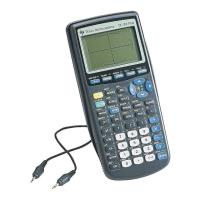
However, to help get you started, we have included here some basic instructions for the Texas
Instruments TI-83 and the Casio fx-9860G calculators. Note that instructions given may
need to be modified slightly for other models.
GETTING STARTED
Texas Instruments TI-83
The screen which appears when the calculator is turned on is the home screen. This is where
most basic calculations are performed.
You can return to this screen from any menu by pressing
2nd MODE .
When you are on this screen you can type in an expression and evaluate it using the
ENTER
key.
Casio fx-9860g
Press
MENU to access the Main Menu, and select RUN¢MAT.
This is where most of the basic calculations are performed.
When you are on this screen you can type in an expression and evaluate it using the
EXE
key.
Most modern calculators have the rules for Order of Operations built into them. This order
is sometimes referred to as BEDMAS.
This section explains how to enter different types of numbers such as negative numbers and
fractions, and how to perform calculations using grouping symbols (brackets), powers, and
square roots. It also explains how to round off using your calculator.
NEGATIVE NUMBERS
To enter negative numbers we use the sign change key. On both the TI-83 and Casio this
looks like
(¡)
.
Simply press the sign change key and then type in the number.
For example, to enter ¡7, press
(¡)
7.
BASIC CALCULATIONS
A
IB10 plus 2nd ed
magentacyan yellow black
0
0
5
5
25
25
75
75
50
50
95
95
100
100
0
0
5
5
25
25
75
75
50
50
95
95
100
100
Y:\HAESE\IB_10_PLUS-2ed\IB_10P-2ed_00a\010IB_10P-2_00a.CDR Wednesday, 23 January 2008 4:46:39 PM PETERDELL


 To Next Page