GRAPHICS CALCULATOR INSTRUCTIONS 11
FRACTIONS
On most scientific calculators and also the Casio graphics calculator there is a special key
for entering fractions. No such key exists for the TI-83, so we use a different method.
Texas Instruments TI-83
To enter common fractions, we enter the fraction as a division.
For example, we enter
3
4
by typing 3
¥
4. If the fraction is part of a larger calculation,
it is generally wise to place this division in brackets, i.e.,
(
3
¥
4
)
.
To enter mixed numbers, either convert the mixed number to an improper fraction and enter
as a common fraction or enter the fraction as a sum.
For example, we can enter 2
3
4
as
(
11
¥
4
)
or
(
2
+
3
¥
4
)
.
Casio fx-9860g
To enter fractions we use the fraction key
a
b
/c .
For example, we enter
3
4
by typing 3 a
b
/c 4 and 2
3
4
by typing 2 a
b
/c 3 a
b
/c 4. Press
SHIFT a
b
/c (a
b
c
$
d
c
) to convert between mixed numbers and improper fractions.
SIMPLIFYING FRACTIONS & RATIOS
Graphics calculators can sometimes be used to express fractions and ratios in simplest form.
Texas Instruments TI-83
To express the fraction
35
56
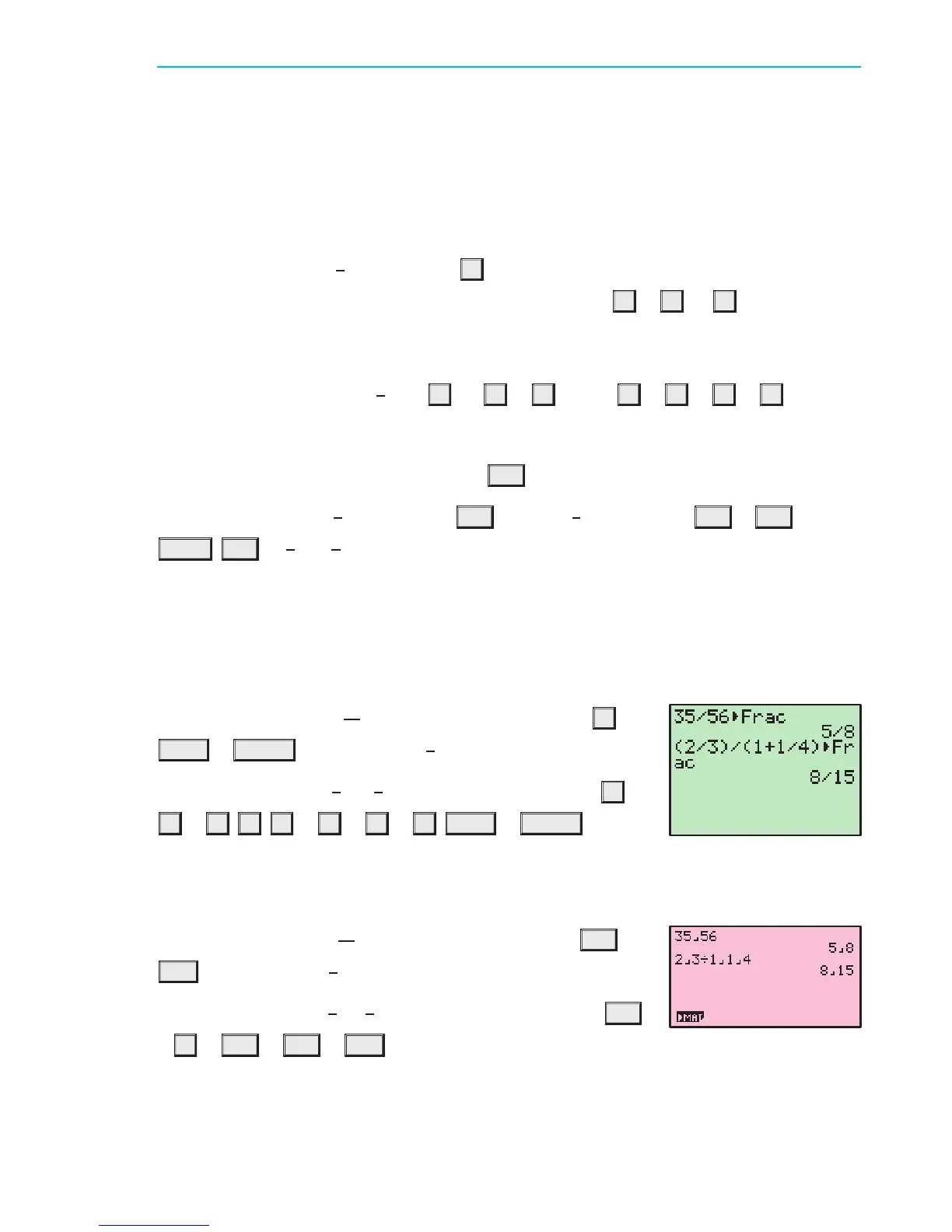
in simplest form, press 35
¥
56
MATH 1 ENTER . The result is
5
8
.
To express the ratio
2
3
:1
1
4
in simplest form, press
(
2
¥
3
)
¥
(
1
+
1
¥
4
)
MATH 1 ENTER .
The ratio is 8:15.
Casio fx-9860g
To express the fraction
35
56
in simplest form, press 35 a
b
/c 56
EXE . The result is
5
8
.
To express the ratio
2
3
:1
1
4
in simplest form, press 2 a
b
/c
3
¥
1 a
b
/c 1 a
b
/c 4 EXE . The ratio is 8:15.
ENTERING TIMES
In questions involving time, it is often necessary to be able to express time in terms of hours,
minutes and seconds.
IB10 plus 2nd ed
magentacyan yellow black
0
0
5
5
25
25
75
75
50
50
95
95
100
100
0
0
5
5
25
25
75
75
50
50
95
95
100
100
Y:\HAESE\IB_10_PLUS-2ed\IB_10P-2ed_00a\011IB_10P-2_00a.CDR Wednesday, 23 January 2008 4:46:56 PM PETERDELL


 To Next Page