12 GRAPHICS CALCULATOR INSTRUCTIONS
Texas Instruments TI-83
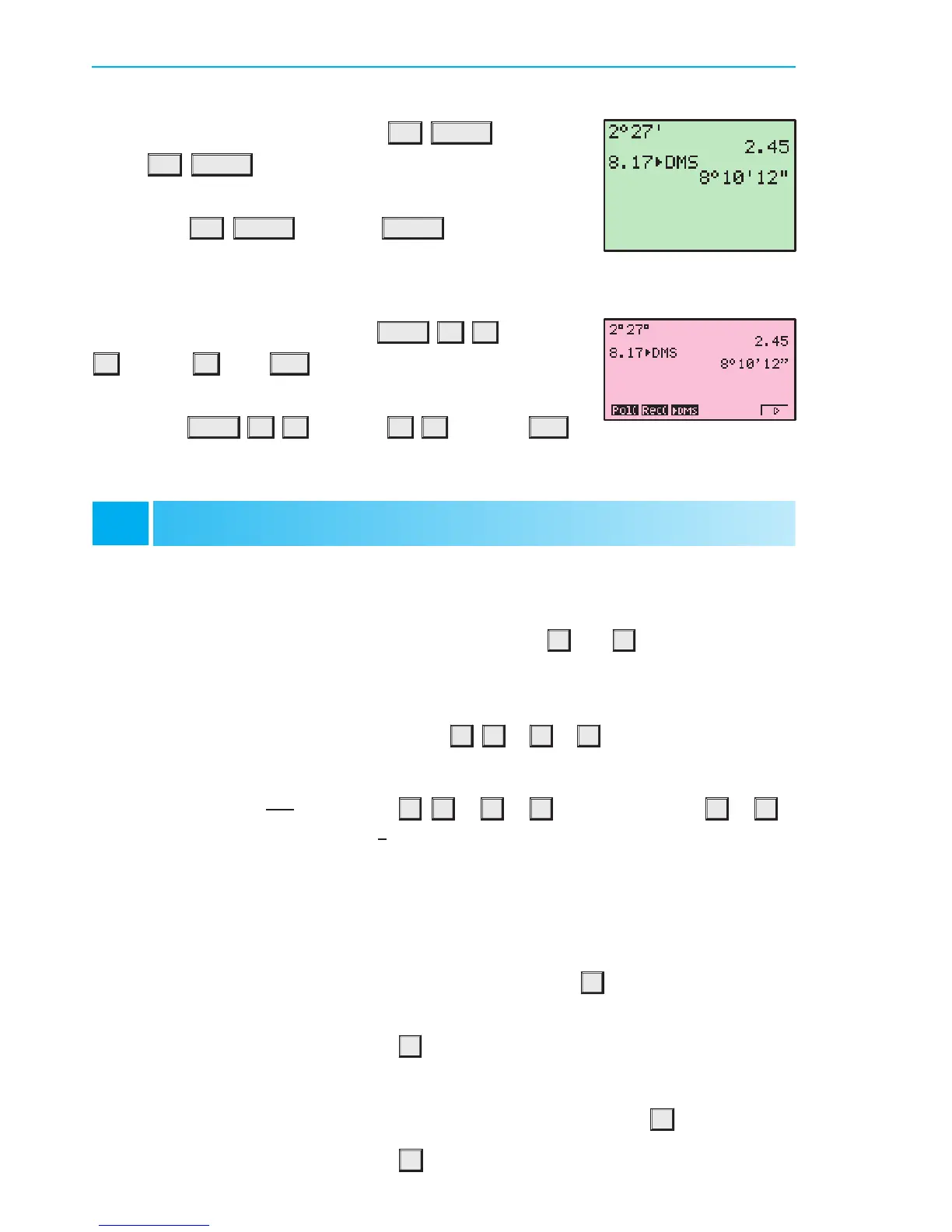
To enter 2 hours 27 minutes, press 2
2nd MATRX (ANGLE)
1:
o
27 2nd MATRX 2:
0
. This is equivalent to 2:45 hours.
To express 8:17 hours in terms of hours, minutes and seconds,
press 8:17
2nd MATRX 4:IDMS ENTER .
Casio fx-9860g
To express 8:17 hours in terms of hours, minutes and seconds,
press 8:17
OPTN F6 F5 (ANGL) F6 F3 (IDMS) EXE .
This is equivalent to 8 hours, 10 minutes and 12 seconds.
GROUPING SYMBOLS (BRACKETS)
Both the TI-83 and Casio have bracket keys that look like
(
and
)
.
Brackets are regularly used in mathematics to indicate an expression which needs to be
evaluated before other operations are carried out.
For example, to enter 2 £ (4 + 1) we type 2
£
(
4
+
1
)
.
We also use brackets to make sure the calculator understands the expression we are typing in.
For example, to enter
2
4+1
we type 2
¥
(
4
+
1
)
. If we typed 2
¥
4
+
1
the calculator would think we meant
2
4
+1.
In general, it is a good idea to place brackets around any complicated expressions which need
to be evaluated separately.
POWER KEYS
Both the TI-83 and Casio also have power keys that look like
^
. We type the base first,
press the power key, then enter the index or exponent.
For example, to enter 25
3
we type 25
^
3.
Note that there are special keys which allow us to quickly evaluate squares.
Numbers can be squared on both TI-83 and Casio using the special key
x
2
.
For example, to enter 25
2
we type 25 x
2
.
BASIC FUNCTIONS
B
To enter 2 hours 27 minutes, press OPTN F6 F5 (ANGL)2
F4 (
o000
) 27 F4 (
o000
) EXE . This is equivalent to 2:45 hours.
This is equivalent to 8 hours, 10 minutes and 12 seconds.
IB10 plus 2nd ed
magentacyan yellow black
0
0
5
5
25
25
75
75
50
50
95
95
100
100
0
0
5
5
25
25
75
75
50
50
95
95
100
100
Y:\HAESE\IB_10_PLUS-2ed\IB_10P-2ed_00a\012IB_10P-2_00a.CDR Thursday, 24 January 2008 9:58:36 AM PETERDELL


 To Next Page