GRAPHICS CALCULATOR INSTRUCTIONS 13
SQUARE ROOTS
Texas Instruments TI-83
The TI-83 uses a secondary function key
2nd .
To enter
p
36 we press 2nd x
2
36
)
.
The end bracket is used to tell the calculator we have finished entering terms under the square
root sign.
Casio fx-9860g
The Casio uses a shift key
SHIFT to get to its second functions.
To enter
p
36 we press SHIFT x
2
36.
If there is a more complicated expression under the square root sign you should enter it in
brackets.
For example, to enter
p
18 ¥2 we press SHIFT x
2
(
18
¥
2
)
.
ROUNDING OFF
You can use your calculator to round off answers to a fixed number of decimal places.
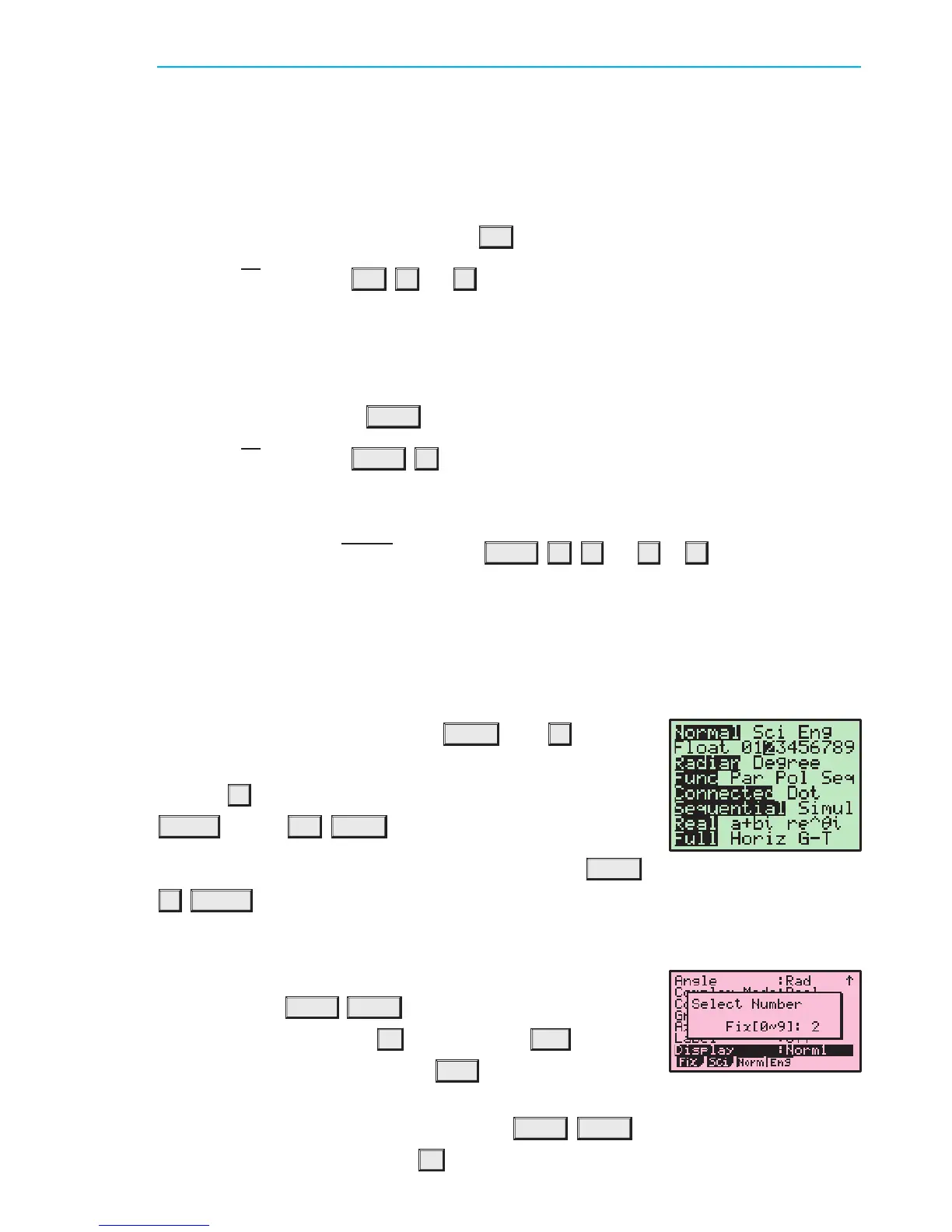
Texas Instruments TI-83
To round to 2 decimal places, press
MODE then H to scroll
down to Float.
Use the
I button to move the cursor over the 2 and press
ENTER . Press 2nd MODE to return to the home screen.
If you want to unfix the number of decimal places, press
MODE
H ENTER to highlight Float.
Casio fx-9860g
To round to 2 decimal places, select RUN¢MAT from the Main
Menu, and press
SHIFT MENU to enter the setup screen. Scroll
down to Display, and press
F1 (Fix). Press 2 EXE to select
the number of decimal places. Press
EXIT to return to the home
screen.
To unfix the number of decimal places, press
SHIFT MENU to return to the setup screen,
scroll down to Display, and press
F3 (Norm).
To enter square roots on either calculator we need to use a secondary function (see the
).Secondary Function and Alpha Keys
IB10 plus 2nd ed
magentacyan yellow black
0
0
5
5
25
25
75
75
50
50
95
95
100
100
0
0
5
5
25
25
75
75
50
50
95
95
100
100
Y:\HAESE\IB_10_PLUS-2ed\IB_10P-2ed_00a\013IB_10P-2_00a.CDR Thursday, 24 January 2008 9:59:25 AM PETERDELL


 To Next Page