10 11
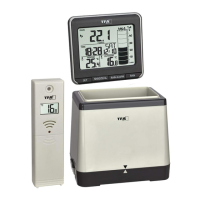
MONSUN – Wireless rain gauge
MONSUN – Wireless rain gauge
• Batteries contain harmful acids. Low batteries should be changed as soon as possible
to prevent damage caused by leaking. Never use a combination of old and new bat-
teries together, nor batteries of different types. Wear chemical-resistant protective
gloves and glasses when handling leaking batteries.
Important information on product safety!
• Do not place your product near extreme temperatures, vibrations or shocks.
• Protect the basic unit from moisture.
5. Elements
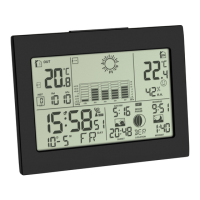
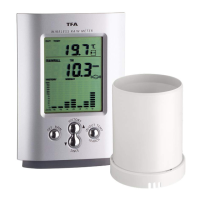
5.1 Receiver (Basic unit) Fig. 1
LCD
A1: Outdoor temperature
A2: Trend indicator
A3: Time
A4: Rain sensor
A5: Bar graph indication rainfall quantity
Buttons
B1: “▲ HISTORY” button
B2: “SET/RAIN” button
B3: “▼ SINCE” button
B4: “IN/OUT TEMP/SEARCH“ button
B5: “ALERT” button
B6: “MAX/MIN” button
B7: “RESET” button
Housing
C1: Wall mounting hole
C2: Battery compartment
C3: Stand (mountable)
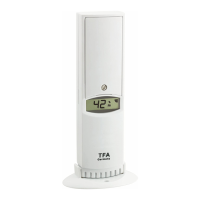
5.2 Transmitter Fig. 2
D1: Battery compartment
6. Getting started
6.1 Basic unit
• Open the battery compartment and remove the battery insulation strip. Close the
battery compartment. Pull off the protective foil from the display.
6.2 Setting of the clock and calendar
• After batteries were inserted, or when holding “SET” button for 3 seconds, the 24 h
digit begins to flash. Press “▲” or “▼” button to choose 12 HR or 24 HR system.
Using “SET” button you can switch to setting hours, minutes, seconds, year,
month/day sequence, month, day, mm/inch, °C/°F and rain sensor alarm ON or OFF.
Thank you for choosing this instrument from TFA.
1. Before you start using it
• Please make sure to read the instruction manual carefully.
•
Following and respecting the instructions in your manual will prevent damage to your
instrument and loss of your statutory rights arising from defects due to incorrect use.
• We shall not be liable for any damage occurring as a result of not following these
instructions. Likewise, we take no responsibility for any incorrect readings and for
any consequences which may result from them.
• Please take particular note of the safety advice!
• Please keep this instruction manual for future reference.
2. Delivery contents
• Wireless rain gauge (basic unit)
• Transmitter (Cat.-Nr. 30.3161)
• Stand
• Batteries 5 x 1.5 V AA
• Instruction manual
3. Field of operation and all of the benefits of your new instrument at a glance
• Wireless transmission of outdoor temperature and rainfall quantity (433 MHz), dis-
tance range up to 30 m (free field), with temperature trend indicator
• Rain sensor with alarm
• Indication of total rainfall quantity, of the last hour, the last 24 hours and the last
rain with time and date of recording
• Bar graph indication and history of the last 7 days, weeks and months
• Indoor temperature
• Maximum and minimum temperature
• Programmable temperature alarm
• Clock with date
• Basic unit for wall mounting or table standing
• Very simple installation, no cables required
• Ideal for gardening and agricultural purposes and for all those who want to know
more about nature
4. For your safety
• This product is exclusively intended for the field of application described above. It
should only be used as described within these instructions.
• Unauthorised repairs, modifications or changes to the product are prohibited.
Caution!
Risk of injury:
• Keep these instruments and the batteries out of the reach of children.
• Batteries must not be thrown into a fire, short-circuited, taken apart or recharged.
Risk of explosion!


 To Next Page
 Loading...