1716
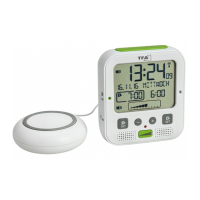
BOOM – High performance radio-controlled alarm clock with vibration alarm
• The device and the power adapter must not come into contact with water or moisture. It should
be operated in dry interiors.
• Do not use the device if the housing or the power adapter are damaged.
• Keep the device out of reach of persons (including children) who cannot fully appreciate the
potential risks of handling electrical equipment.
• Unplug the device immediately if any fault occurs or if the device is not to be used for a long
period of time.
• Only use the supplied power adapter.
• Connect the lead to the device first and then plug the power adapter into the socket.
• Do not pull the plug out of the socket by its cable.
• Route the mains cable and the cable of the vibration unit so it does not come into contact with
sharp-edged or hot objects.
Caution!
Risk of injury:
• Keep this instrument and the batteries out of the reach of children.
• Batteries contain harmful acids and may be hazardous if swallowed. If a battery is swallowed,
this can lead to serious internal burns and death within two hours. If you suspect a battery
could have been swallowed or otherwise caught in the body, seek medical help immediately.
• Batteries must not be thrown into a fire, short-circuited, taken apart or recharged. Risk of explo-
sion!
• Low batteries should be changed as soon as possible to prevent damage caused by leaking.
Never use a combination of old and new batteries together, nor batteries of different types.
Wear chemical-resistant protective gloves and safety glasses when handling leaking batteries.
Important information on product safety!
• Do not expose the device to extreme temperatures, vibrations or shocks.
• Protect it from moisture.
5. Elements
A: Display (Fig. 1):
A 1: Time, seconds A 2: AM/PM
A 3: Symbol power adaptor connected A 4: Symbol alarm sound activated
A 5: Symbol vibration alarm activated A 6: Symbol auto light activated
A 7: Date and weekday A 8: DCF reception symbol
A 9: Daylight Saving Time symbol A 10: Snooze symbol
A 11: Battery symbol A 12: Alarm time 1
A 13: Alarm time 2 A 14: Symbol volume setting
A 15: Symbol frequency setting A 16: Symbol brightness setting
A 17: Level
BOOM – High performance radio-controlled alarm clock with vibration alarm
B: Buttons (Fig. 2+3):
B 1: SNOOZE/LIGHT button B 2: SET 1 button
B 3: – button B 4: + button
B 5: SET 2 button B 6: LEVEL button
B 7: Alarm 1 ON/OFF switch B 8: Alarm 2 ON/OFF switch
B 9: LIGHT switch B 10: ALARM switch
B 11: SET button B 12: RESET button
C: Housing (Fig. 2+3):
C 1: Power adaptor jack C 2: Vibration unit jack
C 3: Battery compartment
C 4: Color mark for the alarm time 1 ON / OFF
C 5: Color mark for the alarm time 2 ON / OFF
C 6: Light sensor
6. Getting started
• Connect the attached power adapter to the alarm clock. Insert the power adapter pin into the
provided device jack and connect the plug to a wall socket. Important! Make sure that your
household voltage is no more than 230V! Otherwise your device may be damaged.
• The device will alert you with a beep and all segments will be displayed for a short moment.
• The symbol “power adaptor connected”appears.
6.1 Reception of the DCF frequency signal
• The clock will now scan the DCF frequency signal and the DCF symbol will be flashing on the
display. When the time code is successfully received after 3-8 minutes, the radio-controlled
time, the date and the DCF symbol will be shown steadily on the display.
• The DCF reception always takes place daily at 3:00 o'clock in the morning. If the reception is not
successfully received, further attempts will be taken at 4:00 and 5:00 o'clock in the morning.
• You can also start the initialization manually.
• Press and hold – button for three seconds.
• The DCF reception symbol will be flashing.
• To end the reception, press and hold the – button for three seconds again. The DCF reception
symbol disappears.
• There are three different reception states:
flashing – reception is active
solid – reception is very good
no symbol – no reception/time was set manually
• If the clock cannot detect the DCF-signal (e.g. due to interference, transmitting distance, etc.),
the time can be set manually. The clock will then work as a normal quartz clock (see: 7.1 Manu-
al settings).
TFA_No. 60.2538_Anleitung 27.11.2018 15:34 Uhr Seite 9


 To Next Page
 Loading...