– 22 – – 23 –
2322
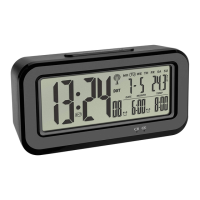
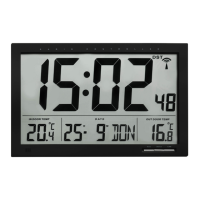
BOXX – Radio-controlled alarm clock with thermometer
6. Charging
• The battery symbol LED indicates that the built-in rechargeable battery has to be charged.
• Please charge the device immediately to preserve battery life.
• Insert the supplied USB cable with the micro USB plug into the provided opening on the device. Connect the device via the USB
cable only to a suitable USB power source.
• Do not apply excessive force when connecting the USB cable. The USB plug fits only one way into the USB port.
• To fully charge, leave the device connected for approximately 6 - 8 hours.
• The charging symbol LED indicates that the built-in rechargeable battery is charging. Once the light is off, the built-in rechargeable
battery is charged.
• Disconnect the device from the charging power source.
• Do not leave the fully-charged device connected to the charging power source as this may shorten battery life.
• Recharge the battery every six months, even if the product is not in use.
7. Getting started
• Before the first use, please charge it fully.
• Slide the POWER ON/OFF switch to ON.
• The device will alert you with a beep and all segments will be displayed for a short moment.
• The backlight turns on for a short period.
BOXX – Radio-controlled alarm clock with thermometer
7.1 Radio-controlled time reception
• The clock will now scan the DCF frequency signal and the DCF symbol will be flashing on the display. When the time code is suc-
cessfully received after 3-7 minutes, the radio-controlled time, the date, the day of the week and the DCF symbol will be shown
steadily on the display.
• You can also start the initialization manually.
• Press and hold the 12/24/
▼
button.
• The DCF reception symbol will be flashing.
• Interrupt the reception by pressing and holding the 12/24/
▼
button again. The DCF reception symbol disappears.
• The DCF reception always takes place daily at 1:00, 2:00 and 3:00 o'clock in the morning. If the reception is not successfully
received, another DCF reception will take place the next full hour (up to 2 times).
• There are three different reception states:
Symbol flashing – reception is active
Symbol solid – reception is very good
No symbol – no reception/ time is set manually
• If the clock cannot detect the DCF-signal (e.g. due to interference, transmitting distance, etc.), the time can be set manually. The
DCF reception symbol disappears and the clock will then work as a normal quartz clock (see: Manual setting of the clock and cal-
endar).
TFA_No. 60.2554_Anleit_11_21 18.11.2021 16:40 Uhr Seite 12


 To Next Page
 Loading...