– 26 – – 27 –
2726
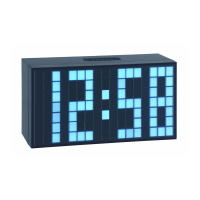
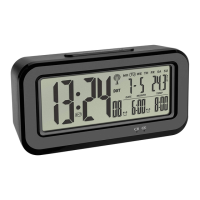
BOXX – Radio-controlled alarm clock with thermometer
• 6:00 (default) or the last adjusted alarm time appear on the display. The hour digits flash.
• Press the
▲
or
▼
button to adjust the hours.
• Confirm the setting with the ALARM 1 button.
• The minute digits flash.
• Press the
▲
or
▼
button to set the minutes.
• Confirm the setting with the ALARM 1 button.
• ALARM 2 can be adjusted in the same way.
9.2 Activate/deactivate alarm
• Press the ALARM 1 and/or ALARM 2 button in normal mode.
• The last adjusted alarm time appear on the display. The alarm is activated.
• Slide the ALARM switch to choose between the three set alarms below:
Monday until Friday (1-5)
Saturday and Sunday (6-7)
Monday until Sunday (1-7)
• Press ALARM 1 or ALARM 2 button again to deactivate the alarm. -:- - appears on the display.
• When the alarm is activated, the alarm starts to ring when the set alarm time is reached. The backlight turns on for a short period.
• Press any button (except SNOOZE/LIGHT) and the alarm will stop.
BOXX – Radio-controlled alarm clock with thermometer
• If the alarm is not stopped manually, the ascending alarm tone automatically turns off after two minutes and it will be reactivated
at the same set time on the following day.
• When the alarm rings, press the SNOOZE/LIGHT button and the snooze function is activated.
• The snooze symbol flashes on the display.
• The alarm will be interrupted for 5 minutes.
10. Temperature unit setting
• Press the °C/°F/
▲
button in the normal mode to change between °C (Celsius) or °F (Fahrenheit) as temperature unit.
11. Backlight
• Press the SNOOZE/LIGHT button. The backlight turns on for 3 seconds.
• Move the SENSOR ON/OFF switch to ON, a weak backlight turns on automatically as soon as the light sensor registers darkness.
• To deactivate the night backlight slide the switch to the position OFF.
12. Care and maintenance
• Clean the device with a soft damp cloth. Do not use solvents or scouring agents.
• Turn off the device if you do not use it for a long period of time. Slide the POWER ON/OFF switch to OFF.
• Keep the device in a dry place.
TFA_No. 60.2554_Anleit_11_21 18.11.2021 16:40 Uhr Seite 14


 To Next Page