2322
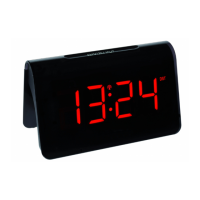
ICON – Design Radio-controlled alarm clock
ICON – Design Radio-controlled alarm clock
• Important! Make sure that your household voltage is no more than 240V! Otherwise your device may be
damaged.
• The device will alert you with a beep and all segments will be displayed for 2 seconds.
• The display shows the time 0:00.
6.1 Insert the batteries
• The batteries will operate as a backup power source in case of power failure.
• Open the alarm clock's battery compartment.
• Insert two new 1,5 V AAA batteries, polarity as illustrated.
• Close the battery compartment again.
6.2 Reception of the DCF frequency signal
• The clock will now scan the DCF frequency signal and the DCF symbol will be flashing on the display.
• When the time code is received after 3-7 minutes, the radio-controlled time will be shown. The DCF symbol
remains on the display.
• If the reception fails, the DCF symbol will disappear and the clock will repeat the reception every 3 hours.
• Activate the reception manually by holding the UP button for 2 seconds. The clock will now scan the DCF
frequency signal and the DCF symbol flashes.
• To end the DCF reception attempt, press the UP button again. The DCF reception symbol disappears.
5. Elements
5.1 Display (Fig. 1)
A 1: PM (12-hour system) A 2: Time
A 3: DCF Reception symbol A 4: DST symbol
A 5: Alarm mode A 6: Alarm symbol
A 7: Snooze symbol
5.2 Buttons (Fig. 1+2)
B 1: SNOOZE/LIGHT sensor button B 2: DOWN button
B 3: UP button B 4: MODE button
B 5: ALARM ON/OFF switch
5.3 Housing (Fig. 2+3)
C 1: Battery compartment 2 x 1,5 V AAA C 2: Power adapter jack
C 3: Guide for the cable
6. Getting started
• Insert the power adapter pin into the device jack and connect the plug to a wall socket.
TFA_No. 60.2543_Anleit_02_20 27.02.2020 17:28 Uhr Seite 12


 To Next Page